37
User Manual M3 Orange
Using Camera
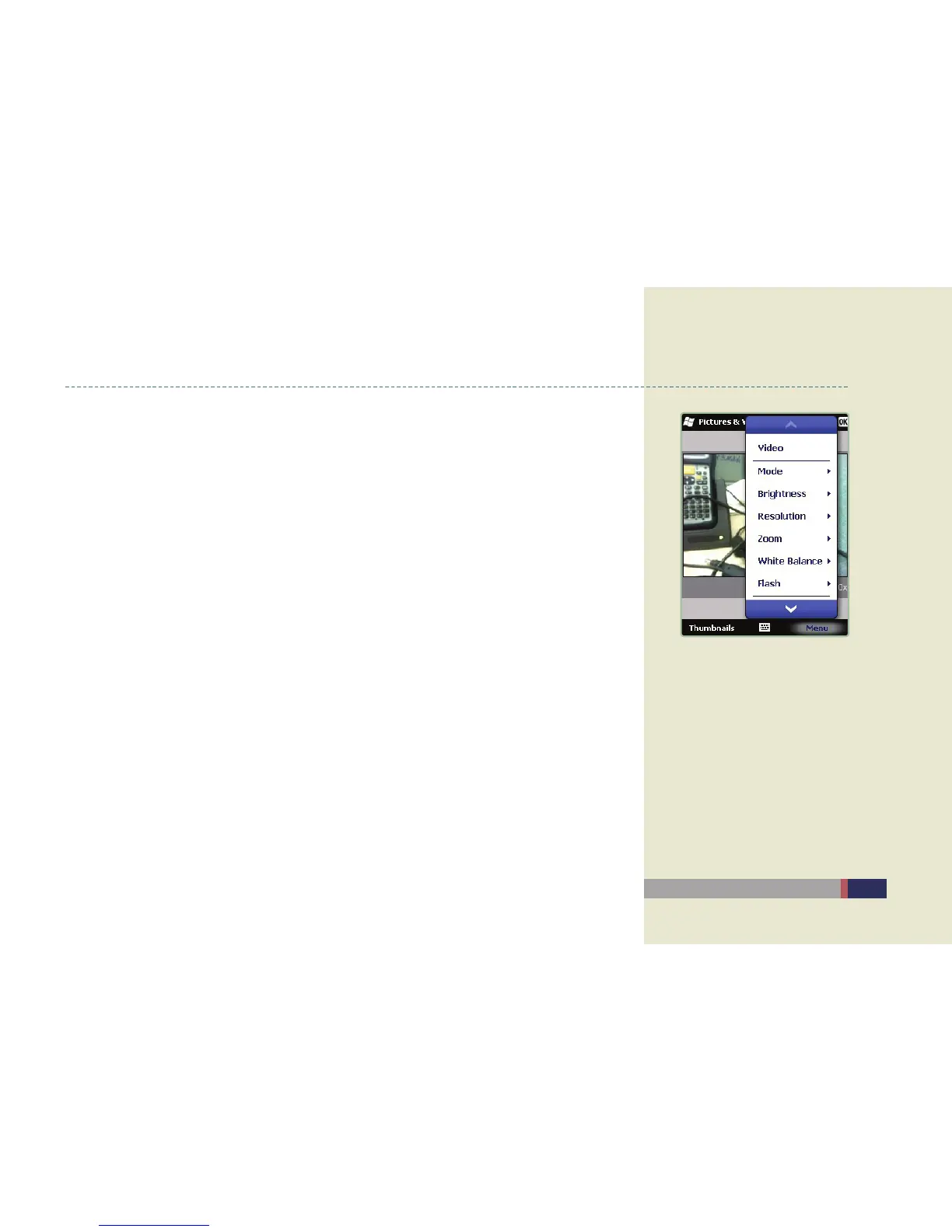
Camera setting menu
Convert mode: You can select among ‘General’, ‘Continuous’, ‘Timer’ for taking a •
photo by choosing the mode.
Brightness : You can take a picture brighter or darker by choosing Brightness. (Adjust •
the left / right direction key)
Resolution : You can select image size by selecting Resolution.•
Zoom-in /Zoom-out : Press Zoom-in or Zoom-out to adjust the size of the image.•
(Adjust the up / down direction key)
White Balance : You can adjust White Balance by selecting Auto / Bright / Cloudy / •
fluorescent / incandescent.
Flash On /Off : You can turn the flash on or off by pressing the Flash button.•
Taking a photograph
Auto-focus : Adjust the fucus automatically by selecting Trigger AF in menu before •
shooting.
Shooting : In Camera-on mode, take a picture, record or end a video by pressing •
Camera or Enter key.
Camera menu


 To Next Page