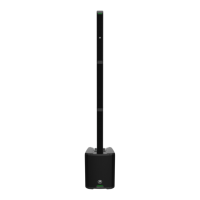
SHOWBOX BATTERY POWERED ALL-IN-ONE PERFORMANCE RIG WITH BREAKAWAY MIX CONTROL
4
Chapter 3 : ShowBox Breakaway Mixer .............................................................................................................................................. 18
Introduction ..............................................................................................................................................................................................18
Breakaway Mixer Data Port ..................................................................................................................................................................18
USB-C Charging Thru Port.....................................................................................................................................................................19
CHANNEL select ...................................................................................................................................................................................... 19
Channel Select Buttons .................................................................................................................................................... 19
CHANNEL control ....................................................................................................................................................................................19
Channel Volume and Gain Knob.......................................................................................................................................19
Setting Auto-Gain on ShowBox .............................................................................................................................20
Channel Equalization (EQ) Knobs ..................................................................................................................................21
Hi EQ Knobs ................................................................................................................................................................ 21
Mid EQ Knobs ............................................................................................................................................................. 21
Low EQ Knobs .............................................................................................................................................................21
Compressor Knob .............................................................................................................................................................22
Presence Knob ................................................................................................................................................................... 23
FX Knobs ............................................................................................................................................................................. 24
Selecting FX on ShowBox ....................................................................................................................................... 24
Tuner ........................................................................................................................................................................... 25
Snapshots .................................................................................................................................................................. 26
Accessing Snapshots on ShowBox ........................................................................................................................26
External FX Loop Knob ............................................................................................................................................ 26
LOOP control ........................................................................................................................................................................................... 27
Looper Button .................................................................................................................................................................... 27
Working the Looper on ShowBox .......................................................................................................................... 27
Loop Level Knob ................................................................................................................................................................28
MAIN control ........................................................................................................................................................................................... 29
Main Volume Knob and Mute Button .............................................................................................................................29
Headphones Volume Knob ...............................................................................................................................................29
Micro SD Button and LED ................................................................................................................................................ 30
Recording to micro SD card on ShowBox ............................................................................................................ 30
Battery Level Indicator LED .............................................................................................................................................31
Chapter 4 : Protection Circuitry .......................................................................................................................................................... 32
Introduction ............................................................................................................................................................................................. 32
Limiting ............................................................................................................................................................................... 32
Overexcursion Protection ............................................................................................................................................... 32
Thermal Protection .......................................................................................................................................................... 32
AC Power ............................................................................................................................................................................ 33
Care and Maintenance ..................................................................................................................................................... 33
Chapter 5 : Placement ........................................................................................................................................................................... 34
Introduction ............................................................................................................................................................................................. 35
Connecting the Breakaway Mixer to a Mic Stand ....................................................................................................... 35
Room Acoustics ................................................................................................................................................................. 35


 To Next Page