SHOWBOX BATTERY POWERED ALL-IN-ONE PERFORMANCE RIG WITH BREAKAWAY MIX CONTROL
8
Chapter 2 : ShowBox Rear Panel Features
Introduction
The breakaway mix control of ShowBox may be where
all the magic happens, but nothing will happen if it can’t
be powered up and instruments, phones, and other things
aren’t connected to it, so let’s start there!
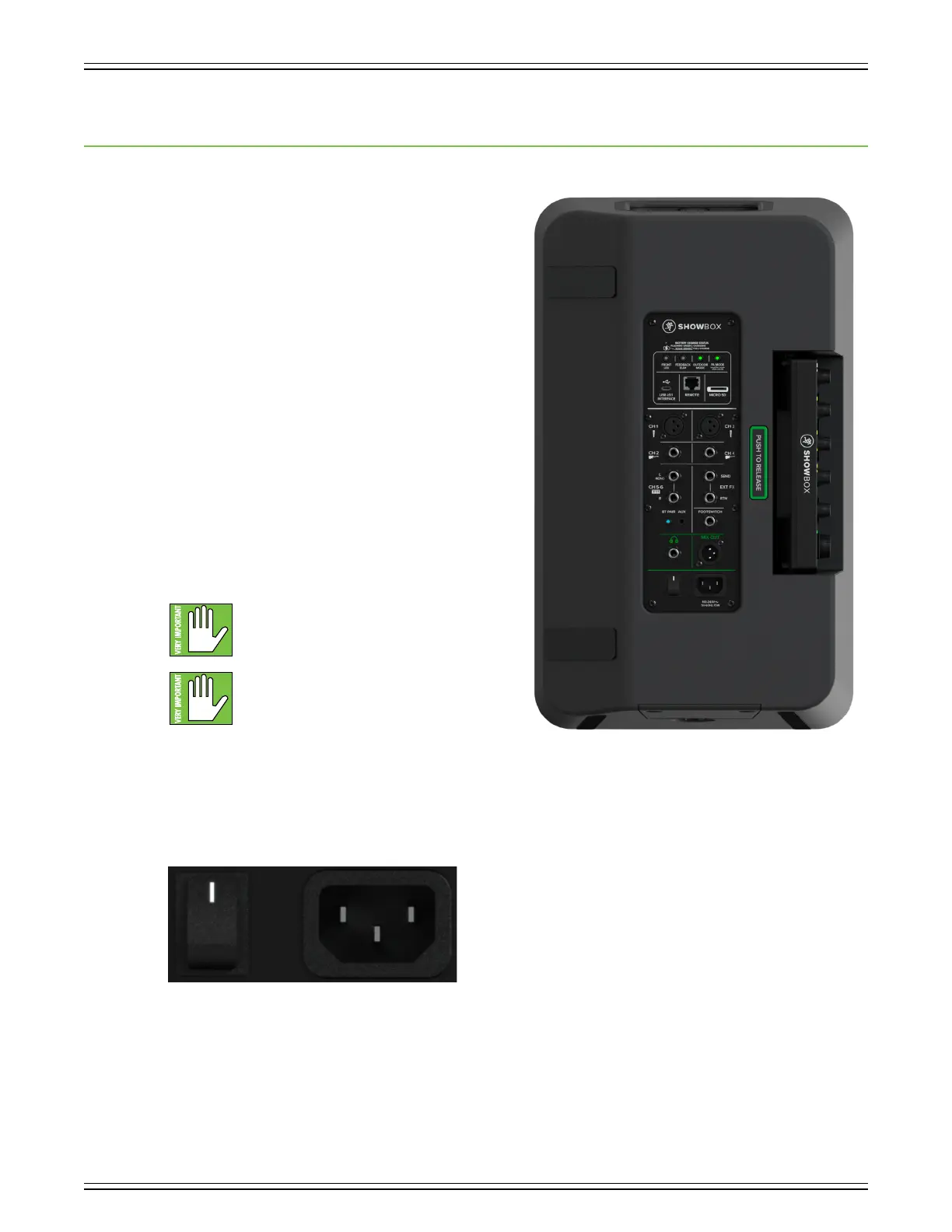
The rear panel of each ShowBox is oufitted with a power
connector, a power switch, a wide variety of input and output
choices, and much, much more! Let’s take a look at each
of these features, starting with the power connector and
power switch at the bottom of the ShowBox, followed by a
look at the input and out jacks, then working our way around.
Power Connector
The ShowBox may be powered in two ways:
() This is a standard 3-prong IEC power connector.
Connect the detachable power cord (included in
the packaging) to the power receptacle, and plug
the other end of the power cord into an AC outlet.
Make sure that the AC power is matched
to the AC power indicated on the rear panel
(near the IEC receptacle).
Warning: Disconnecting the plug’s ground pin
is dangerous. Don’t do it!
(2) The ShowBox may also be powered via a portable, rechargable battery. It may be accessed by removing the battery
compartment cover from the bottom of ShowBox. There is more information on pages 6-7.
Power Switch
Located next to the power connector is the power switch. Press the top of this rocker switch in to turn the ShowBox
on and press the bottom of this switch in to turn it o.


 To Next Page