Owner’s Manual
5
Owner’s Manual
Hookup Diagrams
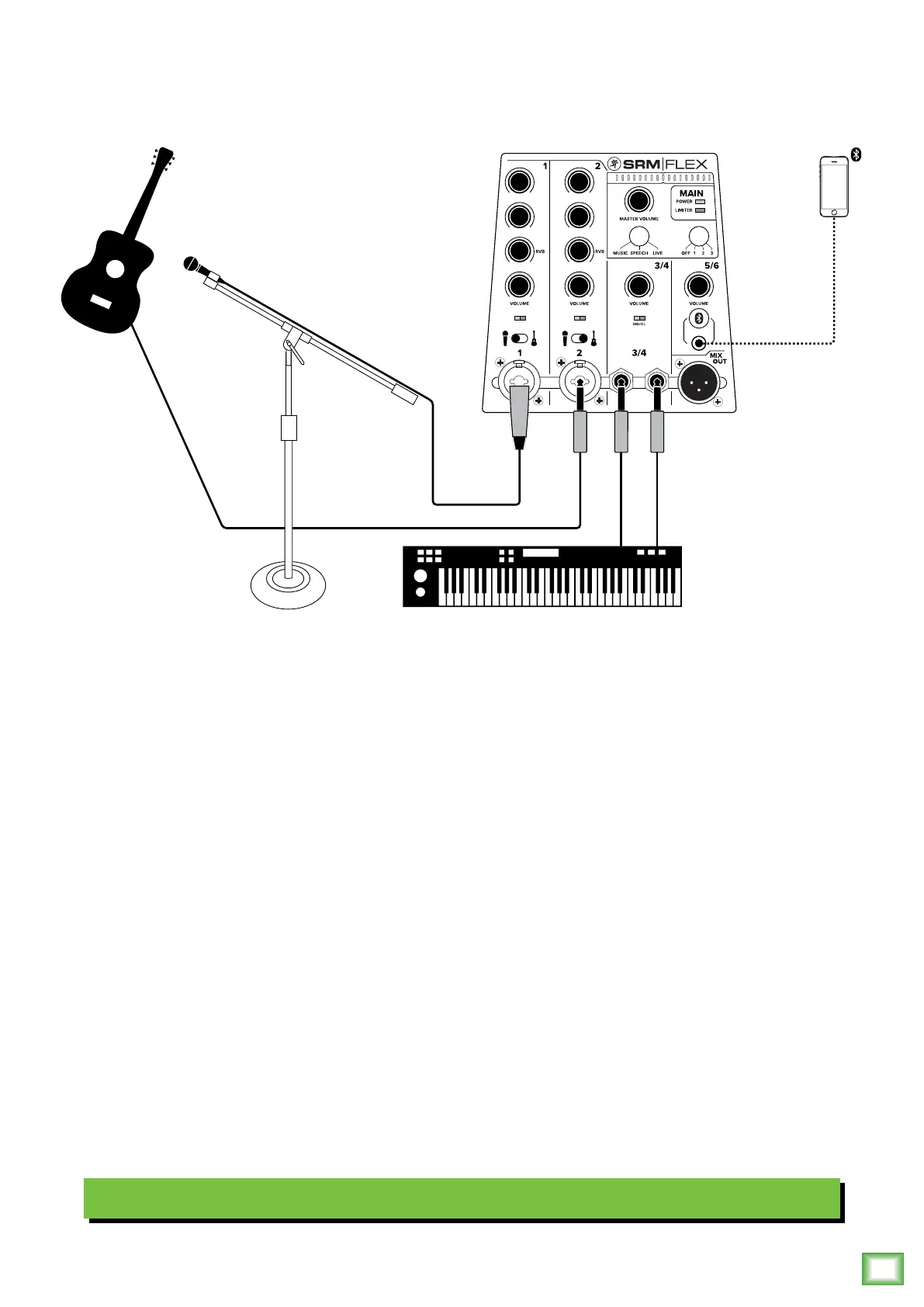
SRM-Flex is the perfect tool for singer-songwriters touring the local coee shops. Bring your favorite axe and mic,
SRM-Flex and cables and power cord. Do you have a special guest that joins you on keys on a few tracks? Have them
bring their keyboard, cables and power cord, as well!
In this example, a dynamic microphone is connected to the channel input of SRM-Flex. Note that the mic-line / Hi-Z switch
is set to “mic” (switch lef).
Now grab your axe and plug it directly into the channel 2 input. Or if you use eects, connect the guitar to the eects input
and another cable from the eects output to the channel 2 input. Note here that the mic-line / Hi-Z switch is set to “Hi-Z”
(switch right).
Your friend’s keyboard may be plugged directly into stereo inputs 3/4 using cables with /4" jacks. Lastly, a phone
may be connected via Bluetooth to stereo channel 5/6. The phone can be used as playback music between sets
and/or as backing tracks to your compositions!
Before wowing the crowd with your tunes, you will want to set a speaker mode, described in detail on page 3.
For this type of setup, live works well.
Singer-Songwriter Setup
EQ RVB
LOW
HI
LOW
HI
SIG/OL SIG/OL






 To Next Page