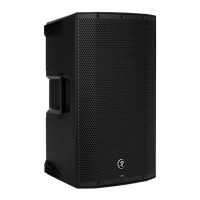
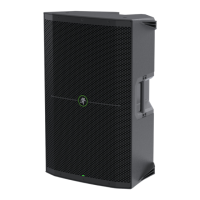
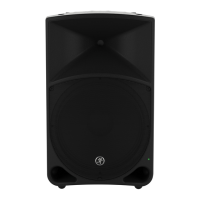
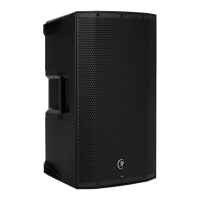
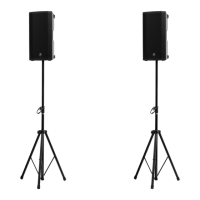
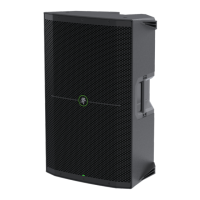
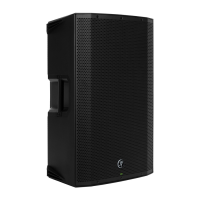
Thump12 • Thump15 Powered Loudspeakers
4
Thump12 • Thump15 Powered Loudspeakers
Getting Started
Introduction
OnlyThumpPoweredLoudspeakersdeliverthe
class-leading,chest-thumpinglowendyoudeserve.
EachThumploudspeakerdelivers1000wattsofpower,
providingthehigh-outputyouneedinapackagethat’s
tough,lightweightandportable.
Designedbytheworld’sleaderinportablelivesound,
Thumploudspeakersoffera3-bandEQfordialingin
theidealsound.Andwitharuggedenclosureandrobust
systemprotection,you’remorethanreadyforthenext
gig.
Deliveringreal-worldpowerlevels,application
exibilityandclass-leadingbassresponse,youcanbe
condentthatThumploudspeakersoffersthebest
performanceforyourmoney.
How to Use This Manual:
Afterthisintroduction,agettingstartedguidewill
helpyougetthingssetupfast.Thehookupdiagrams
showsometypicalThump12andThump15setups,
includingsomethatinvolvetheThump18Ssubwoofer.
Thisiconmarksinformationthatiscritically
importantoruniquetothesubwoofer.For
yourowngood,readandrememberthem.
Thefollowingstepswillhelpyousetupthe
loudspeakersquickly.
1.Makeallinitialconnectionswiththepower
switchesOFFonallequipment.Makesurethemaster
volume,levelandgaincontrolsareallthewaydown.
2.Ifusingasubwoofer,connecttheoutputsfrom
themixingconsole(orothersignalsource)tothe
inputsontherearpanelofthesubwoofer,thenconnect
thehighpassoutputsfromthesubwoofertotheinputs
oftheloudspeakers.Makesurethesubwoofer’sgain
knobissetto“U”(unitygain).
3.Ifnotusingasubwoofer,connecttheoutputs
fromthemixingconsole(orothersignalsource)
totheinputsontherearpaneloftheloudspeakers.
4.Makesuretheloudspeaker’slevelknobisset
to“U”(unitygain).
5.Pushthelinecordsecurelyintothesubwoofer’s/
loudspeaker’sIECconnectorsandplugtheotherends
intogroundedACoutlets.Thesubwoofer/loudspeaker
mayaccepttheappropriatevoltageasindicatednear
theIECconnector.
6.Turnthemixer(orothersignalsource)on.
7.Turnthesubwooferon.
8.Turntheloudspeakerson.
9.Startthesignalsourceandraisethemixer’s
mainL/Rfaderuptoacomfortablyloudlisteninglevel.
Things to Remember:
• Neverlistentoloudmusicforprolongedperiods.
PleaseseetheSafetyInstructionsonpage2for
informationonhearingprotection.
• Asageneralguide,themixer(orothersignal
source)shouldbeturnedonrst,subwoofers
next,andThumploudspeakerslast.Assuch,
theThumploudspeakersshouldalsobeturnedoff
rst,followedbythesubwoofers,thenthemixer.
Thiswillreducethepossibilityofanyturn-on
orturn-offthumpsandothernoisesgenerated
byanyupstreamequipmentfromcomingoutof
thespeakers.
• Savetheshippingboxesandpackingmaterials!
Youmayneedthemsomeday.Besides,the
catswillloveplayinginthemandjumpingoutat
youunexpectedly.Remembertopretendlikeyou
aresurprised!
• Saveyoursalesreceiptinasafeplace.


 To Next Page