174 Chapter 9: Slices, Rollovers, and Hotspots
Adding simple interactivity to slices
The drag-and-drop rollover method is a fast and efficient way to create rollover and
swap-image effects.
Specifically, the drag-and-drop rollover method allows you to determine what happens to a
slice when the pointer passes over it. The end result is commonly referred to as a rollover image.
Rollover images are graphics that change appearance in a web browser when you move the
pointer over them.
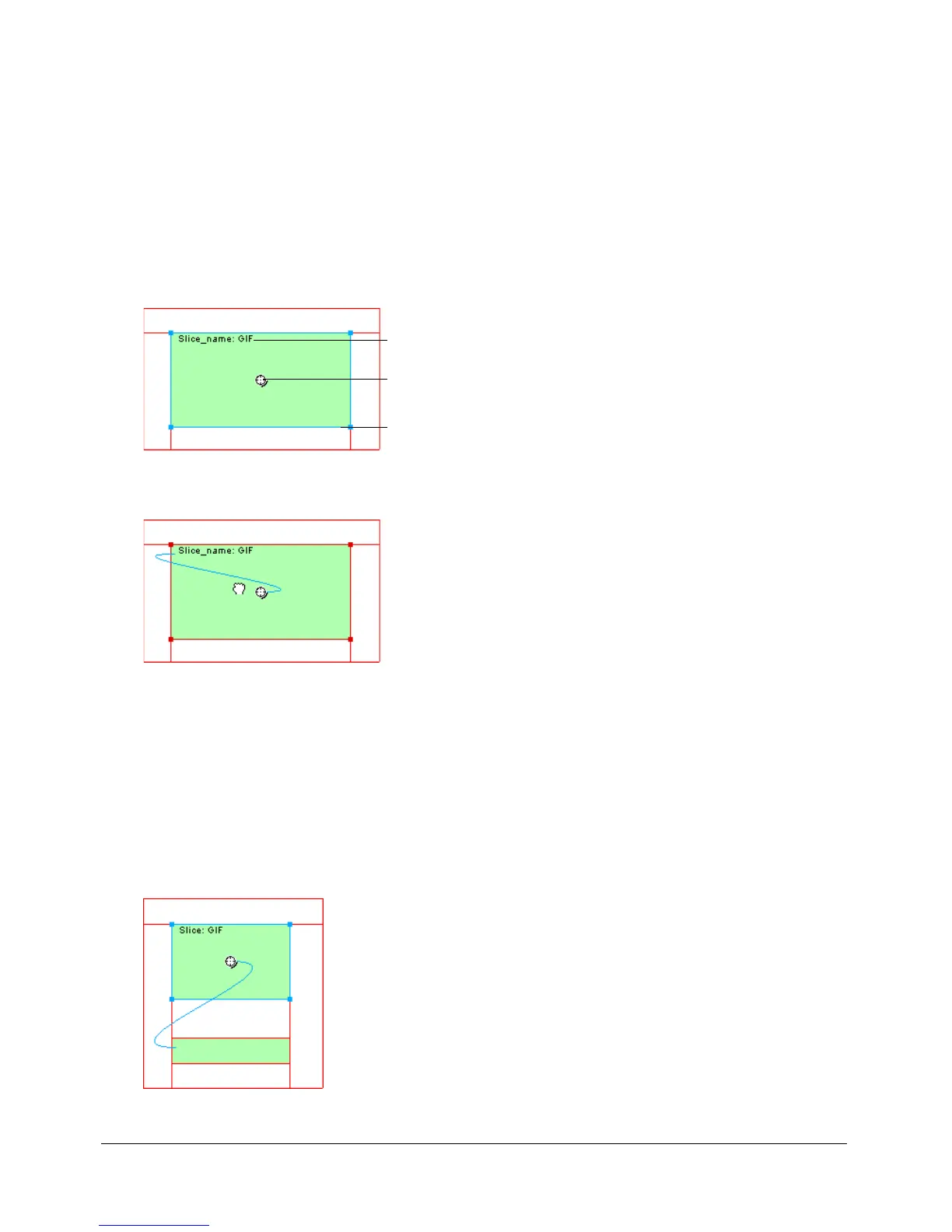
When a slice is selected, a round circle with cross hairs appears in the center of the slice. This is
called a behavior handle.
By dragging the behavior handle from a triggering slice and dropping it onto a target slice, you
can easily create rollover and swap-image effects. The trigger and target can be the same slice.
Hotspots also have behavior handles for incorporating rollover effects. For more information, see
“Creating hotspots” on page 185.
About rollovers
Rollovers all work the same way. One graphic triggers the display of another when the pointer
rolls over it. The trigger is always a web object—a slice, hotspot, or button.
The simplest rollover swaps an image in Frame 1 with an image directly below it in Frame 2. You
can build more complicated rollovers as well. Swap-image rollovers can swap in images from any
frame; disjoint rollovers swap in an image from a slice other than the trigger slice.
Slice name
Behavior handle
Selection handle



 To Next Page