Encode a video file 139
2. Locate the cafe_townsend folder in the Flash application folder on your
hard disk. If you installed Flash to its default location, the path to the
folders is as follows:
■ In Windows, C:\Program Files\Macromedia\Flash 8\
Samples and Tutorials\Tutorial_assets\cafe_townsend
■ On the Macintosh, Macintosh HD/Applications/Macromedia
Flash 8/Samples and Tutorials/Tutorial_assets/cafe_townsend
3. Copy the cafe_townsend folder to your local_sites folder.
Encode a video file
The first thing you will do is convert a QuickTime video file (MOV) to a
Flash video file (FLV).
To convert the video file:
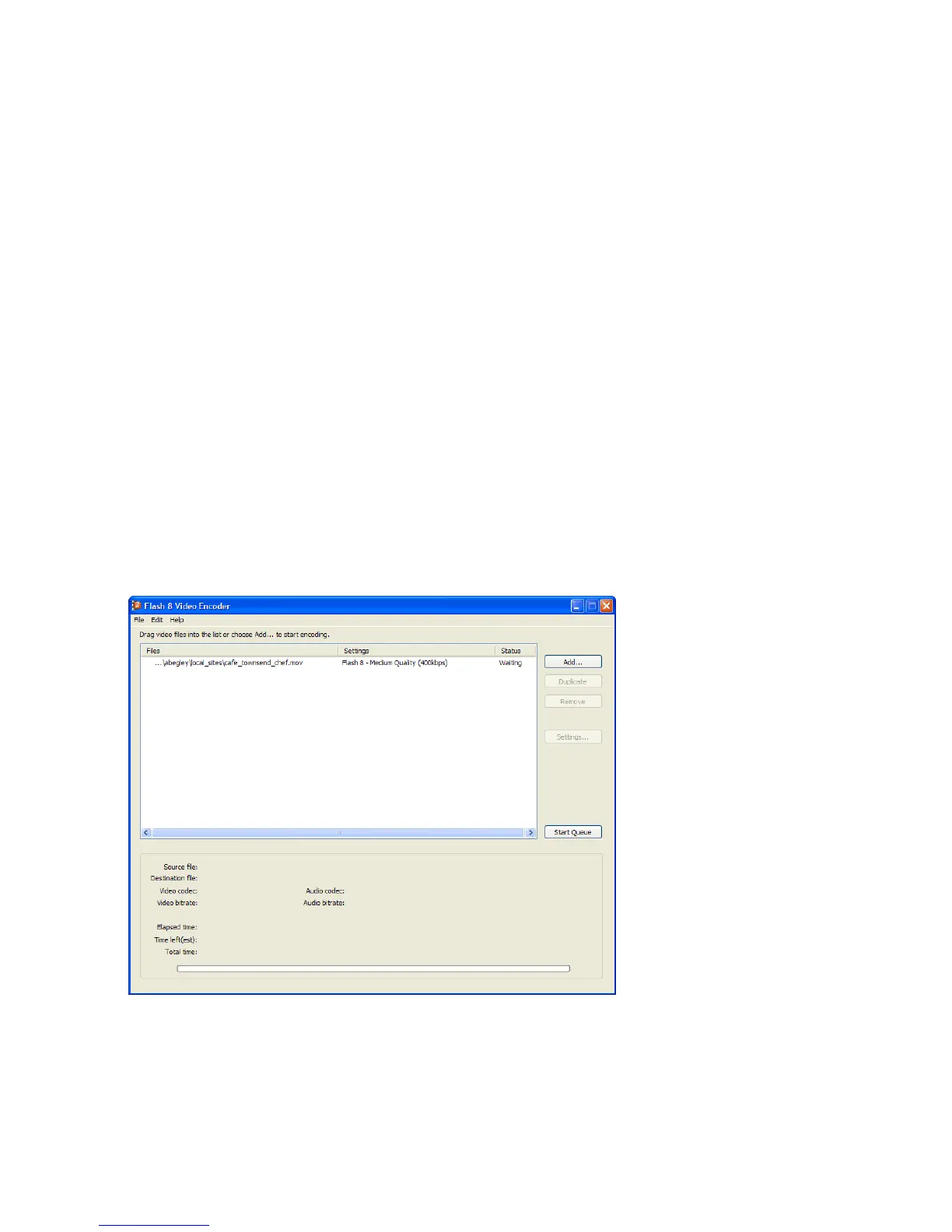
1. Start the Flash Video Encoder application.
2. Drag the cafe_townsend_chef.mov file from the cafe_townsend folder
onto the Flash Video Encoder application window.
The Flash Video Encoder window
3. Click Settings.
000_Getting_Started.book Page 139 Friday, September 2, 2005 12:22 PM



 To Next Page