3-71
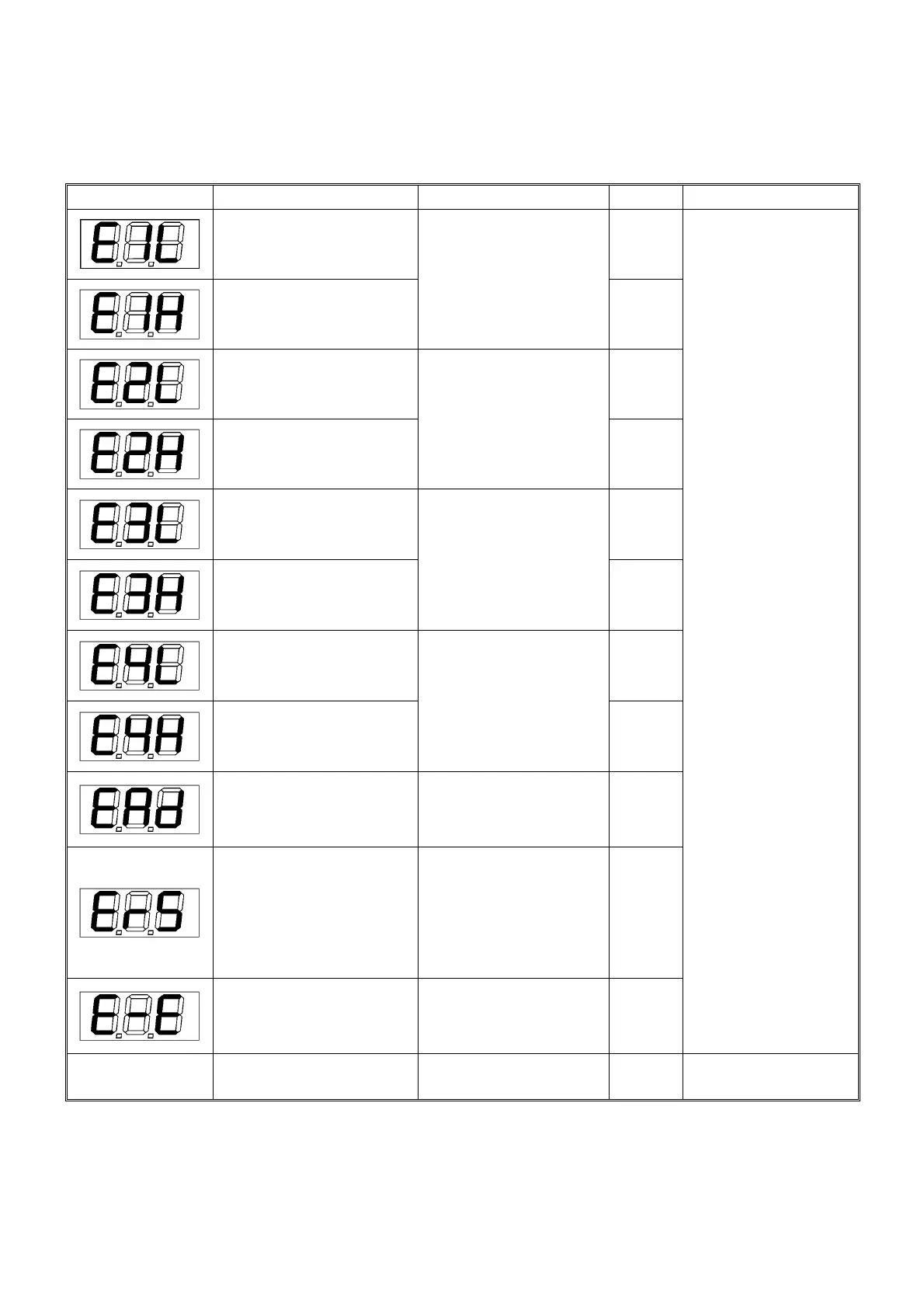
19. ERROR MESSAGES
Any detectable errors cause “Rated Total Load Indicator” to display error codes.
Criticality of errors shall be rated as A, B, C, D, or E, where A is most critical and gradually being reduced.
Error Code Description Counter Measure Criticality Output to be “ON”
Pressure Sensor 1 input is
under criteria
D1
Pressure Sensor 1 input is
over criteria
Check Pressure Sensor 1
installation and configuration
D2
Pressure Sensor 2 input is
under criteria
D3
Pressure Sensor 2 input is
over criteria
Check Pressure Sensor 2
installation and configuration
D4
Angle Sensor input is
under criteria
D5
Angle Sensor input is
over criteria
Check Angle Sensor
installation and configuration
D6
Length Sensor input is
under criteria
D7
Length Sensor input is
over criteria
Check Length Sensor
installation and configuration
D8
AD Converter in Converter
is not correctly working.
Turn off the main power
once then turn on again.
In the event that an error
recurs, replace Converter.
C
Communication error between
Converter and Display Unit.
• Check the cable between
Converter and Display Unit.
In the event that the cable is
not incorrect, replace
Converter.
• Check the fuse built-in the
converter.
B
Calibration memory error. The
same error code is displayed in
modes other than calibration.
Turn off the main power
once then turn on again. In
the event that an error
recurs, replace Display Unit.
A
䍃 Buzzer PTN1 (Constant)
䍃 Working Status Lamp,
Red output
䍃 Moment 100% output
䍃 Load Factor exceeding
100% (Red LED )
No displayed
---
Check the fuse built-in the
display unit.
---
148



 To Next Page