Introduction
Packing List .......................................................................1
Conventions Used in this Manual......................................2
Commonly Used Terms..................................................... 2
Getting Started
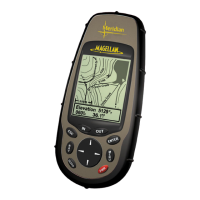
Magellan NAV 6500/NAV 6510 Description ....................3
Power ON/OFF ................................................................5
Adjusting Contrast ............................................................ 5
Adjusting Backlighting ......................................................6
First Time Use - Initializing the Receiver ...........................6
Navigating with Your Receiver...........................................8
Reference
General Usage....................................................................9
Turning the Receiver ON/OFF ......................................... 9
Cancelling an Operation....................................................9
Inputting Data ..................................................................9
Adjusting Contrast ............................................................ 9
Adjusting Backlighting ....................................................10
NAV Screens ................................................................... 10
Satellite Status Screen...................................................10
Map Screen.................................................................. 12
Setting the Map Scale................................................... 13
Using the Cursor Key on the Map Screen .................... 13
Map Orientation..........................................................14
Track Plot Mode .......................................................... 15
Viewing Nav-Aid Attributes.........................................15
Finding Distance & Bearing from a Point on the Map.17
Viewing Tide Information............................................ 18
Viewing Port Information ............................................ 18
NAV 1 Screen .............................................................. 19
NAV 2 Screen .............................................................. 19
Customizing the Nav 2 Screen .....................................20
Waypoints ..................................................................... 20
Creating a Waypoint ....................................................21
Saving the Cursor Position as a Waypoint .................... 21
Saving the Current Position Fix as a Waypoint .............21
Modifying Waypoint Data Fields ................................. 22
Creating a Waypoint Using the MARK key..................22
Accessing the Waypoint List.........................................23
Finding a Waypoint in the Waypoint List.....................23
Viewing a Waypoint from the Waypoint List ............... 24
Editing a Waypoint from the Waypoint List.................24
Deleting a Waypoint from the Waypoint List............... 25
Deleting All Waypoints in the Waypoint List ...............25
Creating a Waypoint from the Waypoint List............... 25
Contents



 To Next Page
 Loading...