9
ENG
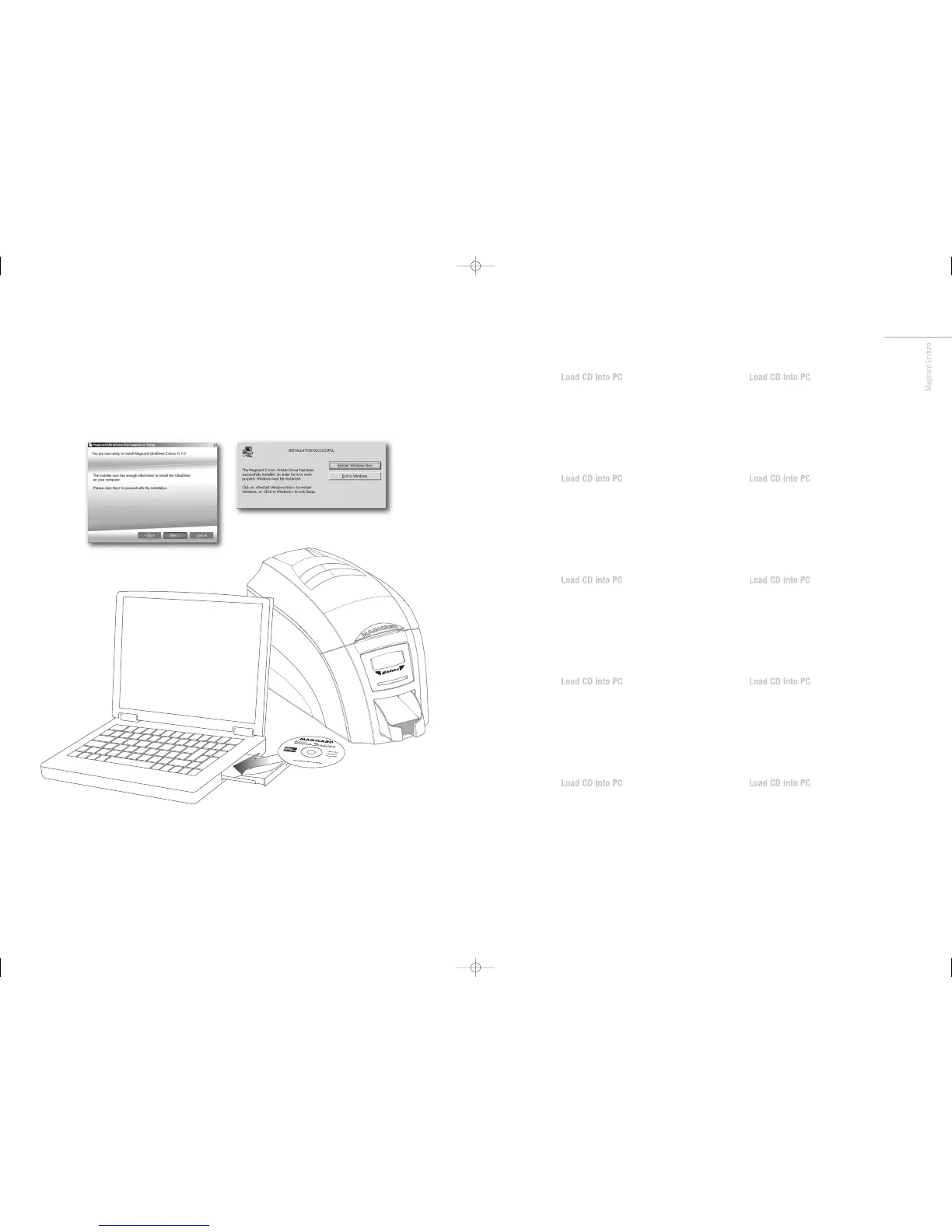
• Load the driver CD ROM into the PC.
• If the CD does not run automatically, click the start button,
then click on “run”. Type “D:\autorun”, where D is the drive
letter for your CD drive, then press the return key.
• Now follow the on screen instructions to install the printer
drivers.
•
On completion of installation, connect your Enduro printer
to the PC with the USB cable. Now your Enduro is ready
to print.
FR
• Load the driver CD ROM into the PC.
• If the CD does not run automatically, click the start button,
then click on “run”. Type “D:\autorun”, where D is the drive
letter for your CD drive, then press the return key.
• Now follow the on screen instructions to install the printer
drivers.
•
On completion of installation, connect your Enduro printer
to the PC with the USB cable. Now your Enduro is ready
to print.
ES
• Load the driver CD ROM into the PC.
• If the CD does not run automatically, click the start button,
then click on “run”. Type “D:\autorun”, where D is the drive
letter for your CD drive, then press the return key.
• Now follow the on screen instructions to install the printer
drivers.
•
On completion of installation, connect your Enduro printer
to the PC with the USB cable. Now your Enduro is ready
to print.
PT
• Load the driver CD ROM into the PC.
• If the CD does not run automatically, click the start button,
then click on “run”. Type “D:\autorun”, where D is the drive
letter for your CD drive, then press the return key.
• Now follow the on screen instructions to install the printer
drivers.
•
On completion of installation, connect your Enduro printer
to the PC with the USB cable. Now your Enduro is ready
to print.
IT
• Load the driver CD ROM into the PC.
• If the CD does not run automatically, click the start button,
then click on “run”. Type “D:\autorun”, where D is the drive
letter for your CD drive, then press the return key.
• Now follow the on screen instructions to install the printer
drivers.
•
On completion of installation, connect your Enduro printer
to the PC with the USB cable. Now your Enduro is ready
to print.
DE
• Load the driver CD ROM into the PC.
• If the CD does not run automatically, click the start button,
then click on “run”. Type “D:\autorun”, where D is the drive
letter for your CD drive, then press the return key.
• Now follow the on screen instructions to install the printer
drivers.
•
On completion of installation, connect your Enduro printer
to the PC with the USB cable. Now your Enduro is ready
to print.
CN
• Load the driver CD ROM into the PC.
• If the CD does not run automatically, click the start button,
then click on “run”. Type “D:\autorun”, where D is the drive
letter for your CD drive, then press the return key.
• Now follow the on screen instructions to install the printer
drivers.
•
On completion of installation, connect your Enduro printer
to the PC with the USB cable. Now your Enduro is ready
to print.
RU
• Load the driver CD ROM into the PC.
• If the CD does not run automatically, click the start button,
then click on “run”. Type “D:\autorun”, where D is the drive
letter for your CD drive, then press the return key.
• Now follow the on screen instructions to install the printer
drivers.
•
On completion of installation, connect your Enduro printer
to the PC with the USB cable. Now your Enduro is ready
to print.
PL
• Load the driver CD ROM into the PC.
• If the CD does not run automatically, click the start button,
then click on “run”. Type “D:\autorun”, where D is the drive
letter for your CD drive, then press the return key.
• Now follow the on screen instructions to install the printer
drivers.
•
On completion of installation, connect your Enduro printer
to the PC with the USB cable. Now your Enduro is ready
to print.
NL
• Load the driver CD ROM into the PC.
• If the CD does not run automatically, click the start button,
then click on “run”. Type “D:\autorun”, where D is the drive
letter for your CD drive, then press the return key.
• Now follow the on screen instructions to install the printer
drivers.
•
On completion of installation, connect your Enduro printer
to the PC with the USB cable. Now your Enduro is ready
to print.
Enduro QSG multi language V3 - 07:Enduro QSG multi language V2- 07 29/1/08 14:10 Page 25


 To Next Page
 Loading...