www.magicard.com
RIO 2e, TANGO 2e & TANGO +L Printers USER MANUAL
Page 22 of 33
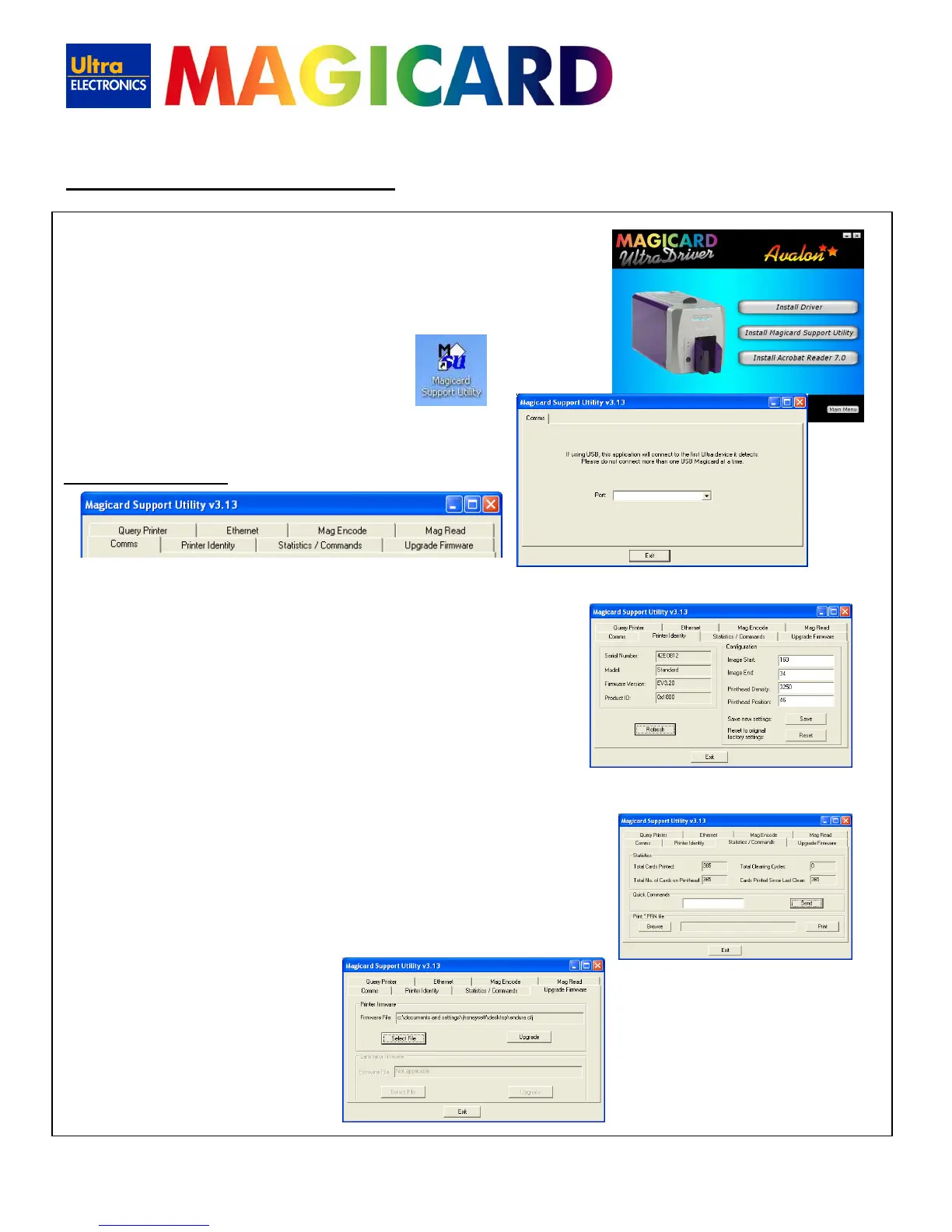
The purpose of this utility is to provide advanced diagnostic and configuration
tools for use when contacting your Magicard Technical Support office.
However, it can also be used to upgrade the firmware within the printer.
1. Install the M
agicard Support Utility from the Driver CD
2. Then double click on the ‘MSU’ desktop icon
3. Select the port to which the printer is connected
Eight new tabs will appear:
Printer Identity:
It is recommended that the user does NOT change any of the settings shown in this tab unless requested to do so by Magicard Technical
Support.
Stats / Cmnds:
This tab contains 3 separate areas:
Statistics – shows valuable information on printer usage.
Quick Commands – enables the user to send special commands to the printer (usually used for fault diagnosis). Do not use unless
requested to do so by Magicard Technical Support.
Print *.PRN file – enables the user to send previously saved print data to the printer.
Upgrade Firmware:
Use the controls in this tab to upgrade the printer’s firmware.
Note - Latest firmware files can be downloaded from the M
agicard
web site at www.magicard.com
The latest firmware is a self-extracting archive which can be launched
straight from the download location.
13. Magicard Support Utility















 To Next Page