Functions & Settings
-
Chapter.04
Chapter.04
-
Functions &
Settings
Ⅲ
.
Exiting the “Song Search” mode
-
After entering the
“
s
o
ng
s
ea
r
ch
”
mode, search a song using
[▼], [▲], [◀],
[
▶
]
and play the song by pressing
[
▶
/
■
]
or reserve the song by pressing
[
R
E
S
]
.
-
After entering the
“
s
o
ng
s
ea
r
c
h
”
mode, set
it
to the
"
e
x
i
t
m
o
d
e
"
by
p
r
e
ss
i
ng
[
S
E
A
R
C
H
]
and end the search by pressing any number
bu
tt
o
n
.
(If there are reserved songs, the list containing those reserved songs will
b
e
displayed on the s
c
r
ee
n
.
)
Ⅳ
.
How to Search a Song
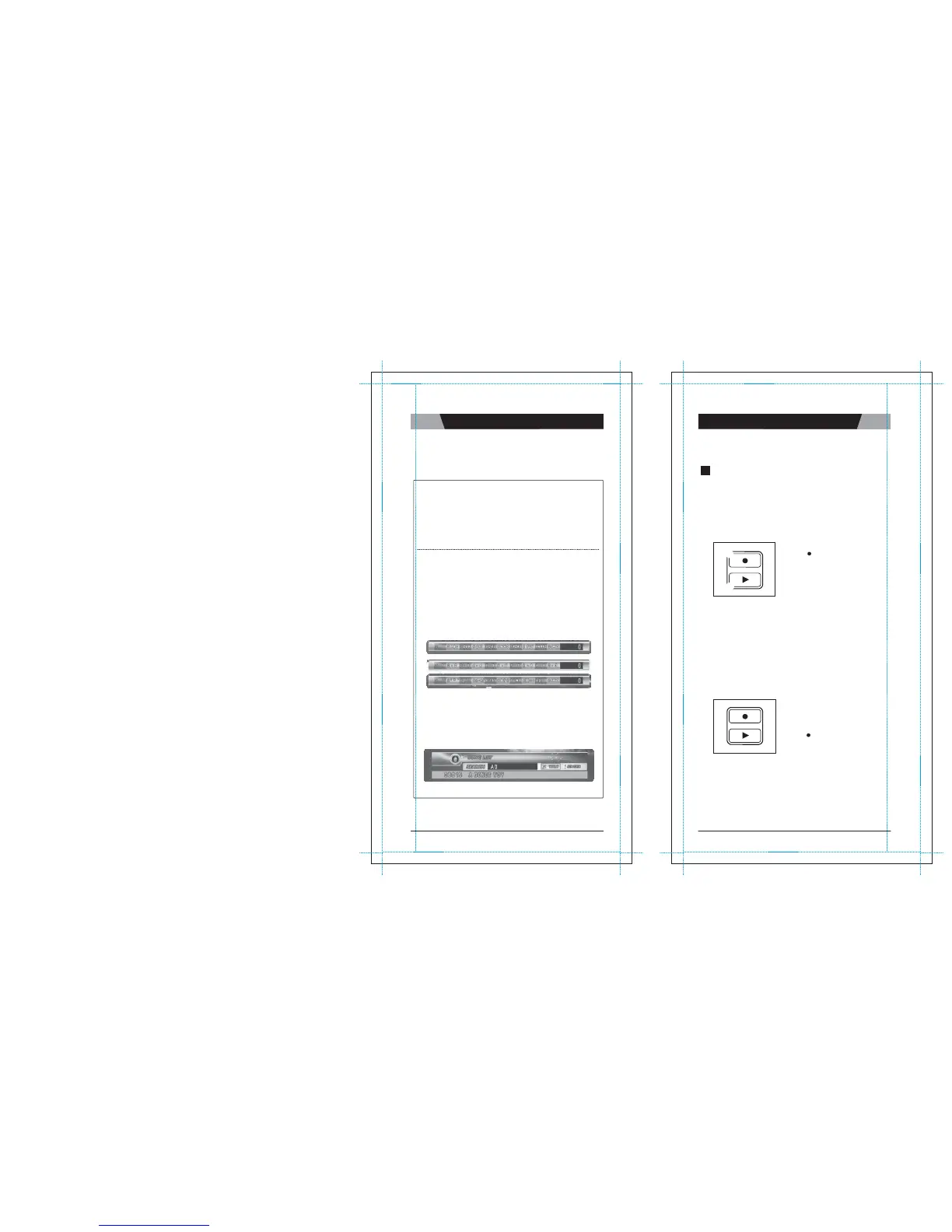
After entering the song s earch screen, press [MODE] to set one of the three input methods
b
e
l
o
w
.
①
Input letters
[1]
[2] A
→
B
→
C [3] D
→
E
→
F [ 4]
G
→
H
→
I [5] J
→
K
→
L
[6] M
→
N
→
O [ 7] P
→
Q
→
R
→
S [8] T
→
U
→
V [9] W
→
X
→
Y
→
Z [ 0]
S
P
A
CE
②
Input nu
m
b
e
r
s
[1]
→
1 [ 2]
→
2 [ 3]
→
3 [ 4]
→
4 [ 5]
→
5
[6]
→
6 [ 7]
→
7 [ 8]
→
8 [ 9]
→
9 [ 0]
→
0
③
Input special
c
h
a
r
a
c
t
e
r
s
[1]
. → , → : →
;
[2]
‘
→
“
→
`
[3] _
→
=
→
~
[4]
+ → -
→
*
→
/
[5]
! →
#
→
$
→
%
[6] &
→
?
→
@ [7]
^ →
₩ →
| [8 ] (
→
)
→
<
→
>
[9]
[ → ]
[0]
S
P
A
CE
(The search function disregards spaces. E.g. : If you want to search a song whose
t
i
t
l
e
is
“
A
DONDE
V
O
Y
,
”
you only have to enter
“
A
D
”
without spac e between
ch
a
r
a
c
t
e
r
s
to execute the s
ea
r
ch
.
)
-
Press the
[0] ~ [9]
buttons to input
c
h
a
r
a
c
t
e
r
s
.
-
E
x
a
m
p
l
e
s
To enter
"
T
OU
"
:
Press
[8]
once
→ [6]
three times
→ [8]
two
t
i
m
e
s
To enter
"
A
B
C
"
:
Press
[2]
once
→ [2]
two times
→ [2]
three
t
i
m
e
s
2
R
E
C
O
R
D
I
N
G
Use this function to record your singing(VOICE with the MUSIC) and
to
playback your recorded singing
performance.
1. RECORDING TO THE MEMORY IN THE
MAIN STATION
In case of no SD card and/or Recording Pack on the main s
t
a
t
i
o
n
,
follow the procedure b
e
l
o
w
.
How to Use:
1) Select a
s
o
ng.
①
2) Press
[ ]
the remote control to
start
recording (
①
)
.
3) To stop
:
Press
[
▶
/
■
]
.
4) To
do playback :
②
Press
[▶]
on the remote control (
②
)
.
5) To stop t he playback
:
Press
[
▶
/
■
]
.
※
A song recorded less than two seconds will not be
r
e
c
o
r
d
e
d
.
※
You can record a song of up to five minutes
l
o
ng
.
[approximately f or 1(one) s
o
ng
]
2. RECORDING TO AN SD CARD AND/OR RECORDING PACK
You can record your own singing into an SD card or a Recording
P
a
c
k
.
If both the SD card an d Recording Pack inserted at the same
t
i
m
e
,
you need t o decide which one to u se. ( The recording pack looks e
x
a
c
t
l
y
the same as an additional song pack but contains no songs and its
d
a
t
a
is
r
e
p
l
a
c
ea
b
l
e
.
)
How to Use:
1) Insert an
SD
card or Recording
P
a
c
k
before turing on the main s
t
a
ti
o
n.
2) Select a
s
o
ng.
3) Press
[ ]
under the
"
R
E
CO
R
D
"
section
on the remote control to start
r
e
c
o
r
d
i
ng
4) To stop, press
[
▶
/
■
]
.
5) To see the list of the recorded songs, pre ss
[▶]
the remote
c
o
n
t
r
o
l
.
6) To play back the song , choose a recorded song first by
p
r
e
ss
i
ng
[
▼
], [
▲
], [
◀
], [
▶
]
on the remote control. After selecting the s
o
ng
the song, press
[
▶
/
■
]
on the remote
c
o
n
t
r
o
l
.
7) To stop t he playback, press
[
▶
/
■
]
.
8) To delete a recorded song, choose the song and press [
R
E
S
]
.
02
VER.100
03
|
CHAPTER.
04
VER.100


 To Next Page