Additional Information
-
Chapter.06
Chapter.06
-
Additional
Information
PRECAUTION
TROUBLESHOOTING
In case of problems, please check the following recommendations be
f
o
r
e
Use the adaptor that comes with MagicSing only. There a
r
e
many adaptors that are
plug-compatible with
MagicSing,
bu
t
have different electrical specifications. T hese adaptors
w
o
u
l
d
work only for a short period of time but would very soon
damage
M
a
g
i
c
S
i
ng
.
USE THE RECOMMENDED ACCESSORIES ONLY (DC 9V
/
1A)
Do not drop MagicSing. Any external or internal damage
du
e
to dropping is not covered under
w
a
rr
a
n
t
y
.
Do not insert or remove song packs while MagicSing
i
s
turned
o
n
.
Do not store MagicSing in direct sunlight, in a
h
i
gh
temperature, or highly
hu
m
i
d
.
Do not use strong chemicals to clean MagicSing, as
t
h
e
s
e
chemicals may damage the un
i
t
.
Keep MagicSing awa y from pet s and small
c
h
il
d
r
e
n
.
Do not pr ess the LED
/
LCD
part.
Never use a sharp object on the keypad.
In case MagicSing was stored in a
h
i
gh
-
t
e
m
p
e
r
a
t
u
r
e
setting, allow sufficient time for
it
to cool down
b
e
f
o
r
e
using
it.
Do not immerse MagicSing in water or splash water on
it.
Water damage is not covered by the
w
a
rr
a
n
t
y
.
Do not disassemble the parts of the
M
a
g
i
c
S
i
ng
.
This will void the
w
a
rr
a
n
t
y
.
contacting the service cen
t
e
r.
If
MagicSing doesn’t power
up
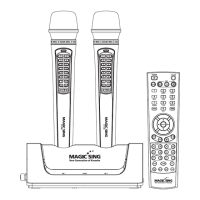
ET19KV MAIN
S
T
A
T
I
O
N
Make sure the adaptor is correctly plugged into the power
o
u
t
l
e
t
.
Check that the male plug is properly inserted into the female
j
a
c
k
.
WIRELESS
KA
R
A
O
K
E
Check
if
the battery ty pe is AA. If the battery is low, M agicSing m ay
n
o
t
work
p
r
o
p
e
r
l
y
.
If
the
u
s
e
r
'
s
voice cannot be h
e
ar
d
Press the V OL button and check the vo lume of the w ireless
k
a
r
ao
k
e
.
If
the TV does not show pictures or emit
so
und
Make sure all the AV
connectors are properly connected according to
t
h
e
correct col ors. Check
if
the TV is in the v ideo
m
o
d
e
.
If the video does not show properly (converting PAL or NSC
m
o
d
e
)
To convert to PAL mode, turn of f a wireless mic fi rst. Press and hold button
“
8
”
on
t
h
e
wireless m ic, and then press
“
P
O
W
E
R
”
button using another finger until the word
“
P
A
L
”
appears on the
TV
s
c
r
ee
n
.
(Do not release button
“
8
”
and the
“
PO
W
E
R
”
button until
t
h
e
word
“
P
A
L
”
appears on the TV screen.) To convert to NTSC mode, turn off a
w
i
r
e
l
e
ss
mic fi rst. Press and hold button
“
9
”
on the wireless mic, and then press the
“
PO
W
E
R
”
button using another finger until the word
“
NT
S
C
”
appears on the TV
s
c
r
ee
n
.
(Do not release button
“
9
”
and the
“
PO
W
E
R
”
button until the word
“
N
T
S
C
”
appears
o
n
the T V screen
.
)
If
there is any doubt about the product’s p
e
r
f
o
rma
n
ce
Turn off a wireless mic first, and then press and hold the
“0”
button on
t
h
e
wireless mic, and pre ss the
[
P
O
W
E
R
]
button using another finger until the
w
o
r
d
s
“
U
S
E
R
R
E
S
E
T
”
appear on the T V screen. (Do not releas e the
“0”
button
a
nd
the
[
P
O
W
E
R
]
button until the words
“
U
S
E
R
R
E
S
E
¢
p
ea
r
on t he TV
s
c
r
ee
n
)
When the wireless karaoke needs to be repaired, the main
s
t
a
t
i
o
n
should be included and returned to your nearest service
ce
n
t
e
r
.
Do not plug MagicSing in
if it
is wet. Immediately contact
t
h
e
service center. If any solid object or liquid gets inside
M
a
g
i
c
S
i
ng
,
unplug
it
and have
it
checked by our service
c
e
n
t
e
r
.
To contact our nearest service center in your
area,
please visit our website.
"www.enter-tech.com"
CHAPTER.
06
|
01
VER.100
02
|
CHAPTER.
06
VER.100


 To Next Page