18
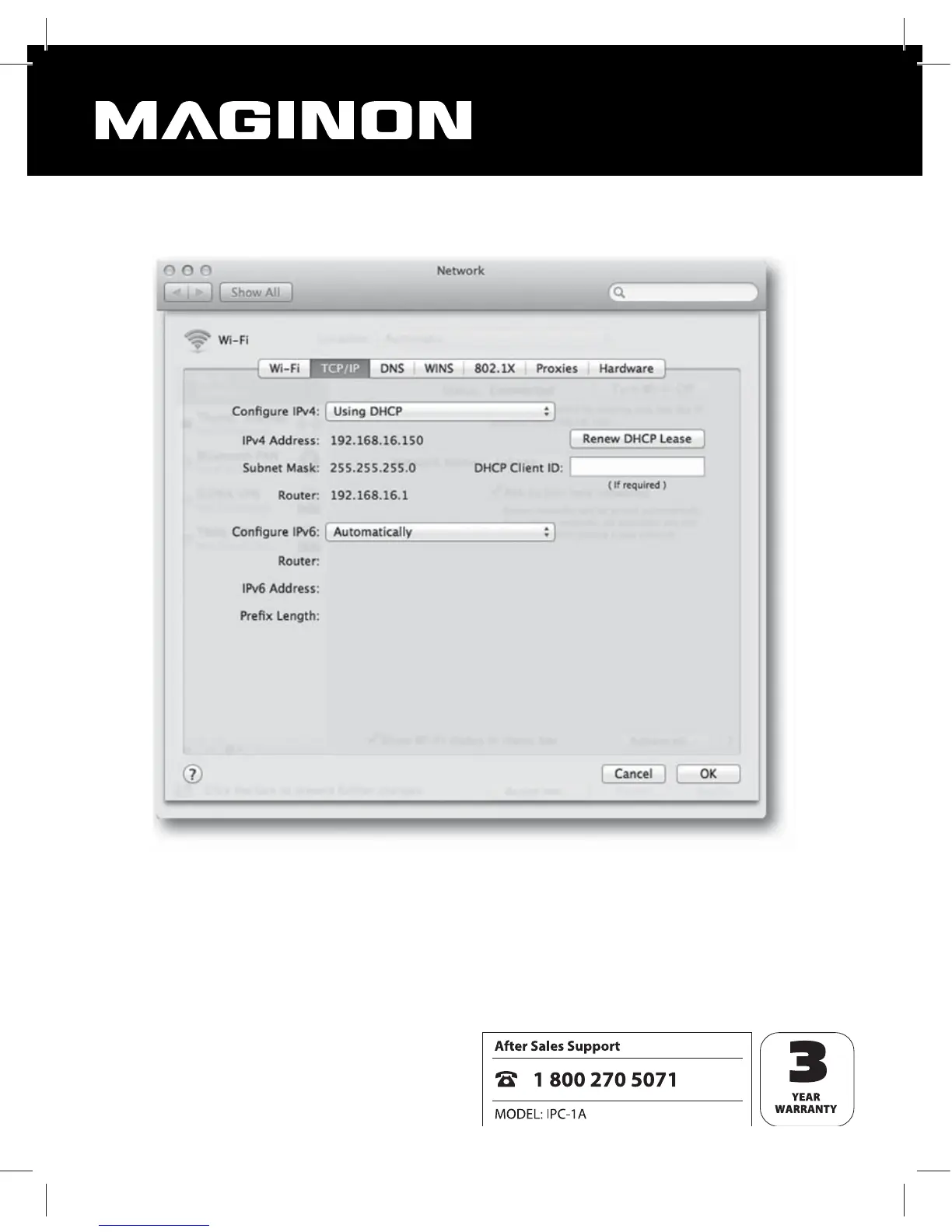
Now change to the “TCP/IP” page where you can nd the IP address of your router behind
“Router”. In the below example this is address 192.168.16.1.
Determining the IP address of the WiFi Network Camera
Open the Internet Browser Safari and enter the IP address of your router as the target
address. The conguration side of the router then appears. The page shows the settings,
generally an option named “DHCP table” or “DHCP Reservation” that can be selected. You will
then see a list of all devices in the network, as shown in the example below.


 To Next Page