ExpressBox 3T | Chapter 2 Hardware Installation
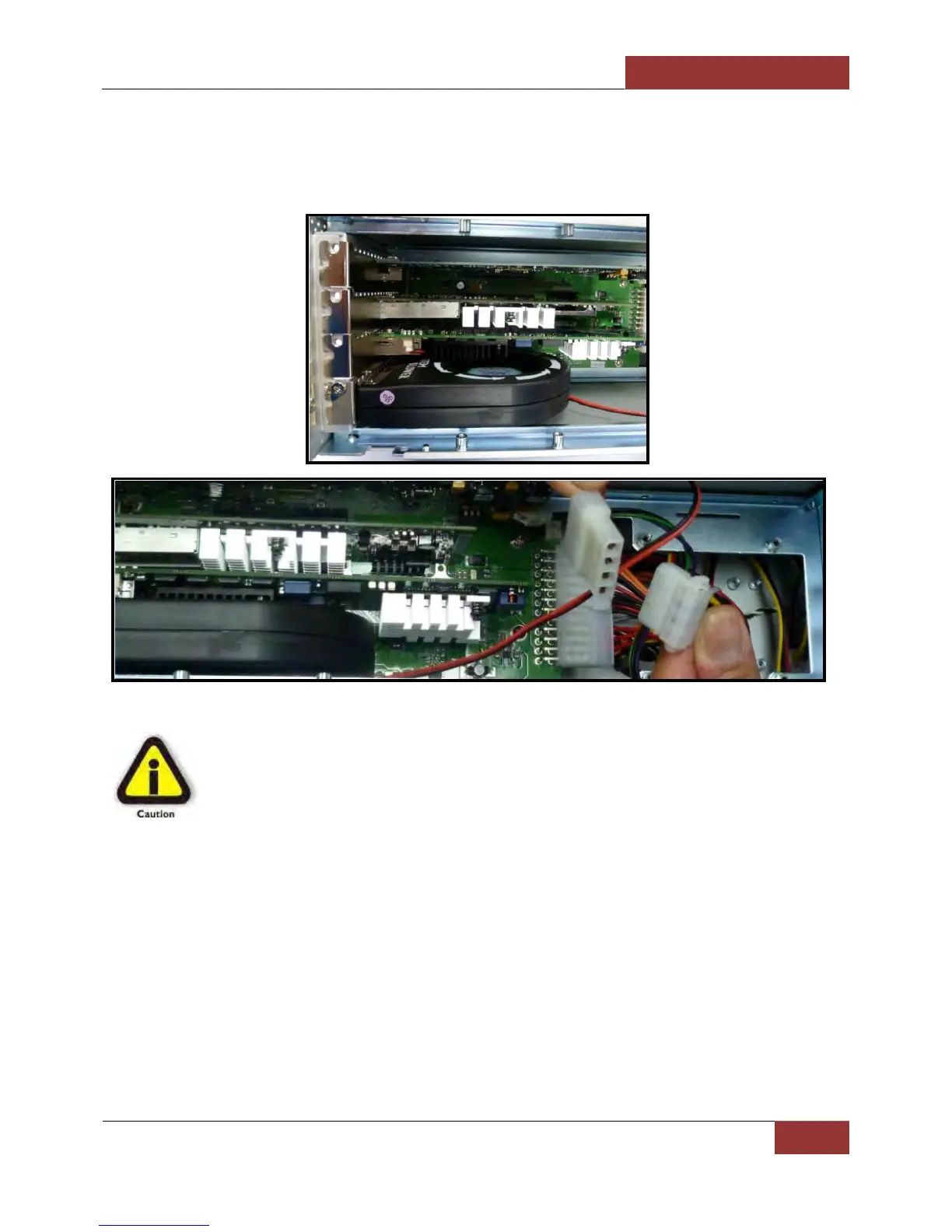
Blower
If the PCIe cards run hot or are over 20 watts of power, Magma recommends installing the blower in the x4 Slot of
ExpressBox 3T. Use caution if loading three cards at once. Check for heat with two cards first.
CAUTION
Before touching anything inside the enclosure, be sure unit has been off and is cool. Beware of
touching anything in chassis if unit has been on.
Connect Cables and Turn On
Plug in power cord to ExpressBox 3T.
Attach Thunderbolt cable into either top or bottom port on the ExpressBox 3T. Plug in Display Monitor, DVI/HDMI, or
Display. If no display will be used, you can daisy chain other Thunderbolt devices. Plug in the other end of the
Thunderbolt cable to the Thunderbolt port on the computer.


 To Next Page