ExpressBox 3T | Chapter 3 Verify Installation
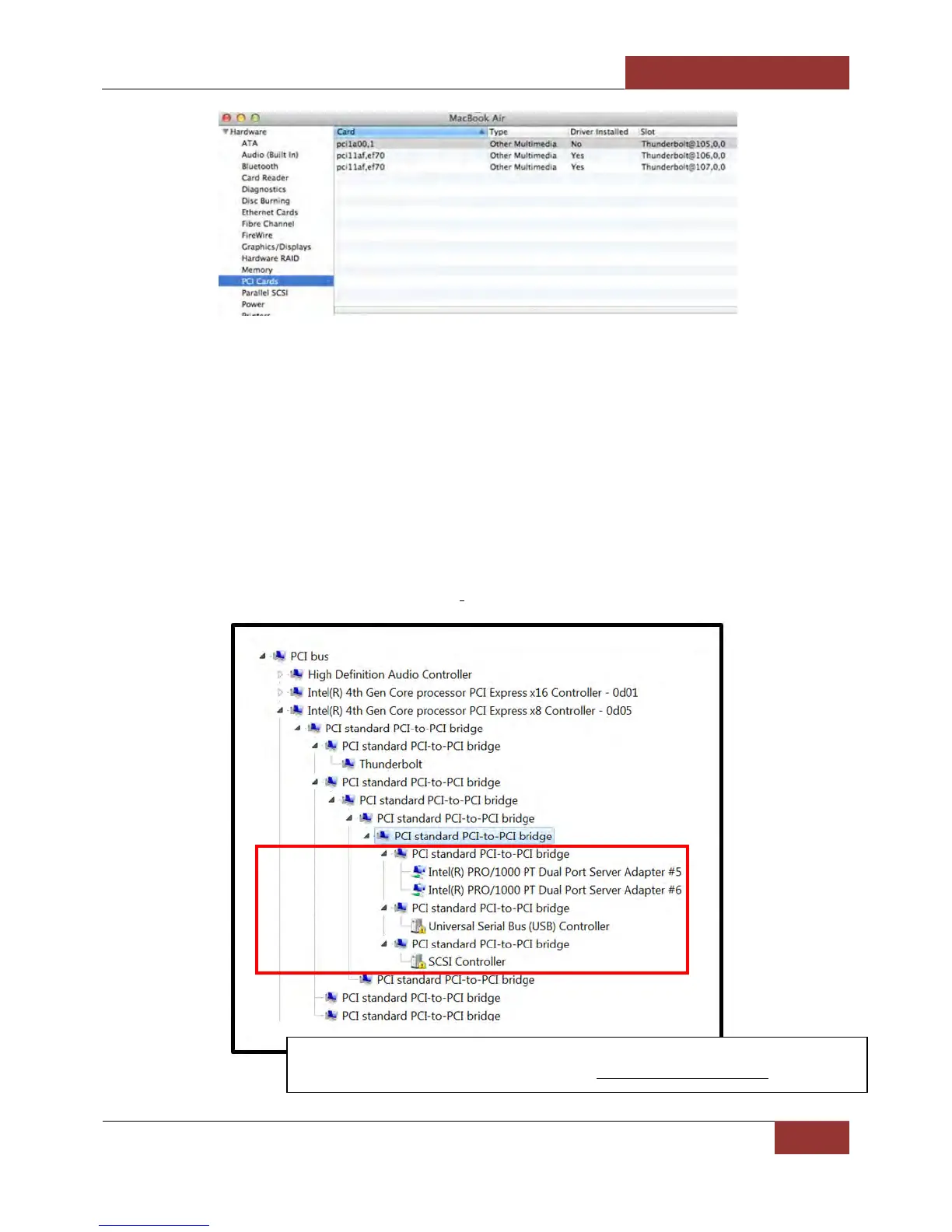
How to Check PCIe cards – Windows 7 and 8
Open ACPI (BIOS) Open PCI BusClick the ‘+’ sign several times until your reach a PCI Express Root Port with a
PCI Standard PCI-to-PCI Bridge beneath it.
If the verification is successful, you can install 3rd Party cards as well as auxiliary peripherals, such as hard drives
into the chassis.
If, however, the installation was unsuccessful, you may not see the PCI to PCI Bridge, or it will have a small yellow
symbol in front of it as shown below.
This applies to Thunderbolt™ 2 and Thunderbolt™ 1 expansion units.
Screenshot of Windows Device Manager showing Magma EB3T Expansion
device is being recognized / detected and w


 To Next Page