ExpressBox 3T | Chapter 3 Verify Installation
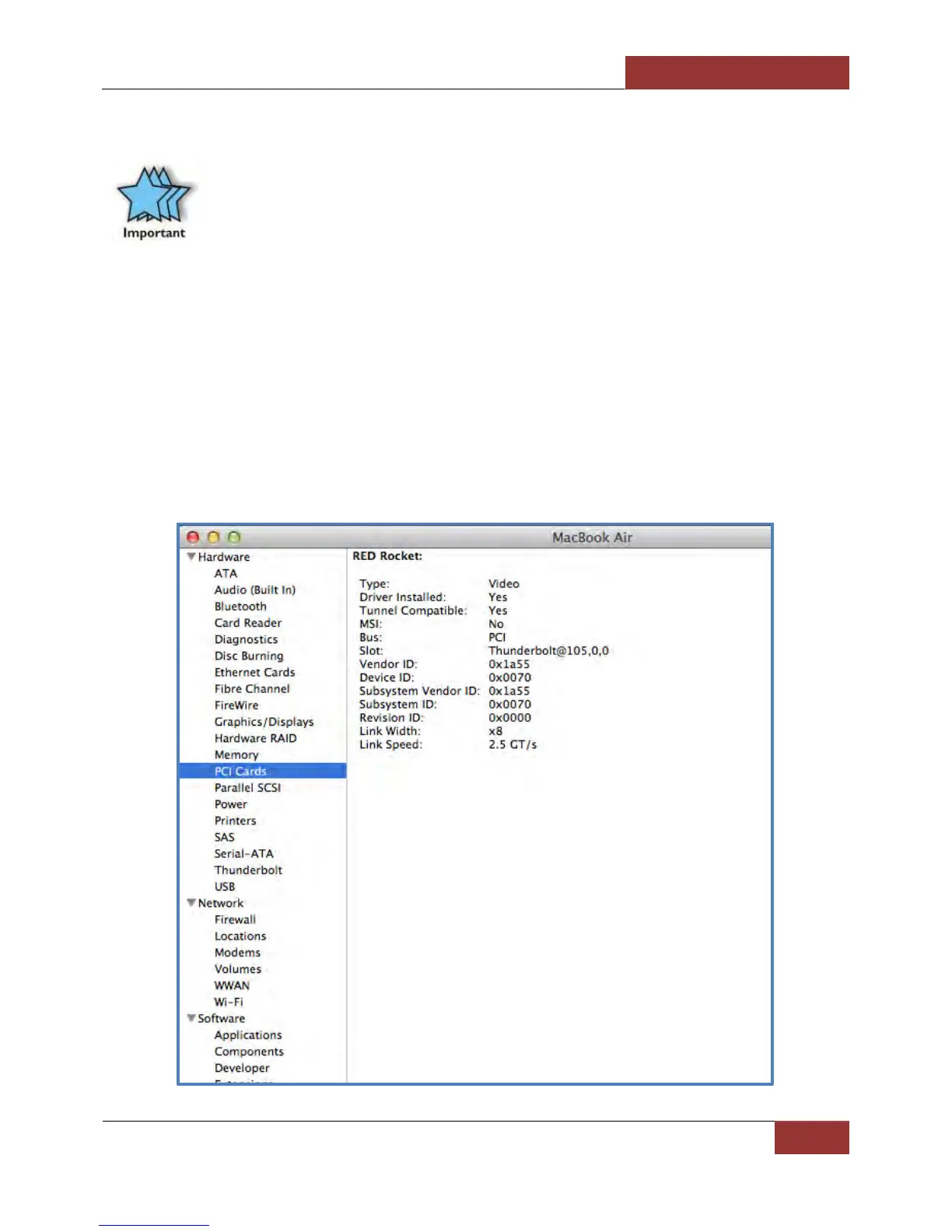
How To Check PCIe cards - Mac OS X
IMPORTANT
For Mac OS, a driver modification is required from the PCIe card provider. A Mac OS driver that is
“Thunderbolt Aware” is required so the PCIe hardware will be recognized by Mac OS through
Thunderbolt™ Technology
1. Your first step will vary depending on which version of Mac OS X you are using:
Mac OS X 10.6.8 Snow Leopard or earlier:
• Open Apple System Profiler by choosing About this Mac from the Apple ( ) menu. Then, click More Info.
OS X Lion 10.7 or later:
• Open System Information by choosing About this Mac from the Apple ( ) menu. Then, click System Report
2. Click PCI cards
This applies to Thunderbolt™ 2 and Thunderbolt™ 1.


 To Next Page