ExpressBox 3T | Chapter 2 Hardware Installation
Control Fan Speed
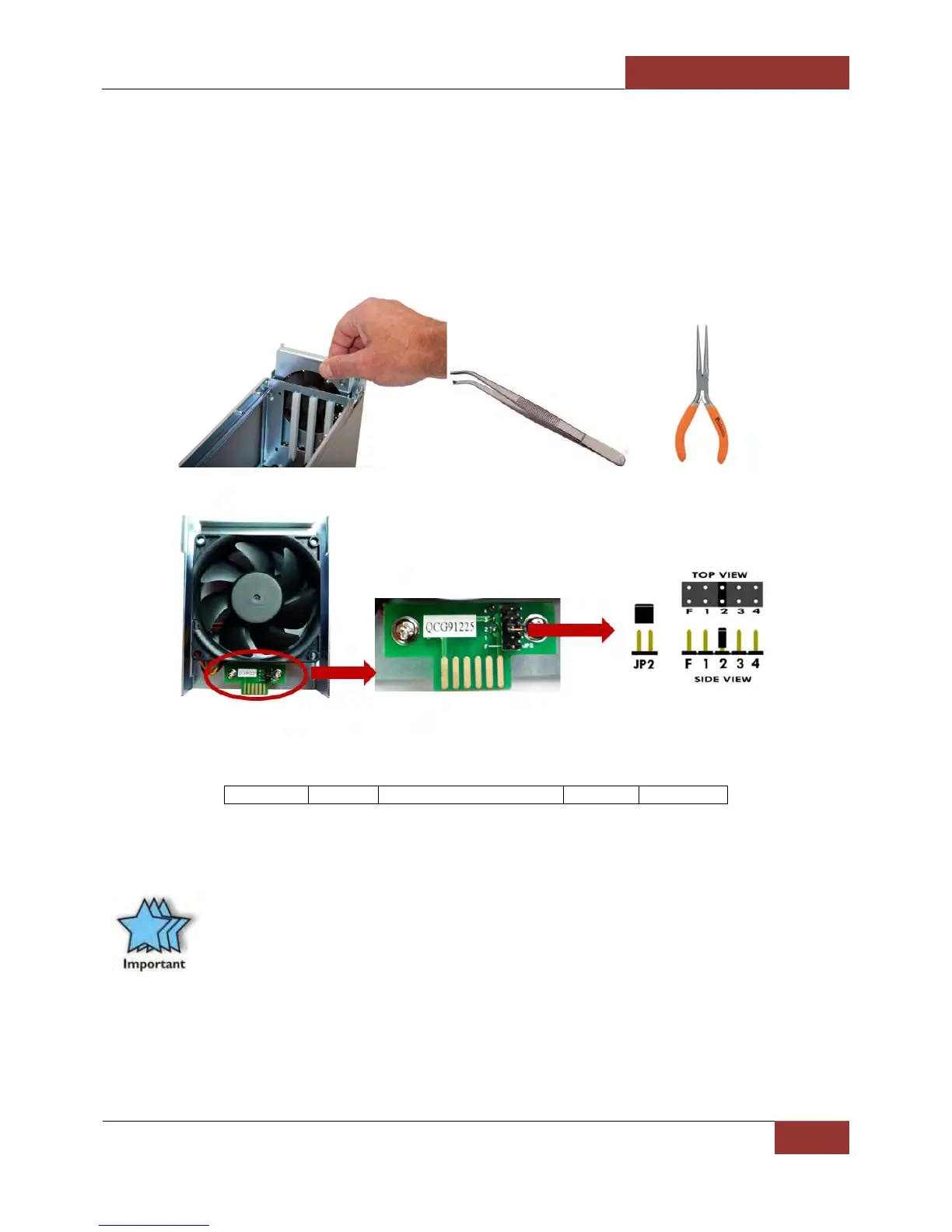
For low power or self-cooled cards you can reduce the fan noise by moving the jumper found under the removable
cooling fan at the front of the chassis to the slowest speed setting. If the chassis gets hot during use, you should
increase the fan speed to provide more cooling.
You will need a pair of needle nose pliers or a similar tool used for grabbing small jumpers. Remove the fan cage at
the front of the chassis and you will see a small board as shown below.
The Factory Default is setting 2 (medium). The slowest speed is setting 4 and the fastest speed is setting F.
F = fastest 1 = fast 2 = medium (default) 3 = slow 4 = slowest
Daisy Chaining
IMPORTANT
For best performance, it is recommended that ExpressBox 3T be the first device in the Thunderbolt
Daisy-chain.


 To Next Page