ExpressBox 3T | Chapter 2 Hardware Installation
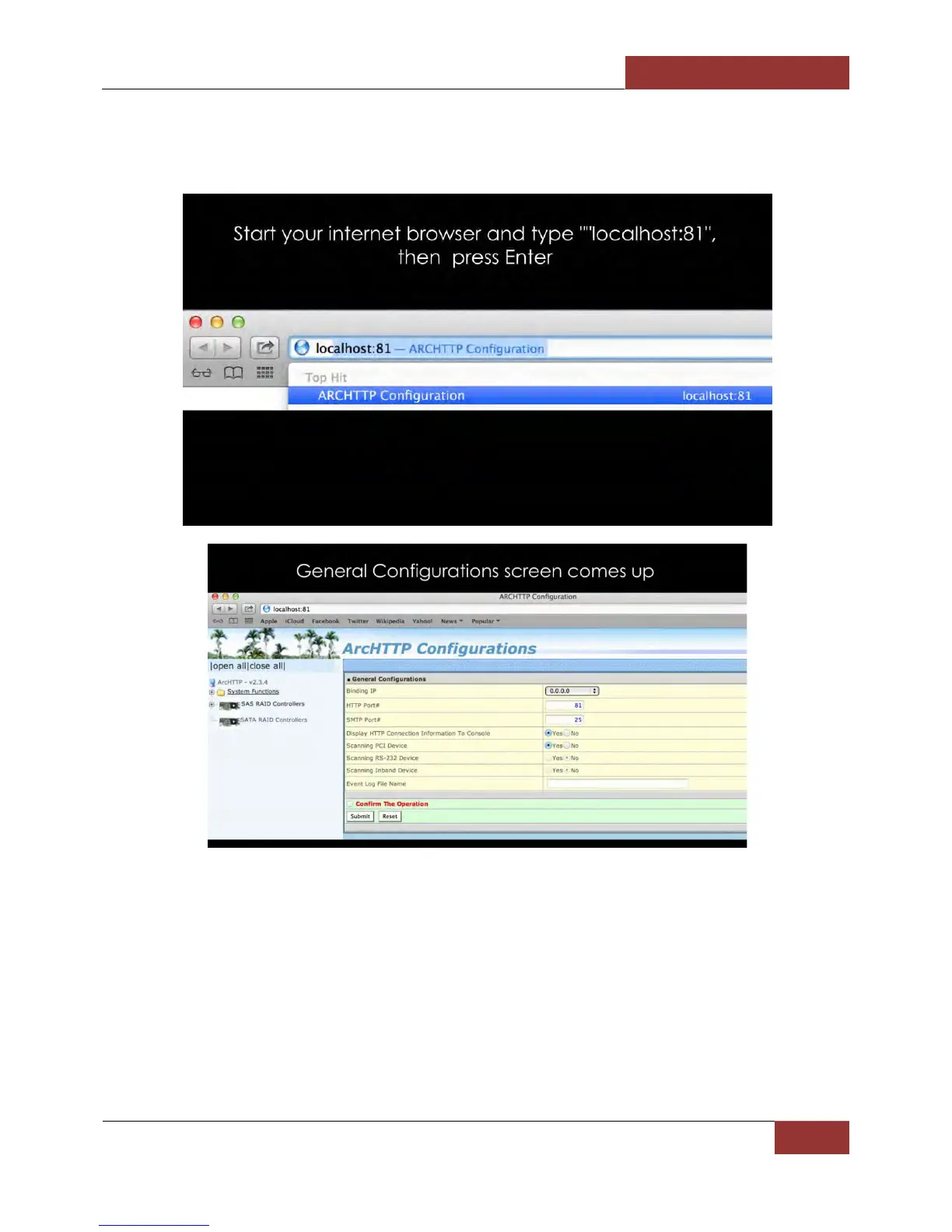
NOTE: These steps are applicable to Windows 7, Windows 8 and Mac OSx. Use Firefox / Mozilla as
your Browser to launch the ARCHTTP.
If you are unable to start or launch the Areca Web Management do these steps:
1. Clear Internet History. Reset Internet to default setting.
2. Shutdown computer. And unplug power from Magma EB3T.
3. Disconnect Thunderbolt Cable
4. Remove and reseat Areca controller card.
5. Reconnect power and Thunderbolt cable.
6. Turn on the computer. Start Internet browser and type “Localhost:81”


 To Next Page