EN
18
R
ECORDING
NOTES:
• Insert a cassette tape with its erase-prevention tab in place.
• This unit cannot record the contents from the built-in DVD.
• You can ONLY watch the same TV program that is being
recorded.
NORMAL RECORDING
SP
1 Use [CH.
KK
/
LL
] or the Number
buttons
to select the channel to
be recorded.
NOTE:
• If the unit is connected to a cable box or satellite
box, the unit must be on CH3 or CH4. Select the
channel to be recorded on the cable box or satellite
box.
2 Press [SPEED] to select the
desired tape speed (SP/ SLP).
(Refer to "SELECTING TAPE
SPEEDS" on page 15.)
3 Press [REC] to start recording.
4 Press [PAUSE
FF
] to tempo-
rarily stop recording unwanted
scenes.
Press
[PAUSE
FF
] again or
[REC] to resume recording.
NOTE:
• If the recording is paused for more than 5 minutes,
the unit will automatically switch to the recording
mode to prevent tape damage.
5 Press [STOP
CC
] to stop recording.
OTR (One Touch Recording)
This function enables you to start record-
ing for specified length simply by press-
ing
[REC/OTR] on the unit.
1 Use [CH.
KK
/
LL
] or the Number buttons to
select the channel to be recorded.
NOTE:
• If the unit is connected to a cable box or satellite
box, the unit must be on CH3 or CH4. Select the
channel to be recorded on the cable box or satellite
box.
2 Press [SPEED] to select the desired tape speed
(SP/SLP).
(Refer to "SELECTING TAPE SPEEDS" on page 15.)
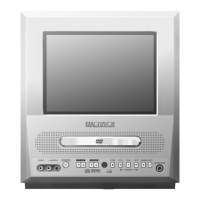
3 Press [REC/OTR] on the unit
repeatedly until your desired
length appears on the screen.
The recording time will increase
by 30 minutes up to 8 hours.
Recording starts immediately when you press
[REC/OTR].
NOTE:
• If you press [REC/OTR] when "8:00" is displayed,
the unit returns to the normal recording mode.
NOTES:
• Even if you press [STANDBY-ON
yy
] during OTR,
the unit continues recording.
• You
cannot start OTR with the remote control.
• In the SLP mode, maximum recording time, assum-
ing the tape starts at the beginning, is 8 hours using
T-160 (or 6 hours using T-120).
• If the tape runs out before the end time, the unit will
switch to the stop mode immediately, eject the tape
and turn itself off.
• To show the remaining time of OTR, press
[DISPLAY]
on the remote control to display "OTR" on the TV
screen. (It will show up momentarily then disappear.)
TO CANCEL OTR IN PROGRESS
Press [STOP/EJECT C A] on the unit or [STOP
CC
].
Time(s) Display Recording length
1 time (normal recording)
2 times 0:30 30 minutes
3 times 1:00 60 minutes
↓↓ ↓
17 times 8:00 480 minutes
CH 10
REC
SP
PAUSE
SP
OTR (2 : 30)
SP
TV/VCR SECTION
T1202UC(EN).QX3 06.2.15 3:44 PM Page 18

 To Next Page
 Loading...