© Copyright Mahindra & Mahindra Ltd. 012016
8-29
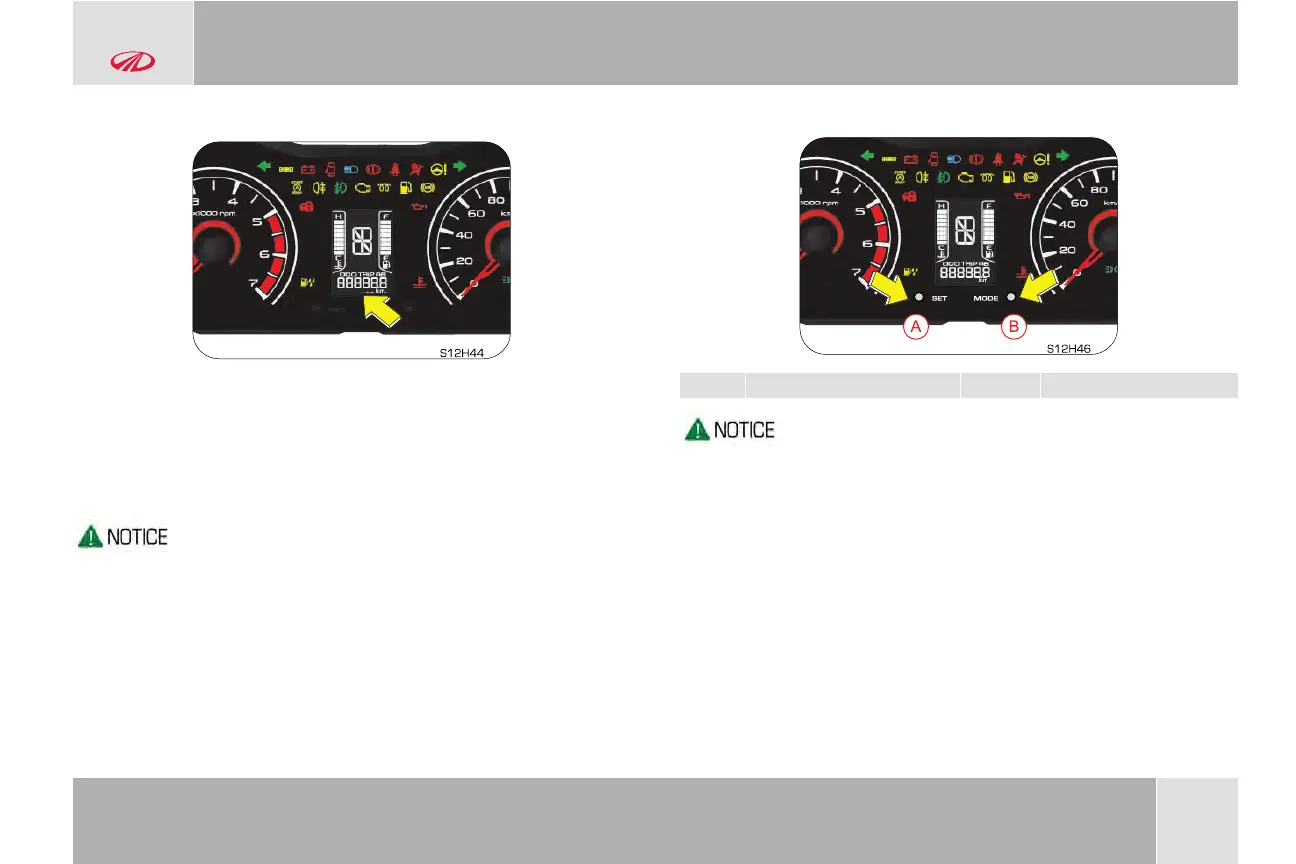
8.14.3 Odometer/ Tripmeter
The bottom row of the LCD display gives the odometer reading. It
records and displays the total distance traveled in kms.
The same display also gives the trip meter A & B details. It displays
the distance travelled since the last trip reset. The two trip meters
(A/B) can be reset by SET button.
Odometer and trip meter are displayed only when the ignition is
ON.
8.14.4 Set and Mode Button
A Set Button B Mode Button
To cycle between trip A & B, press and release MODE (B)
button for a second.
Pressing the MODE button (B) while in trip B, displays the
odometer reading. Again pressing the MODE button (B)
displays trip A
While on trip A or B, press and hold the SET button (A) for
more than 1 second to reset the respective trip reading to
zero.
FEATURES AND CONTROL


 To Next Page
 Loading...