EasyManua.ls Logo

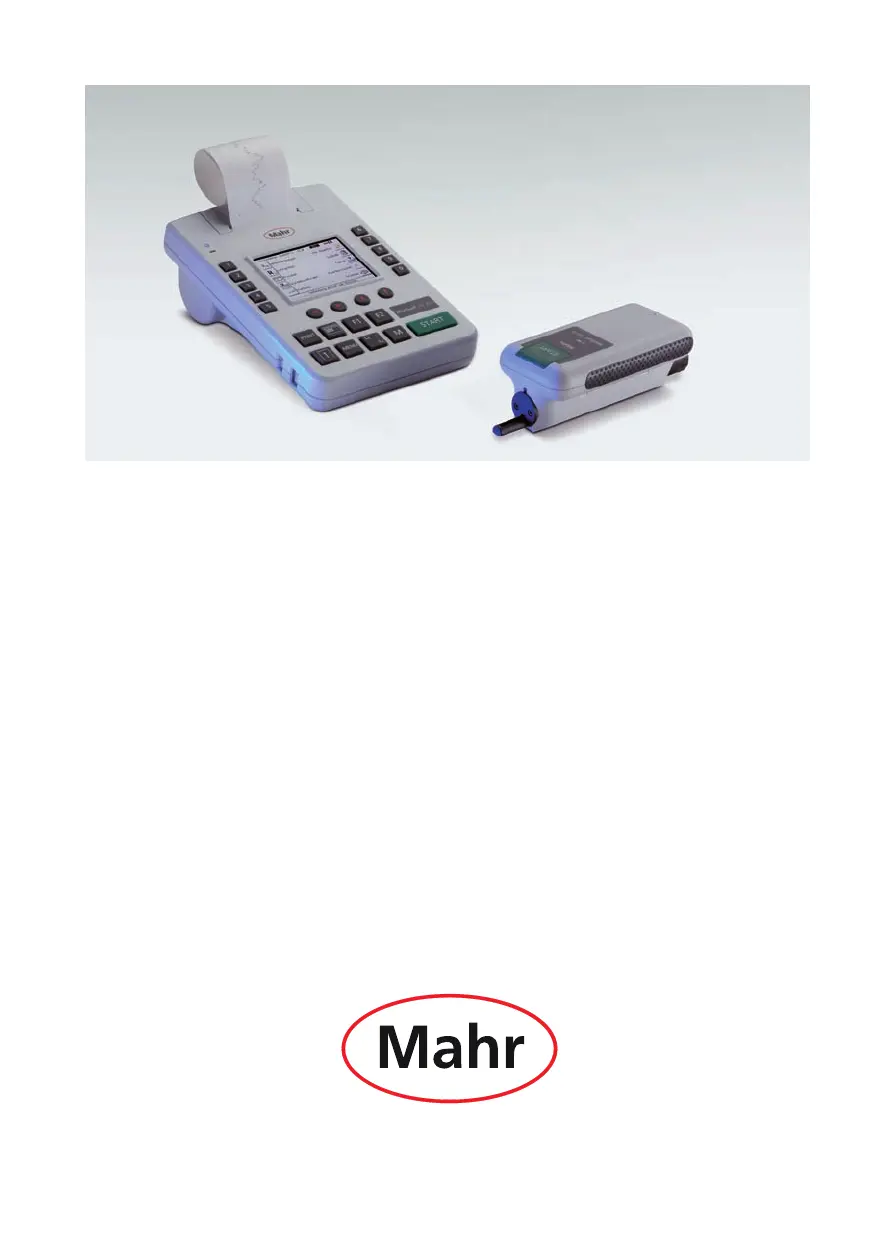
Mahr MarSurf M 300 - User Manual

Mahr MarSurf M 300
72 pages
Print Icon
To Next Page IconTo Next Page
Loading...
Mahr GmbH · Carl-Mahr-Straße 1 · D-37073 Göttingen · Telefon +49 551 7073-0 · Fax +49 551 71021
Operating Instructions
MarSurf M 300 + RD 18

Table of Contents

Questions and Answers

  • K
    Kathleen WalkerAug 18, 2025
    What to do if result memory is full on Mahr Measuring Instruments?
    • A
      Amanda WoodAug 18, 2025
      If the USB memory of your Mahr Measuring Instruments is full and cannot accept further results files, transfer the saved results files to a computer via the USB interface and then delete the results files from the USB memory.
  • L
    Lisa StewartAug 20, 2025
    Why is the battery symbol displayed on my Mahr Measuring Instruments?
    • S
      Sara HuynhAug 20, 2025
      If the battery symbol is displayed on your Mahr Measuring Instruments, it means the battery is nearly empty. You should charge the battery; approximately 7 hours (M 300) or 1 hour (RD 18) is required to charge the battery to full capacity.
  • P
    Paul SteinAug 23, 2025
    What to do if there is a printer error on Mahr Measuring Instruments?
    • A
      ashleyknightAug 23, 2025
      If you are experiencing a printer error with your Mahr Measuring Instruments, consider these potential causes and solutions: * No paper: Load a paper roll. * The printer head is overheated: Switch off the instrument for approximately 10 minutes. * The printer is defective: If this appears repeatedly, send the instrument in for repair.
  • M
    millerfredAug 25, 2025
    How to fix a discharged battery on Mahr Measuring Instruments?
    • A
      Amanda HarrisAug 26, 2025
      If your Mahr Measuring Instruments indicate that the battery is discharged, it means the battery is empty. Charge the battery; approximately 7 hours is required to charge the battery to full capacity.
  • B
    Brian SilvaAug 27, 2025
    What to do if I experience data loss on Mahr Measuring Instruments?
    • M
      Michelle AndersonAug 28, 2025
      If you experience data loss (instrument settings) when switching on your Mahr Measuring Instruments, select new instrument settings.
  • M
    Michael PerezAug 30, 2025
    Why is the Bluetooth transmission distance short on my Mahr Measuring Instruments?
    • R
      Richard JacksonAug 30, 2025
      If the Bluetooth transmission distance is less than 4 meters (13 ft) on your Mahr Measuring Instruments, it could be due to: * An obstacle in the direct line of sight: Remove the obstacle if possible and ensure you can see the front side of the MarSurf M 300. * A strong transmitter nearby: Remove the transmitter if possible.
  • G
    Garrett JacksonSep 1, 2025
    What does 'Upper limit exceeded!' mean on Mahr Measuring Instruments?
    • A
      Aaron ParkerSep 1, 2025
      If the 'Upper limit exceeded!' message appears on your Mahr Measuring Instruments, it means the upper limit of the measuring range has been exceeded, and the measurement has been aborted. Realign the testpiece or drive unit as appropriate.
  • B
    Brandon SpencerSep 3, 2025
    What does 'Low limit exceeded!' mean on Mahr Measuring Instruments?
    • A
      Amy MaySep 3, 2025
      If the 'Low limit exceeded!' message appears on your Mahr Measuring Instruments, it means the lower limit of the measuring range has been exceeded, and the measurement has been aborted. Realign the testpiece or drive unit as appropriate.
  • S
    Sabrina ChapmanSep 5, 2025
    What does 'Timeout reached!' mean on Mahr Measuring Instruments?
    • J
      Jordan GravesSep 6, 2025
      If the 'Timeout reached!' message appears on your Mahr Measuring Instruments, and the M 300 is attempting to set up a Bluetooth connection with an RD 18 (or searching for existing drive units) but cannot connect, switch off both devices. Move the reset switches to the left into the "0" position, then back to the right again. Switch on first the RD 18 and then the M 300.
  • R
    Robert JohnsonSep 8, 2025
    Why does my Mahr Measuring Instruments say 'Connect AC adapter!'?
    • K
      Kimberly HerreraSep 8, 2025
      If the 'Connect AC adapter!' message appears on your Mahr Measuring Instruments, the M 300 battery is empty. Connect the AC adapter to the M 300 and load the battery.

Summary

Operating Instructions

Permitted Uses

Disposal

Safety Instructions

Functions

Memory Capacity

Details internal USB memory storage for profiles and results files.

Mechanical Characteristics

Covers compact design, measuring range, drive unit compatibility, and housing.

Possible Instrument Settings

Explains menu-driven settings, blocking, and standard selection (ISO, ASME, JIS, MOTIF).

Operating Elements

Commissioning

Switching on the Measuring Instruments

Guides on powering up the MarSurf M 300 and RD 18, including Bluetooth setup.

Switching off the Measuring Instruments

Instructions for powering down the MarSurf M 300 and RD 18 units correctly.

Charging the Battery

Details how to charge the built-in batteries of both the MarSurf M 300 and RD 18.

Loading Paper

Step-by-step guide on how to load the paper roll into the instrument's printer.

Making Instrument Settings

Covers basic settings, measurement conditions, parameters, and tolerance limits.

Programming function keys F1 and F2

Explains how to assign functions to the programmable F1 and F2 keys for quick access.

Preparing for Measurement

Setting up the Mobile Measuring Station

Instructions for preparing the drive unit and pick-up for mobile measurements.

Setting up the Stationary Measuring Station

Guides on affixing the MarSurf RD 18 to a measuring stand for stationary operation.

Setting up the Drive Unit and Pick-up

Covers drive unit setup, pick-up selection, and Bluetooth connection procedures.

Measurement and Evaluation

Measurement

Details the process of taking surface texture measurements with the MarSurf M 300.

Evaluation

Explains how to view results, profile diagrams, and print records.

Available Parameters

Lists and defines the various surface texture parameters measurable by the instrument.

Saving Profiles

Instructions for saving measured profile data in different formats to USB memory.

Saving Measuring Results

Guides on saving measurement results manually or automatically to USB memory.

Calibrating and Setting the Pick-up Correction Value

Setting the Pick-up Correction Value

Describes how to manually enter a pick-up correction value without initial calibration.

Calibration

Explains the process for calibrating the pick-up using standards for accurate measurements.

Troubleshooting

Interfaces

Connecting the MarSurf M 300 to a Computer (USB Interface)

Details how to connect the instrument to a PC via USB for data transfer.

Remote Control via the MarConnect Interface

Explains the use of the MarConnect interface for remote instrument operation.

Maintenance, Cleaning and Transport

Checking the Integrated Standard of the RD 18

Describes how to check the integrated standard of the RD 18 drive unit for calibration.

Replacing the Battery

Provides detailed steps for replacing the batteries in both the MarSurf M 300 and RD 18.

Installing a Software Update

Guides on how to update the instrument's software via a computer connection.

Scope of Delivery

Accessories, Spare Parts and Wear Parts

Warranty

Declarations of Conformity

Mahr MarSurf M 300 Specifications

General IconGeneral
BrandMahr
ModelMarSurf M 300
CategoryMeasuring Instruments
LanguageEnglish

Related product manuals