
 To Next Page
Д
ДинарApr 28, 2026
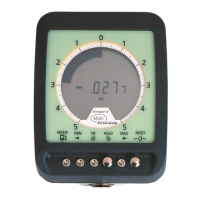
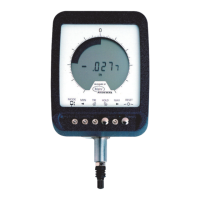
Здравствуйте! Прошу дать мне сертификат поверки на ЦИФРОВОЙ ИНДИКАТОР MAHR, MAXμM III (2033125).

Здравствуйте! Прошу дать мне сертификат поверки на ЦИФРОВОЙ ИНДИКАТОР MAHR, MAXμM III (2033125).
The Maxum III indicator provides Standard and Enhanced measurement capabilities.
Explains the 6 push button modes for Standard Mode operation.
Explains the controls and functions available in Enhanced Mode.
Procedure for initiating the setup mode to change indicator settings.
How to switch between inch (in) and millimeter (mm) units.
How to select between standard and reduced digital range options.
How to select Standard, Digimatic/BCD, or Serial ASCII output formats.
Guide to basic operation, including Off-Scale and Over-Range conditions.
Procedure for setting tolerance limits for measurements.
Details on using the Enhanced/Actual and Enhanced/Dynamic modes.
Information on low battery warnings and how to change the battery.
Procedure for verifying the indicator's accuracy using gage blocks.
Instructions for calibrating the indicator, including resetting digital gain.
List of available contact points and indicator parts with part numbers.
Information on accessories like foot switches, overlays, and cables.
Details on the standard Maxum output format with 6-pin or 10-pin connectors.
Information on the ASCII serial communication format and its protocol.
Description of the Digimatic/BCD output method and its pin-out.
 General
| Display | LCD |
|---|---|
| Output Interface | RS-232 |
| Power Supply | Battery |
| Operating Temperature | 10°C - 40°C |
| Storage Temperature | -10°C - 60°C |
| Weight | Varies depending on configuration |
| Measuring force | 0.7 N |