MAI International
GmbH
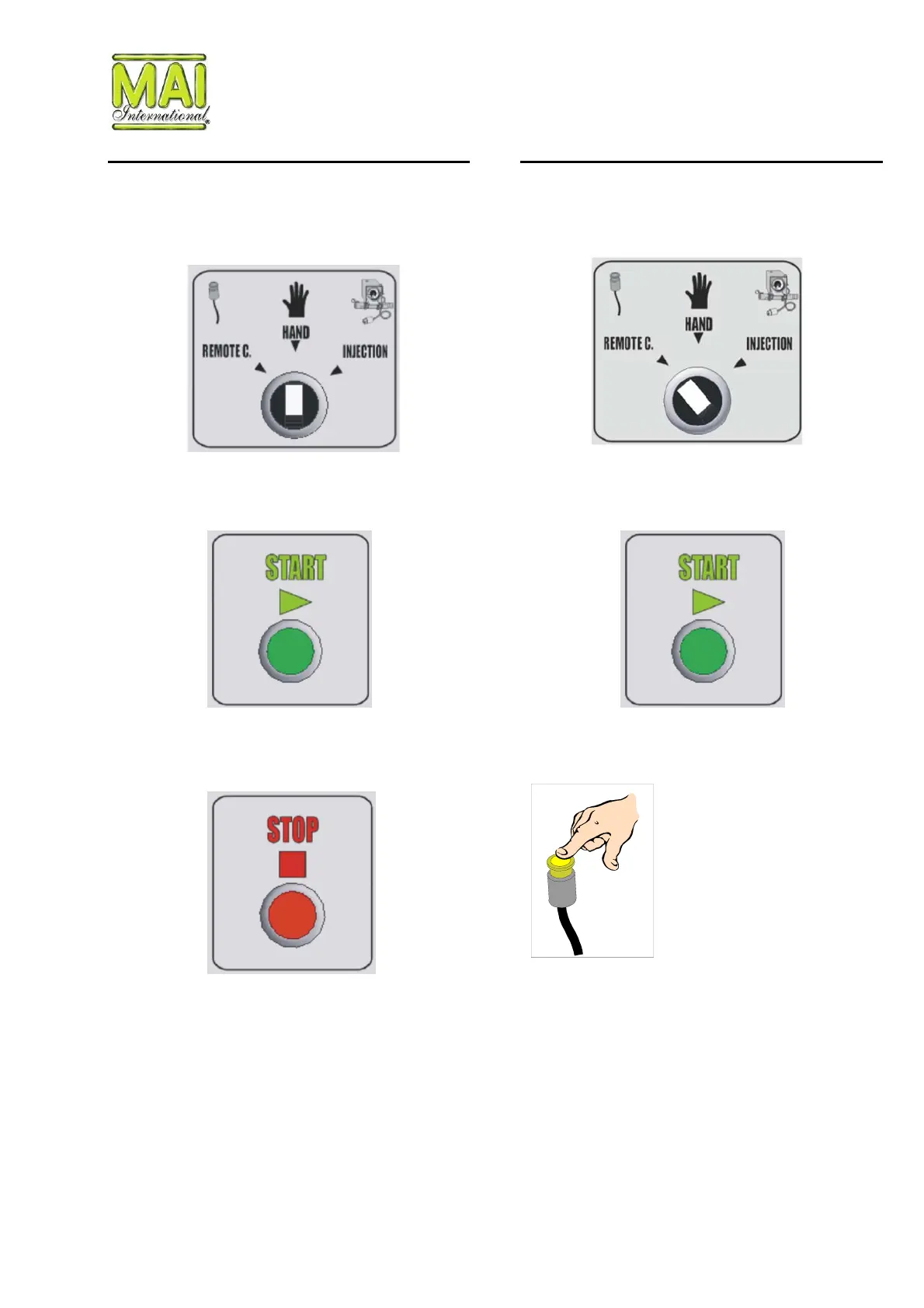
Start-up for manual operation Start-up with remote control
Proceed as described in the previous section “Start-
up”.
Proceed as described in the previous section “Start-
up”.
Make sure that the mode switch “REMOTE C –
HAND - INJECTION” is set to “HAND”.
Make sure that the mode switch “REMOTE C –
HAND - INJECTION” is set to “REMOTE C”.
Start the machine by pressing the green “START”
button.
Press the green “START” button. The machine is
now ready for operation with the remote control
Start the machine by pressing the button on the
remote control.
To switch off the machine at any time, press the
“STOP” button.
You can stop the machine at any time by pressing
the yellow button on the remote control.
© Copyright 2003 V20/10/03 Page 20


 To Next Page