5.6 Speech Audiometry (MA 33 Speech)
5.6.1 General
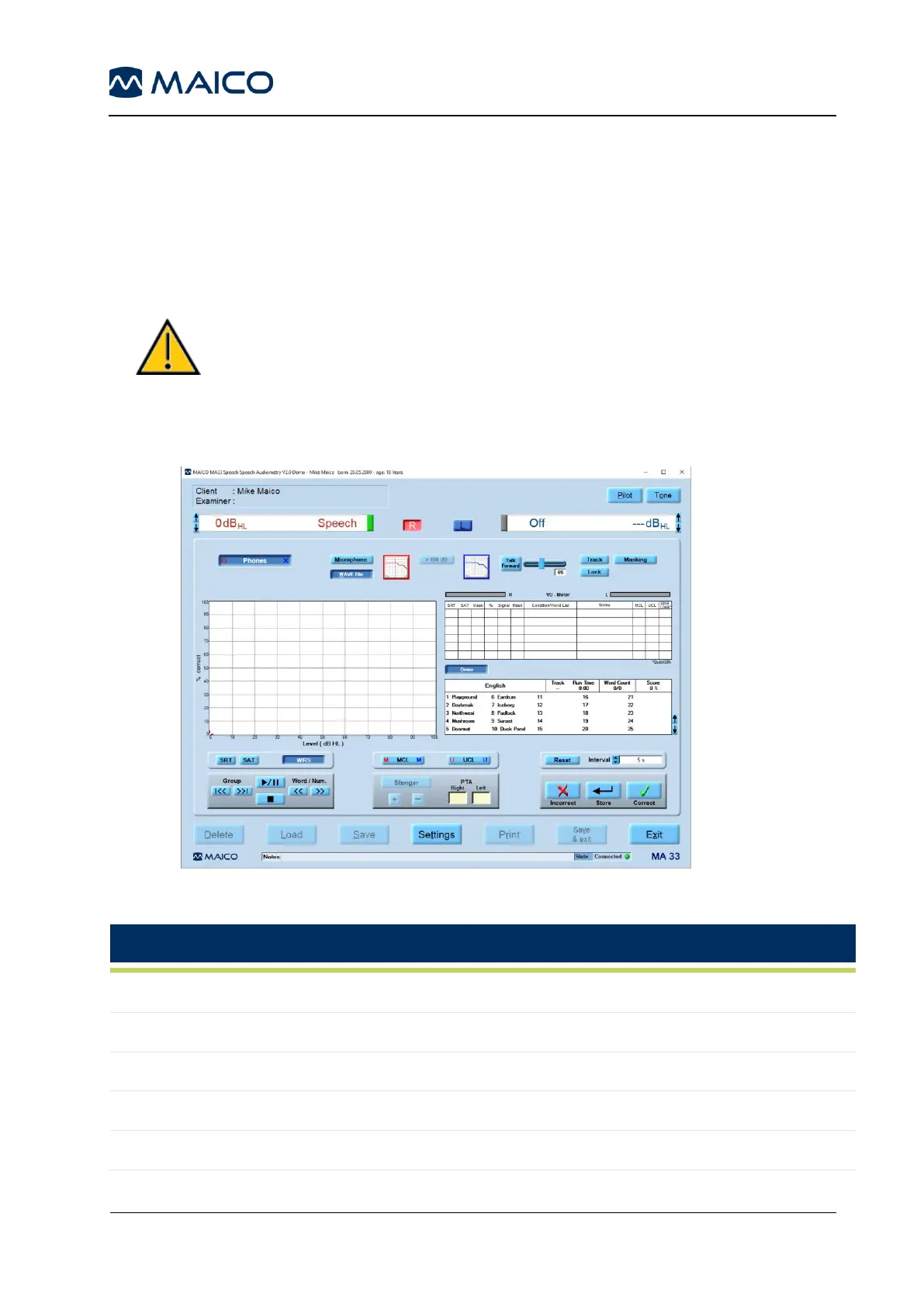
As part of the MA 33 Speech software you are able to enter the speech audiometry tests by
pressing F2 on the keyboard or by clicking on the Speech button in the top, right-hand corner
of the tone audiometric screen (Figure 72). See Table 12 for an explanation of the buttons.
To conduct speech tests you can use a microphone, WAVE files or CD-ROM.
Use of unrecognized speech material can lead to faulty results
and therefore wrong diagnosis.
Only recognized speech material can be used (i.e. material
with known relation to the calibration signal).
Table 12 Speech Audiometry Screen – Explanation
Select left, both or right ear
Stimuli will be presented through headphones
To conduct speech test by wave file
To conduct speech test by CD-ROM
Allows presentation above 100 dB HL



 To Next Page