Operation Manual
touchTymp MI 24
and
MI 34
Version
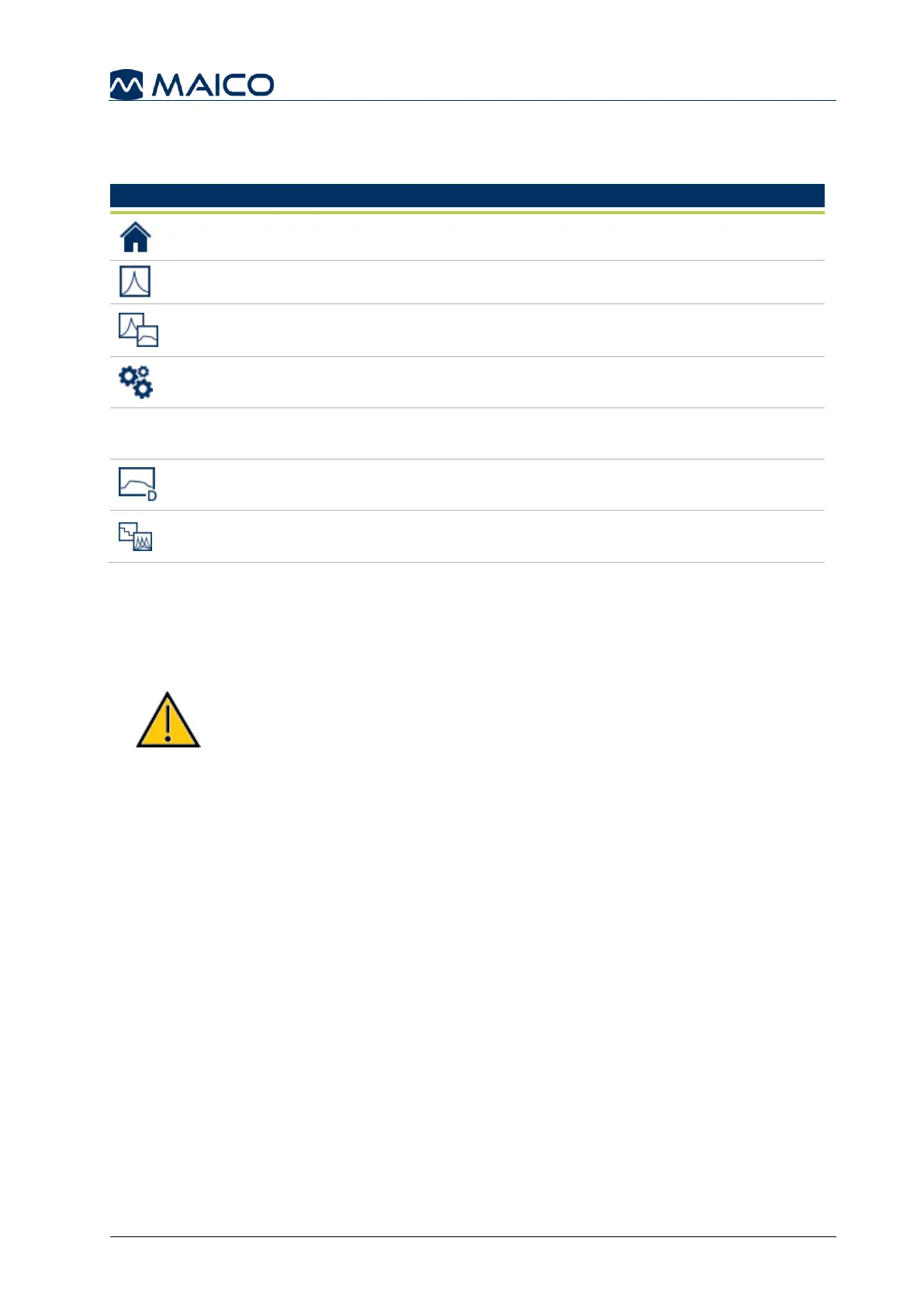
Fixed Function Bar: This bar stays constant through device operation and the
allowable test modules are based on the version purchased. The icons include (Table 10):
Table 10 Icons in the Fixed Function Bar
Home: to return to the Home screen for test selection.
Tympanometry: to open the Tympanometry module.
Tympanometry &
Acoustic Reflexes
Tympanometry & Acoustic Reflexes: to open the
Tympanometry and Acoustic Reflex module.
Settings: to access a list of all the device settings.
Additional icons for MI 34 Version:
Reflex Decay: to open the Reflex Decay module
ETF: to open the ETF module for intact or perforated ETF
testing.
5.4.3 Preparing for Testing
5.4.3.1 Preparing the Patient
Make sure that the patient is comfortable on a chair or on an examination table if
necessary. Small children may feel more comfortable sitting on a parent's lap.
Keep in mind the indication and contraindications of use
given in sections 1.2 and 1.3.
5.4.3.2 Visual Inspection of the Ear Canal
Check the external ear canal for wax with an otoscope. Excessive wax should be
removed by a qualified professional to prevent the probe opening from clogging which
will inhibit testing. Excessive hairs may have to be cut for a seal to be obtained.
5.4.3.3 Immittance Measurements
Show the probe to the patient and then explain the following:
An eartip is placed on the tip of the probe and inserted into the ear canal. A seal
must be achieved for the test to progress.
Coughing, talking and swallowing will disturb test results.
The aim of Tympanometry is to test the mobility of the eardrum and the
condition of the middle ear.
o A small amount of air will flow through the probe to move the eardrum; it produces
a sensation equal to pressing a finger slightly into the ear canal.
o One or more tones will be heard during the test. No participation is
expected from the patient.



 To Next Page