Operation Manual
touchTymp MI 24
and
MI 34
Version
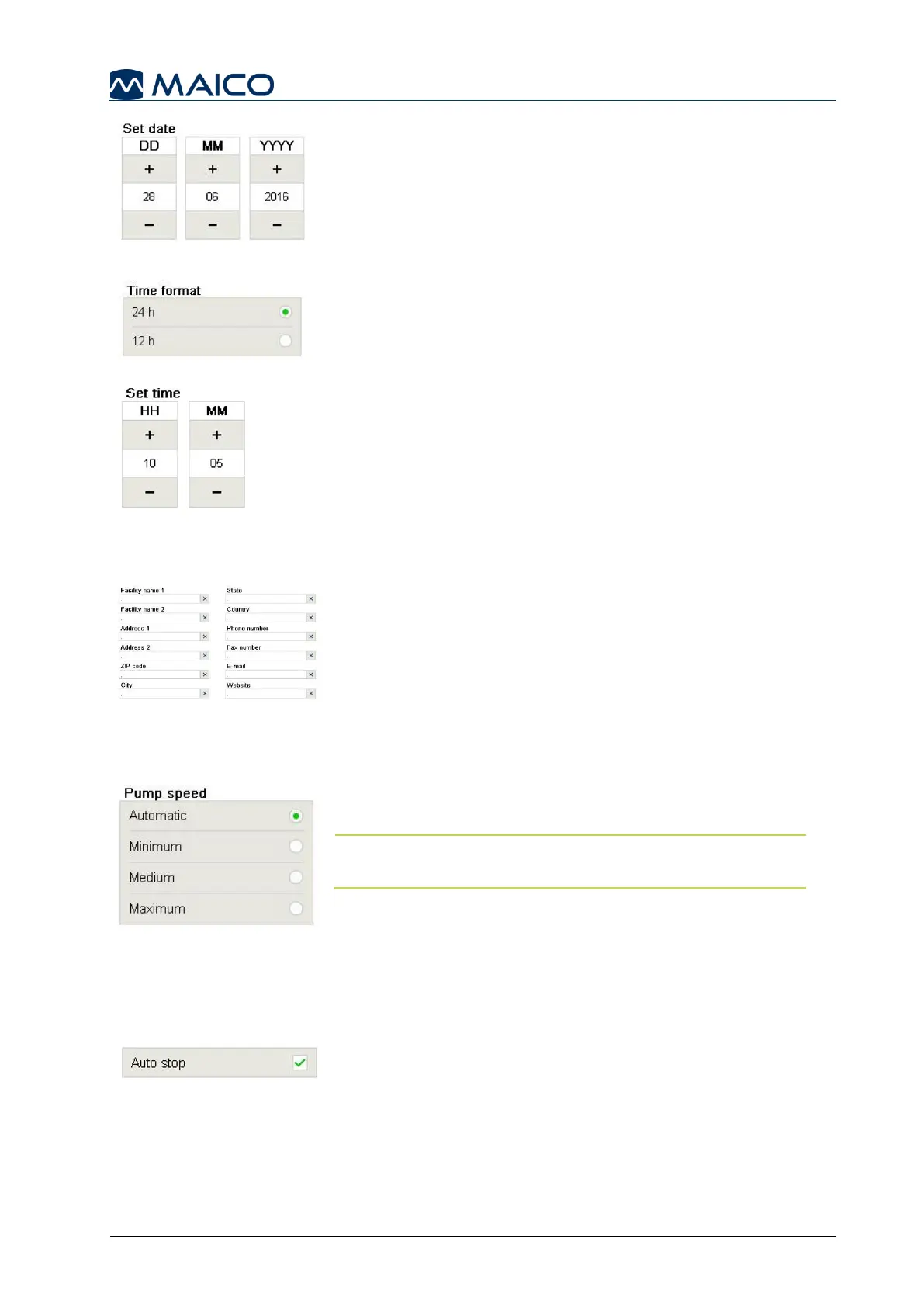
Set date: Set the current date using the date control
(Figure 100).
Time format: Select the preferred clock, using the 12 or
24 hour time format (Figure 101).
Set time: Set the time by using the time control. If time
format 12 h is chosen a further setting is available for
selection of AM/PM (Figure 102).
5.6.6 Settings – Basic – Facility
Facility: Enter Facility information. The information
entered in these fields will be shown on the printout when
active. Empty fields will not be printed (Figure 103).
Also see section Fehler! Verweisquelle konnte nicht
gefunden werden..
5.6.7 Settings – Tympanometry – General
Pump speed: Selection of pump speed determines how
precisely and quickly the test will proceed (Figure 104).
NOTE: A slow speed is more time consuming, but may
give more detailed information.
There are four different pump speed settings:
Automatic (Dynamic from 600 daPa/s for low gradient
and 200 daPa/s for a gradient larger than 5 daPa)
Minimum (50 daPa/s): slow, very precise results
Medium (250 daPa/s): compromise of speed and precision
Maximum (>400 daPa/s): fast, screening
Auto stop: will automatically stop measurement when
hitting the zero line to lessen the test time without affecting
results (Figure 105).



 To Next Page