Operation Manual
touchTymp MI 24
and
MI 34
Version
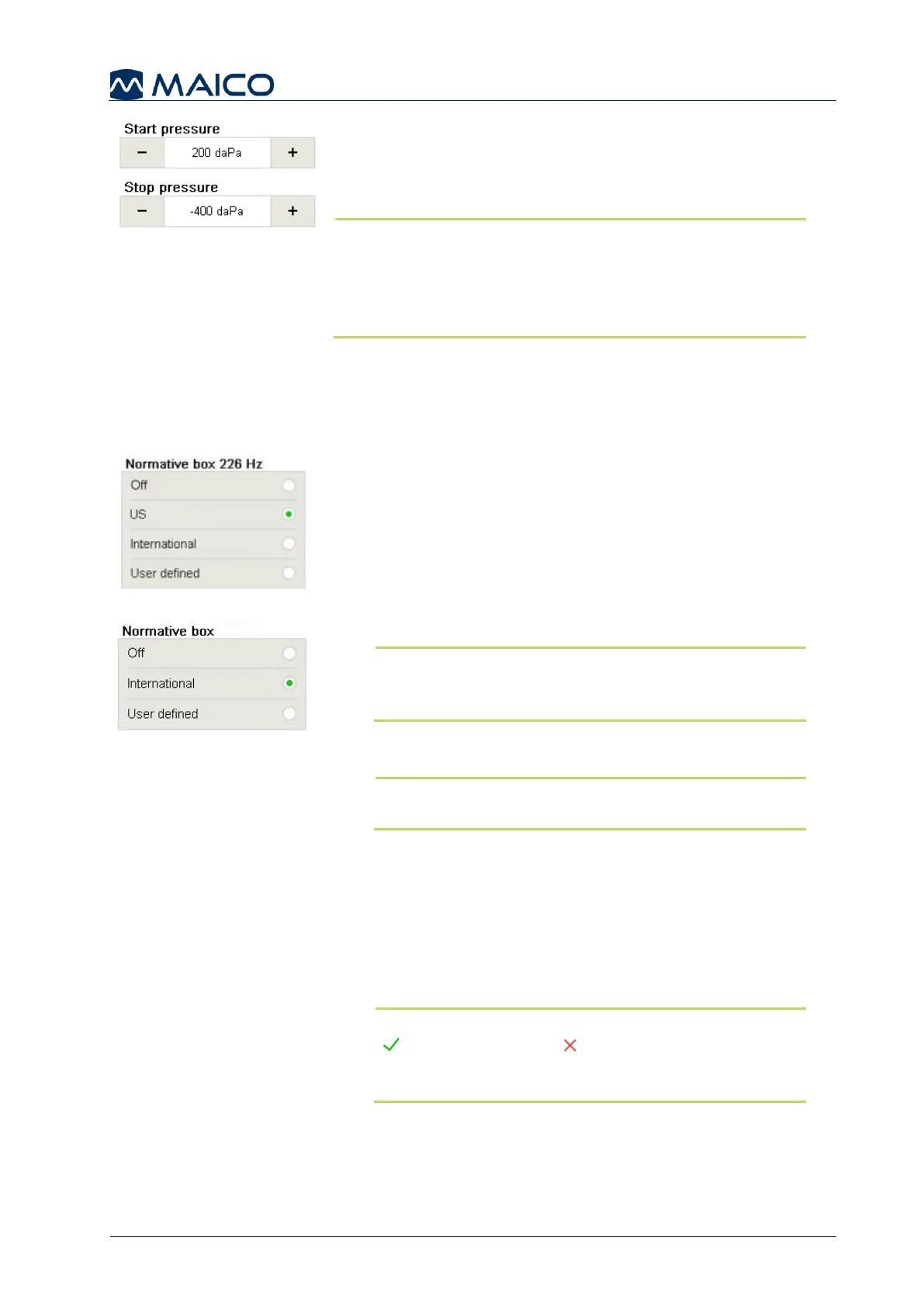
Start pressure: the pressure that is first introduced when
performing tympanometry.
Stop pressure: the end pressure of the tympanometry
measurement (Figure 106).
NOTE: MI 24 version, the start pressure must be a higher
value than the stop pressure. MI 34 version, the start
pressure can be higher or lower than the stop pressure.
This way, Tympanometric measurements can be
performed with decreasing or ascending pressure.
5.6.8 Settings – Tympanometry – Probe Tone 226 Hz/1000 Hz
(MI 34 Version Only: 678 Hz/800 Hz)
The following explanations are for the tabs Probe tone 226 Hz (Figure 107) as well as
Probe tone 1000 Hz (Figure 108).
Normative boxes: Normative boxes are available for 226 Hz
and 1000 Hz. Normative boxes are displayed based on
established US and International standards.
Normative Box options include:
Off: to not display any normative box in the
Tympanometry screen. Display Pass /No
Response is disabled with this setting.
US: to use the values defined for US.
NOTE: US standards only exist for 226 Hz probe
tone. When any other probe tone is selected, the
normative box will not be displayed.
International: to use a normative box based on literature
outcomes (see Appendix A for further information).
NOTE: Values of US and International normative
boxes will be displayed, but cannot be changed.
User defined: allows the user to define their own
normative box. Define the minimum and maximum
values for the pressure (in daPa) and the compliance
(in ml or mmho) in the range of:
Pressure: -400 daPa to 200 daPa
Compliance 226 Hz: 0.1 ml to 3.0 ml
Compliance 1 kHz: 0.1 mmho to 3.0 mmho
NOTE: When user defined Settings are activated, Pass
and No Response functions are disabled from
screen, probe display and printout. Settings for
normative box is individually set for 226 Hz and 1000 Hz.



 To Next Page