Operation Manual
touchTymp MI 24
and
MI 34
Version
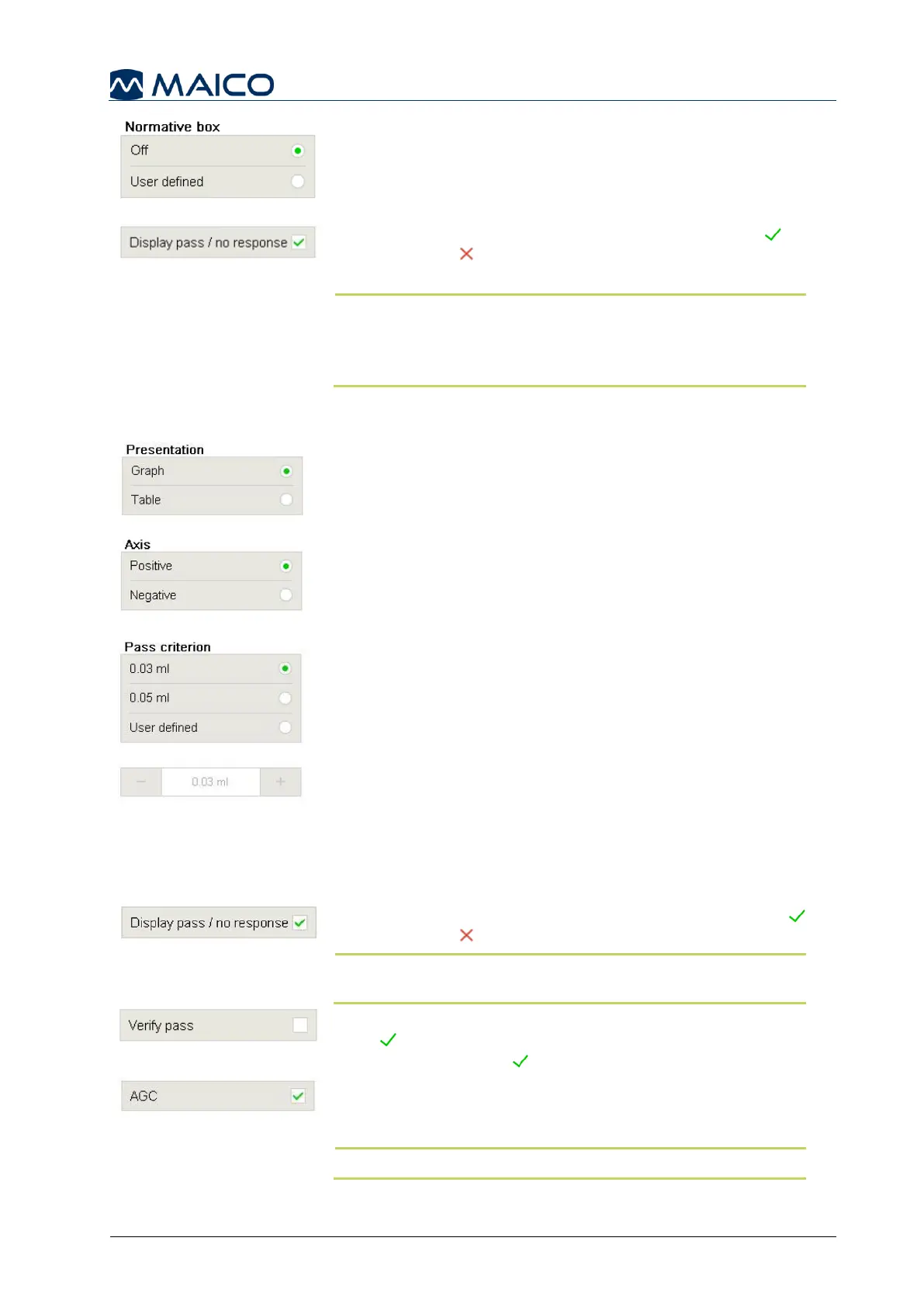
678 Hz and 800 Hz allows for a User defined normative
box only (MI 34 version only) (Figure 109).
Display pass / no response: Activates a Pass or
No Response to be displayed after the completion of
a measurement (Figure 110).
NOTE: Can be selected and deselected for evaluation
(only for US and International normative boxes). Result
display will automatically be disabled when user defined
normative boxes are used.
5.6.9 Settings – Acoustic Reflexes – General
Presentation: Defines the Acoustic Reflex screen to
start in graphical or table format (Figure 111).
The selection here will also define the presentation on the
print-out.
Axis: Defines the reflex deflection is displayed negative or
positive on the graphical display (Figure 112). The selection
here will also define the graphical presentation on the print-
out and Reflex Decay display for MI 34 version.
Pass criterion: Defines the deflection value that must be
measured for the reflex to be considered an accepted
measurement (Figure 113). The options for selection include:
0.03 ml (default): If a change in compliance greater than
0.03 ml is detected, a reflex is considered present.
0.05 ml: If a change in compliance greater than
0.05 ml is detected, a reflex is considered present.
User defined: Define user’s own pass criterion out of
0.01 to 0.1 ml. Once user defined is checked the +/-
are active to make a selection.
Display pass / no response: If active the result (Pass
No Response ) will be displayed (Figure 114).
NOTE: This function cannot be deactivated if the Table
view is selected.
Verify pass: If active the reflex test will require two consecutive
Pass responses before moving to the next stimuli. When
inactive only one Pass is required (Figure 115).
AGC (Automatic gain control): If AGC is selected (Figure
116), the stimulus level will be reduced for small ear canal
volumes (< 2 ml) correspondingly to the values in Table 14.
NOTE: AGC can only be used on Ipsilateral stimuli.



 To Next Page