Operation Manual
touchTymp MI 24
and
MI 34
Version
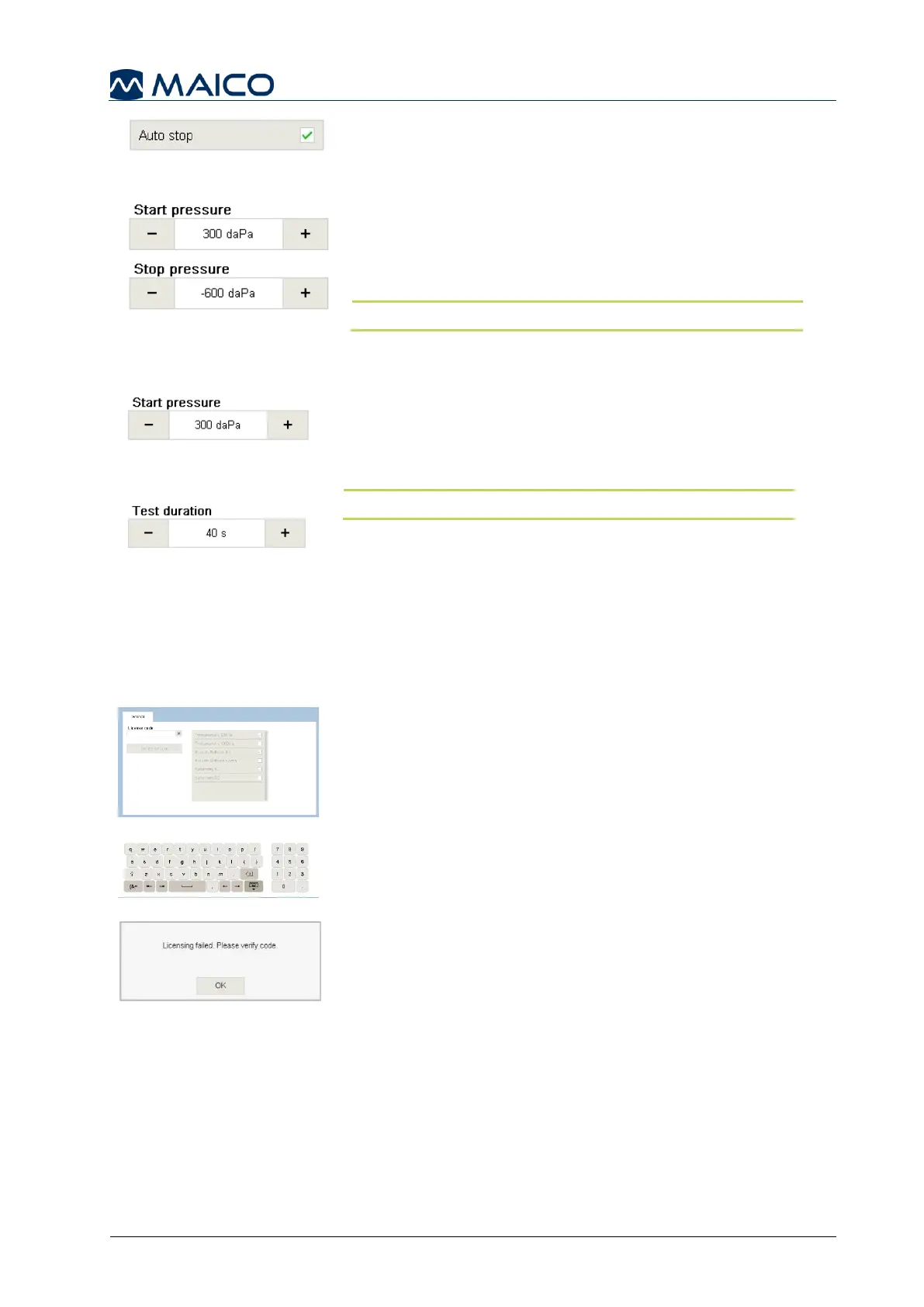
Auto stop: will automatically stop measurement when
hitting the zero line to lessen the test time without
affecting results (Figure 127).
Start pressure: the pressure that is first introduced
when performing ETF – Intact measurement.
Stop pressure: the end pressure of the ETF – Intact
measurement (Figure 128).
NOTE: You can adjust the pressure in 25 daPa steps.
5.6.14 Settings – ETF – Perforated (MI 34 Version)
Start pressure: the pressure that is first introduced when
performing ETF – Perforated measurement (Figure
129). This is a default setting and can be configured
within the test screen.
NOTE: You can adjust the pressure in 25 daPa steps.
Test duration: Defines the length the time the test will be
conducted (Figure 130). Test duration can be configured
in 5 s increments from 30 s to 100 s.
5.6.16 Settings – License Management – General
The License Management screen allows additional feature/test operation to be
incorporated into a base model by entering a license key. Contact MAICO or your local
distributor for more information.
The tab General contains a field to enter a new license
code in order to activate the license on the device. In the
middle, all available licenses are shown. The checkboxes
are activated automatically as soon as a license is
activated (Figure 131).
To enter a new license code, activate the keyboard by
pressing into the field License code and type in the code
(Figure 132).
If the code entered is invalid a message box will be shown
telling you to verify the code (Figure 133).
Ask your local distributor if any problems occur. If you
entered a correct code a message box will tell you
“Licensing completed”.



 To Next Page