EasyManua.ls Logo

MAJORITY ARBURY 2 - User Manual

MAJORITY ARBURY 2
25 pages
Print Icon
To Next Page IconTo Next Page
Loading...
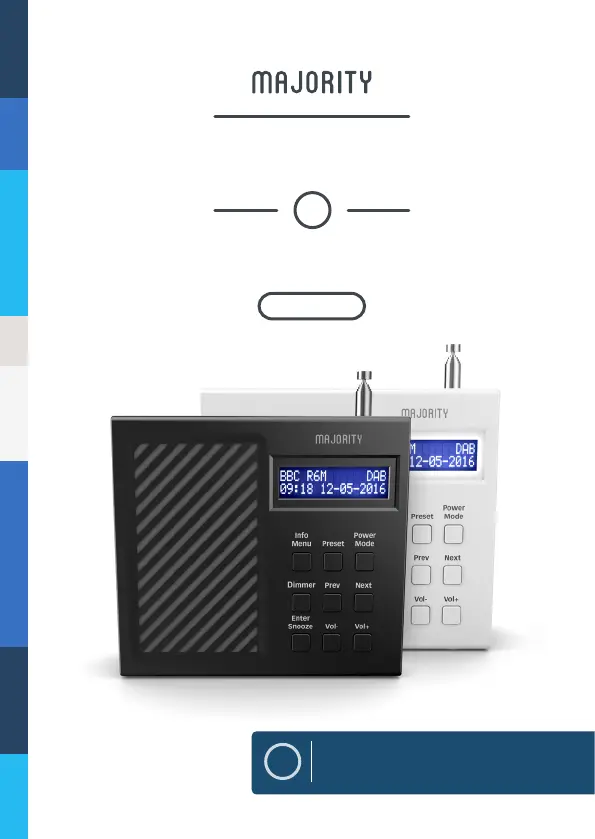
ARB-DAB-2
PORTABLE DIGITAL RADIO
ARBURY
2
EN
Instructions Guide

Questions and Answers

  • D
    dale76Aug 1, 2025
    Why is there no sound coming from my MAJORITY Portable Radio?
    • K
      Kendra AllenAug 1, 2025
      If there's no sound, it could be due to several reasons: * The station might not be properly tuned. Try fine-tuning the station. * The volume could be set too low. Increase the volume. * Headphones might be connected. Disconnect them to play sound through the radio's speakers.
  • T
    Trevor WilliamsAug 5, 2025
    What to do if FM has static sound or DAB has burbling/intermittent cut-out on MAJORITY ARBURY 2?
    • D
      Deborah EricksonAug 5, 2025
      If you're experiencing static on FM or burbling/intermittent cut-out on DAB, the signal reception is likely weak. Try adjusting the aerial or moving the unit to a location with a stronger signal. You might also need to re-scan for stations.
  • S
    Stephen GeorgeAug 9, 2025
    What to do if my MAJORITY Portable Radio display shows “No Service”?
    • T
      Tammy CrawfordAug 10, 2025
      If the display shows “No Service,” it indicates either a lack of DAB coverage in your area or poor reception. Try adjusting the aerial's position or moving the unit to a location with a stronger signal.
  • E
    Erika DelgadoAug 14, 2025
    How to fix distorted sound on MAJORITY Portable Radio?
    • R
      Richard MercadoAug 14, 2025
      If the sound is distorted, the volume may be too high. Adjust the volume control to a lower level.
  • M
    Mario RuizAug 18, 2025
    What to do if buttons are not working on MAJORITY Portable Radio?
    • A
      Amanda AndersonAug 18, 2025
      If the buttons aren't working, turn off the unit and then turn it back on after a few seconds.
  • K
    Kenneth BishopAug 22, 2025
    Why is the display blank on my MAJORITY ARBURY 2 Portable Radio?
    • K
      Kristi HughesAug 22, 2025
      The display may go blank if the broadcaster changes the label of a service or removes a label while tuned. The radio will attempt to retune or perform a scan.
  • D
    Denise HallAug 27, 2025
    How to set time and date automatically on MAJORITY Portable Radio?
    • M
      michael88Aug 27, 2025
      To automatically set the time and date, turn on the system, switch to DAB radio, and let it scan. Then, press the ‘Power Mode’ button to put the radio into standby. The date and clock will then update automatically.

Summary

Controls And Functions

Front View Controls

Details the layout and labeling of the radio's front panel controls.

Rear View Ports and Switches

Identifies the ports and switches located on the rear of the radio unit.

Whats in the Box

Product Support Information

Getting Started Guide

Using DAB and DAB+ Radio

DAB;DAB+ Radio Presets

Storing DAB Radio Presets

Instructions on how to save favorite DAB stations for quick access.

Playing DAB Radio Presets

Guide on how to recall and listen to saved DAB radio stations.

DAB Radio Station Information

FM Radio

Tuning FM Radio Manually

Steps for manually tuning the radio to specific FM frequencies.

FM Radio Mono and Auto Settings

How to switch between Mono and Auto reception modes for FM radio.

Selecting FM Station Reception

Choosing to listen to all FM stations or only those with strong signals.

FM Radio Presets

Storing FM Radio Presets

Instructions for saving favorite FM stations for easy retrieval.

Playing FM Radio Presets

Guide to accessing and listening to pre-saved FM radio stations.

FM Radio Station Information

Clock & Date Settings

Manually Setting Radio Time

Step-by-step guide to manually setting the current time on the radio.

Manually Setting Radio Date

Instructions for manually setting the current date on the radio.

Setting the Dual Alarm

Alarm Functions

Canceling Radio Alarms

Procedure for cancelling or turning off set alarms on the radio.

Snooze and Turn Off Alarm

How to use the snooze function or turn off the alarm when it sounds.

Other Functions

Radio Sleep Timer Function

Guide to programming the radio to automatically switch off after a set time.

Performing a System Reset

Steps to reset the radio to factory default settings.

Viewing Software Version

How to display the current software version of the radio.

Internal Rechargeable Battery

Radio Playtime and Battery Life

Information on the battery's playtime and how to conserve it.

Charging the Radio Battery

Instructions on how to charge the internal rechargeable battery.

Troubleshooting Common Issues

Radio Technical Specifications

Radio Safety Information

MAJORITY ARBURY 2 Specifications

General IconGeneral
BrandMAJORITY
ModelARBURY 2
CategoryPortable Radio
LanguageEnglish

Related product manuals