7
EN
How to store a preset DAB station
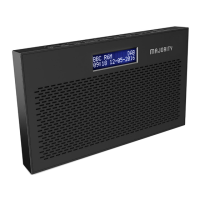
Up to 10 stations can be preset for easy navigation. To store a station
that you are currently playing:
Press and hold the ‘Preset’ button (Ref.2) for 2-3 seconds until the
Preset Store settings open and “<1: (Empty)” will show on the display.
Release your nger from the ‘Preset’ button.
Press the ‘Prev’ (Ref.5) or ‘Next’ (Ref.6) button to change the “<1” to the
preset number you want to store the station as. Once on the chosen
number, follow by pressing the ‘Enter/Snooze’ button (Ref.7) to save.
The display will then show “Preset (X) stored” to signify the saved preset
station. Follow the same guidance to set up to 10 preset DAB stations.
To delete a stored preset station, simply save another station in that
preset number.
How to play a preset radio station
To listen to one of your preset stations, do the following:
Press the ‘Preset’ button (Ref.2) to open the Preset Recall screen. Do
not hold down the button as this will open the Preset Store settings.
Press the ‘Prev’ (Ref.5) or ‘Next’ (Ref.6) buttons to scroll through your
saved preset stations. You can store up to 10 presets.
Press the ‘Enter/Snooze’ button (Ref.7) to select your choice and this
station will begin to play.
Instructions Guide
DAB/DAB+ Radio Presets



 To Next Page