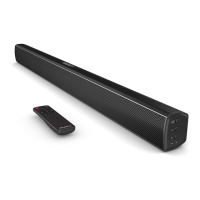
Remote Control
11. Bass Increase
Press to increase the bass
12.
Treble Increase
Press to increase the treble
13.
Master.VOL (Master Volume+ for the Whole Kit)
Press to increase the volume for the whole kit
14.
Back Step (Previous)
Use in AUX In, Line In or Bluetooth mode to go back a track
15.
Forward Step (Next)
Use in AUX In, Line In or Bluetooth mode to go forward a track
16.
Master
.VOL
(Master Volume- for the Whole Kit)
Press to decrease the volume for the whole kit
17.
Play / Pause
Press to play and pause
18.
Bass Decrease
Press to decrease the bass
19.
Treble Decrease
Press to decrease the treble
20.
HDMI (ARC) Mode
Press the button to enter HDMI (ARC) mode
21. Bluetooth Mode
Press the button to enter Bluetooth mode
5
Controls And Functions



 To Next Page