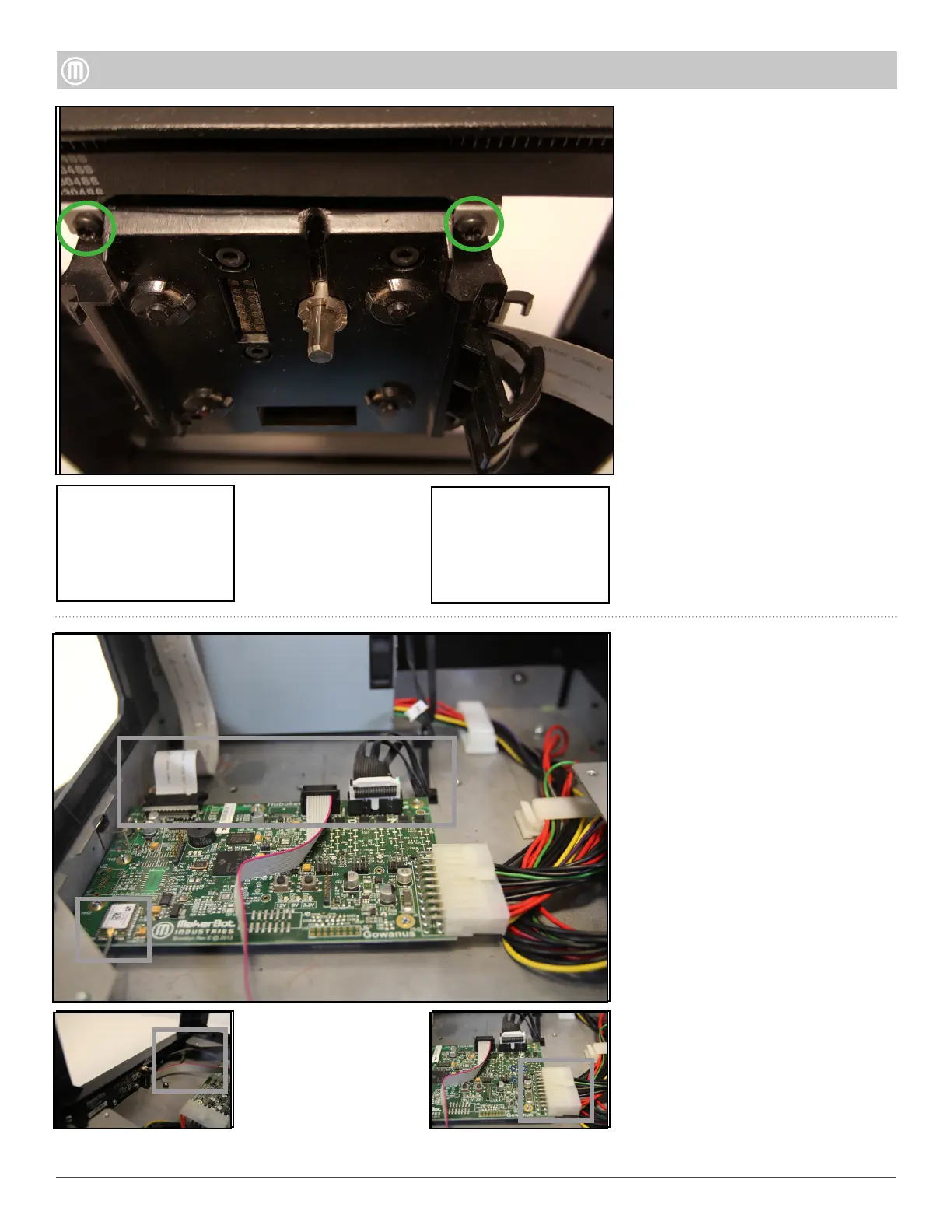
Step 6 - Remove the Brooklyn
PCB
Remove the FFC from the
Brooklyn PCB.
Unplug the Motor Wire Harness
from the Brooklyn PCB.
Unplug the 10-pin Ribbon Cable
from the Brooklyn PCB.
Unplug the Wi-Fi Antenna from
the Brooklyn PCB.
Unplug 20-pin Power Supply
Cable.
Lift up the Brooklyn PCB to
remove.
•
•
•
•
•
•
5
MakerBot Replicator Mini
MakerBot
Step 5 - Remove the Housing
continued
Remove the two (2) Torx bolts
using a T10 driver located on the
Extruder Carriage Assembly.
Pull the rear panel of the Housing
Assembly upwards to remove
(using a small driver wedged
between the Back Panel and
Frame allows easier removal).
•
•



 To Previous Page