7
MakerBot Replicator
MakerBot
MakerBot Replicator Mini+
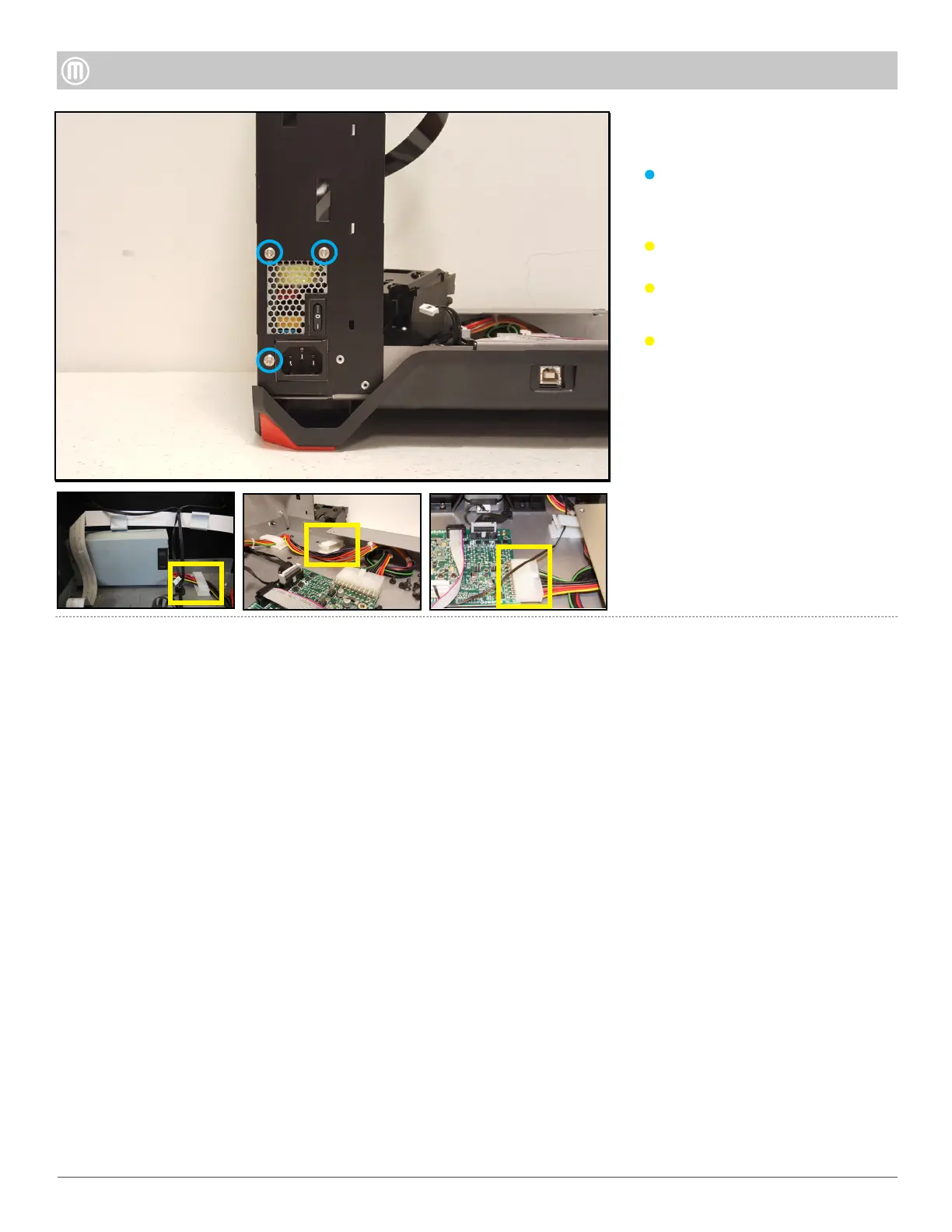
Step 8 - Remove the
Power Supply
Remove three (3) button head
screws from the rear left side of
the Mini+.
Disconnect the twenty-pin
connector from the Brooklyn PCB.
Unclip connector from plastic clips.
Pull Power Supply toward you to
remove it out of the slot.



 To Previous Page