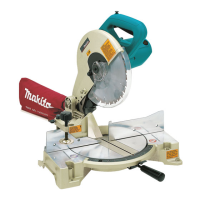
Removing
or
installing
saw
blade
CAUTION:
.Always be sure that the tool is switched off and unplugged before removing or installing
the blade.
.When mounting the blade, make sure that the direction
of
the arrow on the surface of
the blade matches the direction of the arrow on the blade case.
.Use only the Makita socket wrench provided to install or remove the blade. Failure to do
so
may result in overtightening or insufficient tightening of the hex bolt. This could cause
serious injury to operator or others in the general vicinity of the tool.
.Do
not touch the blade immediately after operation; it may be extremely hot and could
burn your skin.
To
remove the blade, loosen the hex bolt
holding the center cover with the socket
wrench. Raise the safety cover (safety
guard) and center cover.
Center cover
Hex
bolt
Safety
cover
1
Socket wrench
Press the shaft lock to lock the spindle and
use the socket wrench to loosen the hex
bolt by turning counterclockwise. Then
remove the hex bolt, outer flange and
blade.
8


 To Next Page
 Loading...