Quick
Reference
Setup:
1. Place your Mako in a safe, dry, ventilated area, with
strong cellular reception and Wirelessavailability.
2. Ensure your Internet service and/or cellular service is
up and operating before connecting the Mako to your
Internet connection or inserting SIMcards.
3. Power is the LAST thing to connect. Connect LAN
cables, then DSL/Ethernet, then insert the USBStick.
4. Plug in power. The Mako will automatically congure
itself. After the lights on the Mako’s front stop ashing,
unplug power, then the USB Stick. Wait 15 seconds,
then re-plug inpower.
Login:
1. Prior to installing your Mako, you should have access
to a stable ISP account and have given the settings to
your Managed Network Provider (MSP). They will pre-
congure your Mako before you receive it.
2. Your login name, access code and the URL for the
Mako CMS have been emailed to you. Your rst action
will be to set a password for youraccount.
3. If you have diculty accessing the Mako CMS, please
phone your Managed Service Provider with your
MakoID, login name, and other relevantdetails.
4. There are no user-serviceable parts in this network
appliance. Attempting to open the Mako’s case voids
itswarranty.
This Quick Reference is an overview only. Please read this manual
in its entirety for complete details on correct setup and installation.
Power
Internet connection
Wireless operational
LAN 1-4: Transmitting/Receiving trac
WAN in use (WAN1 = Green, WAN2 = Yellow)
CMS Status (Good = Green, Hold = Yellow)
Error
6500-M User Manual
Covers all M-Model Makos

 Need help?
 General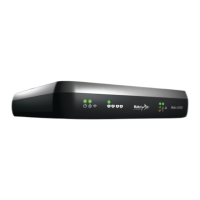

 To Next Page