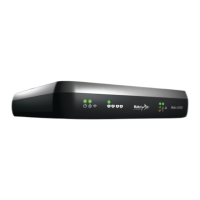
Welcome to the Mako System
Your Mako 6500-M is an integral part of an aordable
and easy-to-use cloud-based network management
service. The service oers bank-grade security. We call it
The Mako System.
Designed for smaller businesses and distributed
enterprises, the Mako System oers a secure solution for
the entire network with centralized management across
multiplesites.
The Mako System consists of two parts; the Mako Central
Management System (CMS) and a range of network
appliances we simply call ‘Makos’. All Makos are managed
from the CMS to deliver the powerful services of the
Mako System. The CMS uses a standard web browser for
conguration and reporting, providing enterprise-level
control over your Internet connection and giving you
freedom to manage and monitor your business network
fromanywhere.
1.1 Box Contents
n One (1) Mako 6500-M network appliance
n Optional vertical stand with two (2) mountingscrews
n Three (3) CAT-5 Ethernetcables
n One (1) USBkey
n One (1) Region-specic power cord &
12VDC poweradaptor
n Two (2) external cellular networkantennas
n One (1) external Wirelessantenna
n One (1) region-specic cable for phonelines
1.2 Setup Requirements
All 6500-M models: Either an active and available WAN
connection, through an Ethernet/Cable connection, DSL
connection, orboth.
6500-M Cellular models: an active and available 3G or
4G/LTE-compatible cellular WAN connection, and a
SIM card with an active account through an approved
serviceprovider.
Your Mako username, access code, and Mako CMS web
address. If this information hasn’t already been emailed
toyou, contact your MSP for further instructions.
If you want more than one device sharing one LAN, you
may need an Ethernet switch or hub. Switches and hubs
allow multiple computers to use one LAN. We recommend
Ethernet switches over Ethernet hubs as switches have
an extra layer of address management, improving
performance andsecurity.
1.3 Other Requirements
To operate the cloud-based Mako CMS, you’ll need:
n A computer with Internet access and a modern web
browser. This computer doesn’t need to be on your
protected network to congure the CMS– you can
congure your network from anywhere around the
world– but we advise caution, as remote conguration
of your network from outside your network may be
vulnerable to observation. In much the same way that
talking about sensitive business information in a public
café may lead to dire consequences.
1.4 Locating your Mako
Choose a location for the Mako in a spot next to your LAN
hub or switch and the incoming Internet connection. The
location should be o the oor, out of direct sunlight,
adequately ventilated and near a poweroutlet.
Cellular models only
Ideally, place your Mako in line-of-sight to a cellulartower.
Avoid placing your Mako appliance near devices that may
cause radio interference with the cellular data signal, such
as microwave ovens, cordless phones, etc. Things that can
inhibit reception include washers, dryers, refrigerators,
metal cabinets and especially any water-lled items, such
as tubs of water, aquariums, water heaters,etc.
We advise operating cellular Makos out of immediate
proximity (within 21 cm/ 8 in) to any person for extensive
periods, in accordance with FCC regulations.


 To Next Page
 Loading...