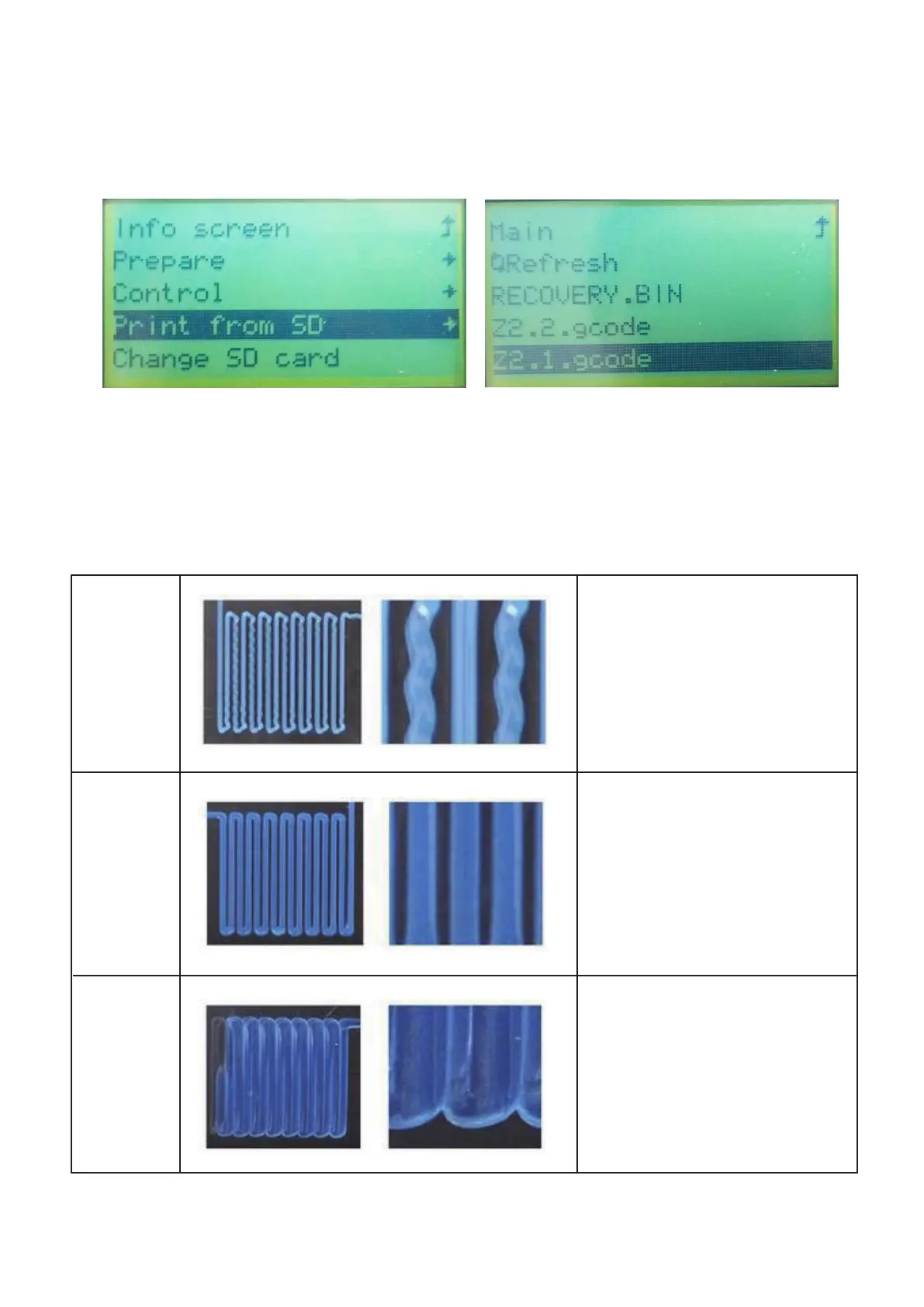
Rotating the control wheel clockwise to move the highlight to Print from SD
will read the contents of the memory card and display them on screen.
Rotating the control wheel to choose the le to start printing the model.
When the printing is in progress, compare the rst layer with the images in the
table below to determine whether the build platform needs to be leveled or not.
If it does need adjustment, please rotating the screw on the bottom of four corners
of the platform.
11
15.
16.
Wrong
Correct
Wrong
The nozzle is too
close to the platform.
This can result in
damage to the nozzle
and build platform.
The nozzle is at the
correct height above
the platform.
The nozzle is too far
from the platform.
This can result in the
extruded material not
sticking to the build
platform.



 To Next Page