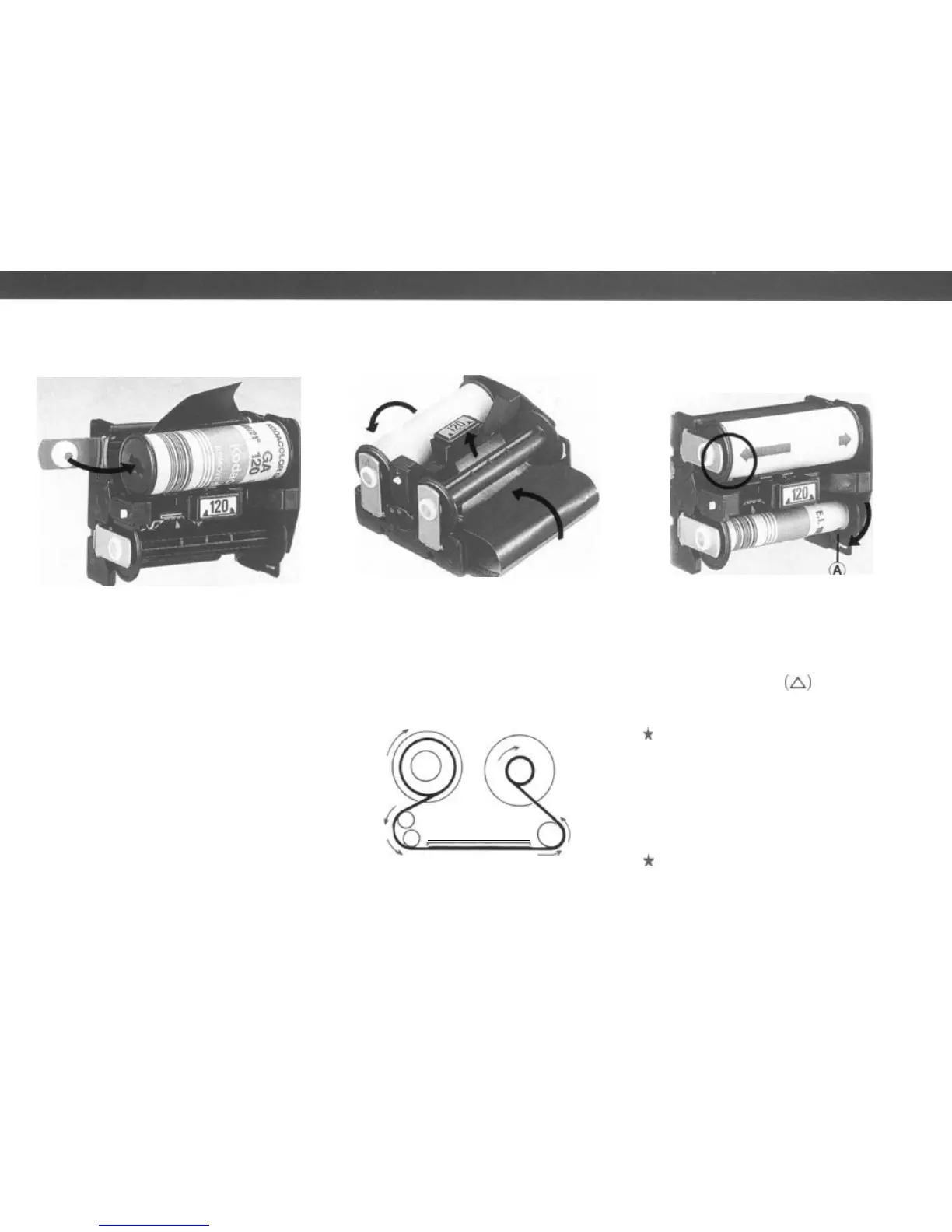
4. In the same manner, insert a roll
of film in the upper compartment. At
that time, check that the film leader
paper is set as shown in the photo
above. (The leader paper inside is
facing outward on the pressure plate.
Note that the film direction is wrong if
the leader paper is facing inward.)
5. Pull out some of the leader paper.
Insert the tip of the leader paper into
the slot of the lower Take-up Spool.
19
Gently rotate the take-up spool as
shown in the photo until the start
mark on the leader paper is aligned
with the start mark
(A)
on the spool
clip.
*
Correctly align the start marks
with each other, making sure that
the film feeds properly. When
im-
proper
feeding occurs, the proper
number of exposures may not be
taken.
*
Avoid exposing the film to di-
rect sunlight when inserting or
removing film.



 To Next Page