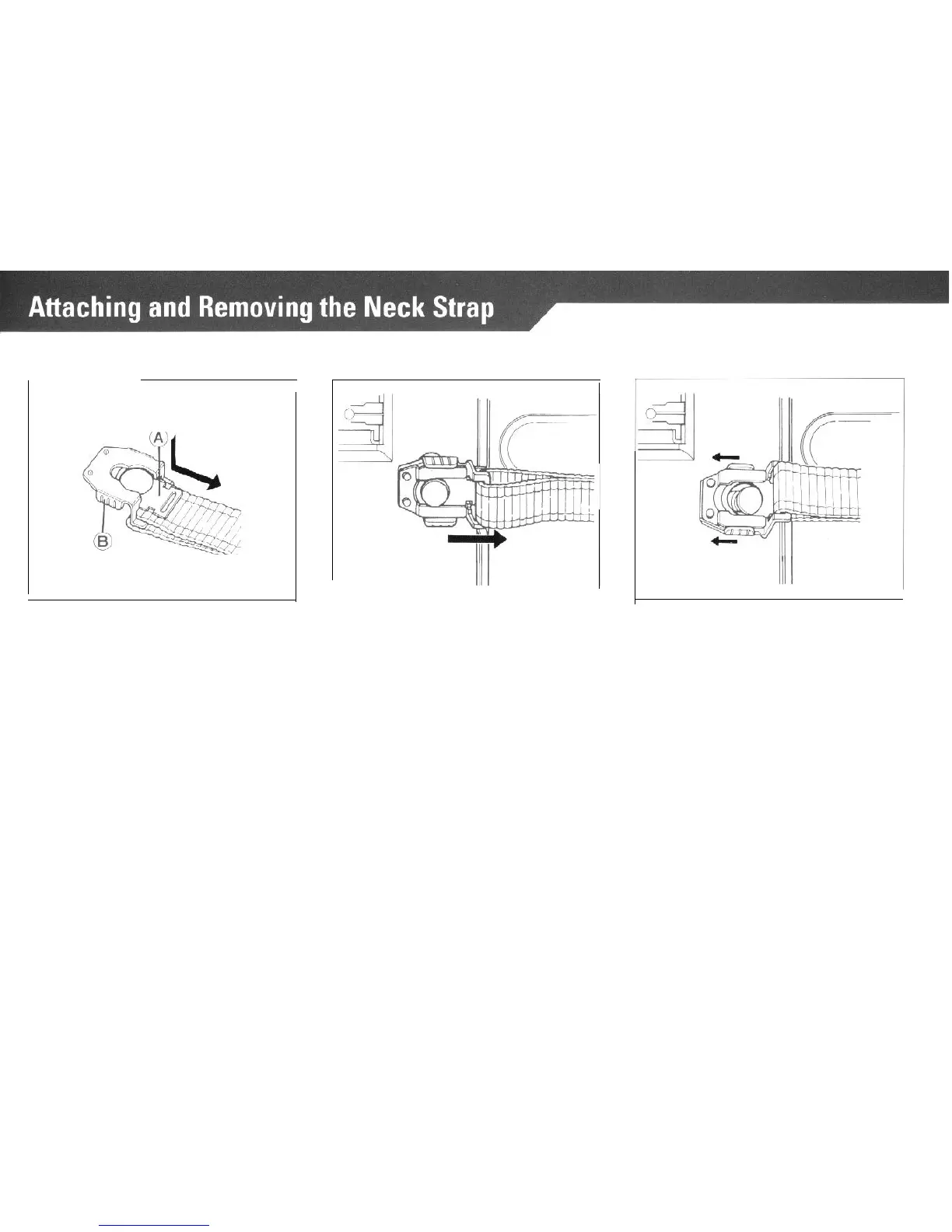
Attaching the Strap to the Camera
1. While pushing down, pull out the
2. Place the hole of the strap
fas-
Neck Strap Fastener (A) of the at-
tener
(A)
over the Neck Strap on the
taching
clip.
camera body as illustrated, and pull
until it clicks and locks into place.
Removing the Strap from the Camera
With your fingers, puII the Neck Strap
Fastener
(A)
of the attaching clip up-
ward and push
part
(B)
in the direc-
tion of the arrow. The strap can now
be removed.
* When attaching the Strap to the
Neck Strap Lug on the side of the
camera with the Film Advance
Crank, insert the neck strap fas-
tener (A) into the lower part of the
double slot.
34



 To Next Page