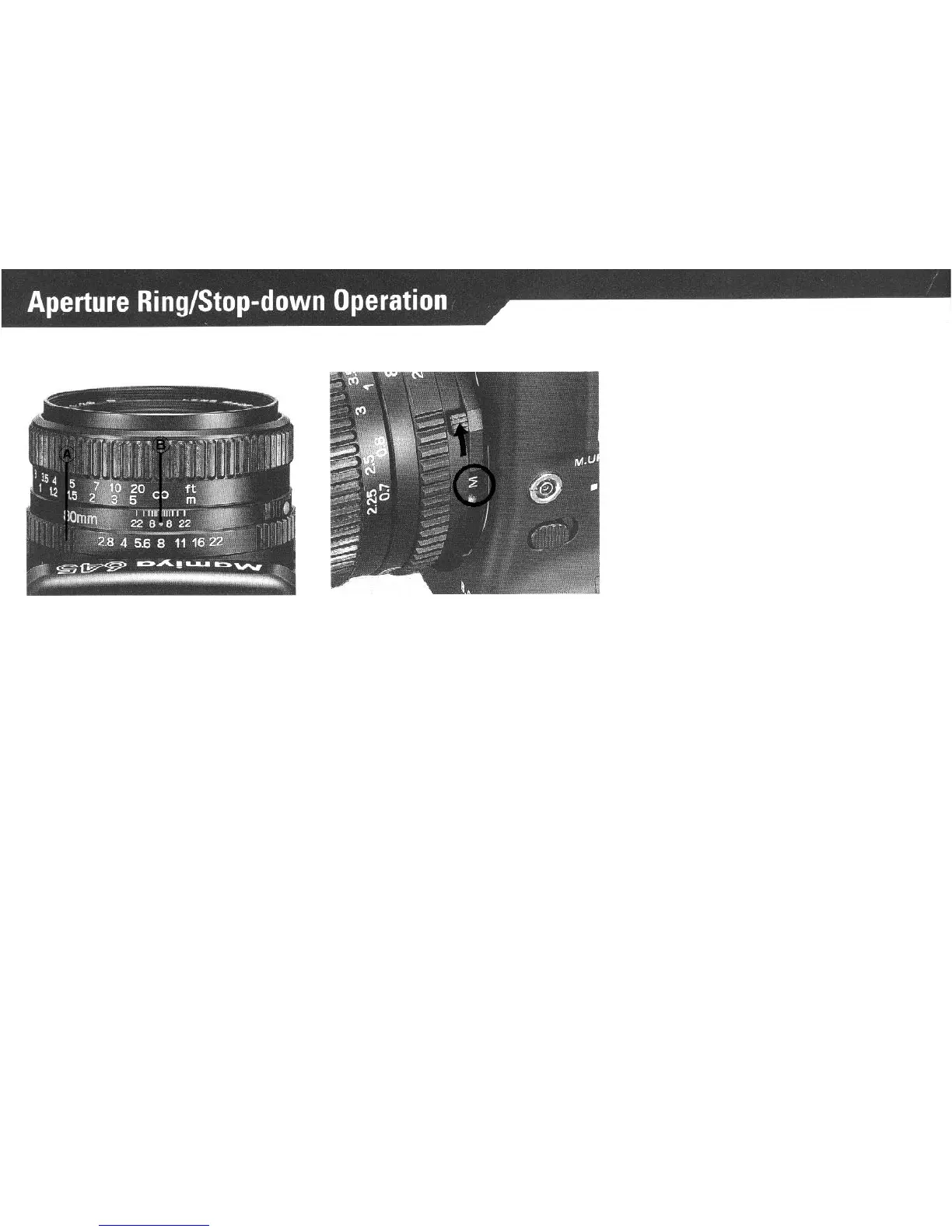
Set the desired f/stop on the Aper-
ture Ring (A) by aligning the f/number
with the red reference dot
(B)
in the
center of the Scale Ring. The Aper-
ture Ring has a click stop for each
f/
stop. In-between clicks can also be
used.
The effect the set f/stop will have
upon the picture area can be con-
firmed on the Finder Screen.
Move the AM Lever on the lens so
that “M” becomes visible - the lens
then can be stopped down to the
preselected aperture.
*
At
position “A”, the lens is al-
ways stopped down only when
the shutter is being released with
the aperture being open.
*
During normal photography,
set the AM Lever so that “A” is
visible. At
“M”,
focusing will be a
little difficult.
* When using the AE Prism
Finder, be sure to set the AM Le-
ver on “A”; otherwise, correct
exposure cannot be obtained.
*When aperture has been con-
firmed, be sure to reset the AM
Lever to “A”.
See “Depth-of-field” on page 25.
23



 To Next Page