EasyManua.ls Logo

Mamiya Professional C330f - Back Cover Handling; Accessory Mounting Options; Accessories

Mamiya Professional C330f
44 pages
Print Icon
To Next Page IconTo Next Page
To Previous Page IconTo Previous Page
Loading...
Changing
the
Back
Cover
23
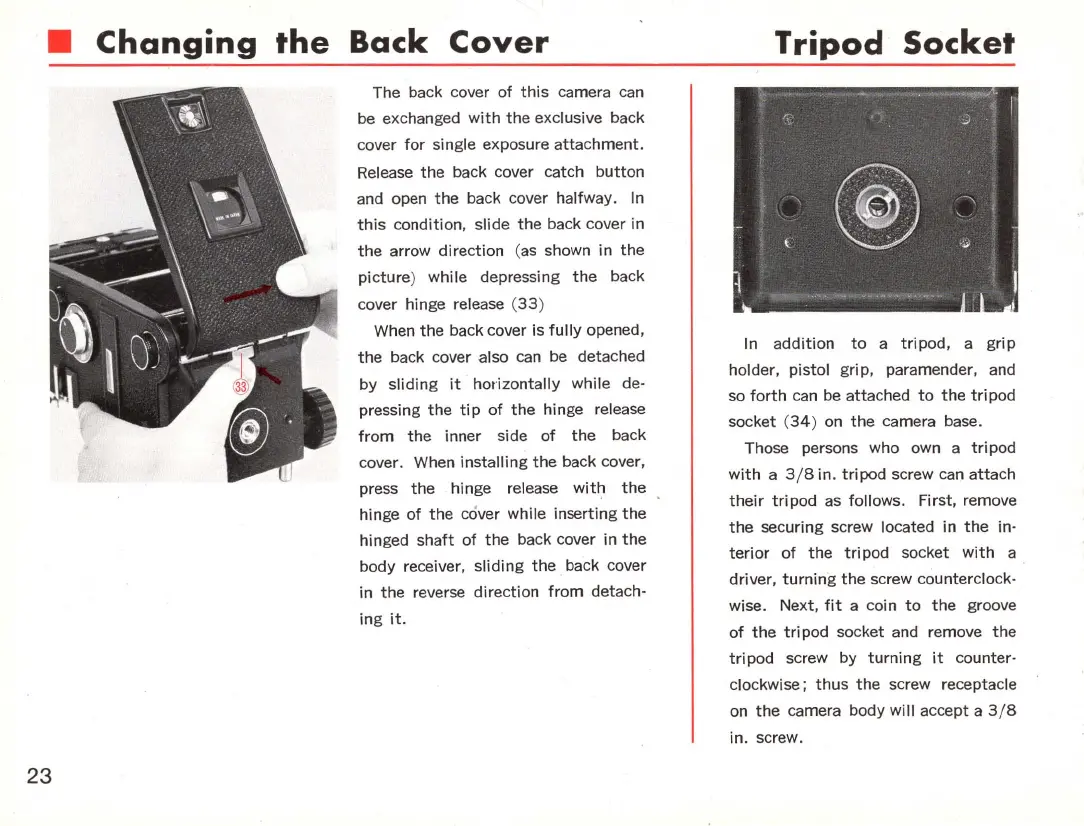
The back cover
of
this
camera can
be exchanged
with
the
exclusive back
cover
for
single exposure
attachment.
Release
the
back cover catch
button
and open
the
back cover halfway. In
this
condition, slide
the
back cover in
the
arrow direction (
as
shown in
the
picture
) while depressing
the
back
cover hinge
release (
33
)
When
the
back cover is
fully
opened,
the
back cover also can be detached
by
sliding
it
horizontally
while de-
pressing
the
tip
of
the
hinge release
from
the
inner side
of
the
back
cover. When
installing
the
back cover,
press
the
hinge release
with
the
hinge
of
the
cover while inserting
the
hinged
shaft
of
the
back cover
in
the
body receiver,
sliding
the
. back cover
in
the
reverse
direction
from
detach-
ing
it
.
Tripod
Socket
In
addition
to
a
tripod,
a
grip
holder, pistol
grip
, paramender, and
so
forth
can
be attached
to
the
tri
pod
socket (
34)
on
the
camera base.
Those persons who own a
tri
pod
with
a 3/ 8 in.
tripod
screw can
attach
their
tripod
as
follows. First, remove
the
securing screw located in
the
in-
terior
of
the
tripod
socket
with
a .
driver,
turning
the
screw counterclock-
wise. Next,
fit
a coin
to
the
groove
of
the
tripod
socket and remove
the
tripod
screw by
turning
it
counter-
clockwise;
thus
the
screw receptacle
on
the
camera body will accept a
3/8
in.
screw.

Related product manuals