1
2
3
4
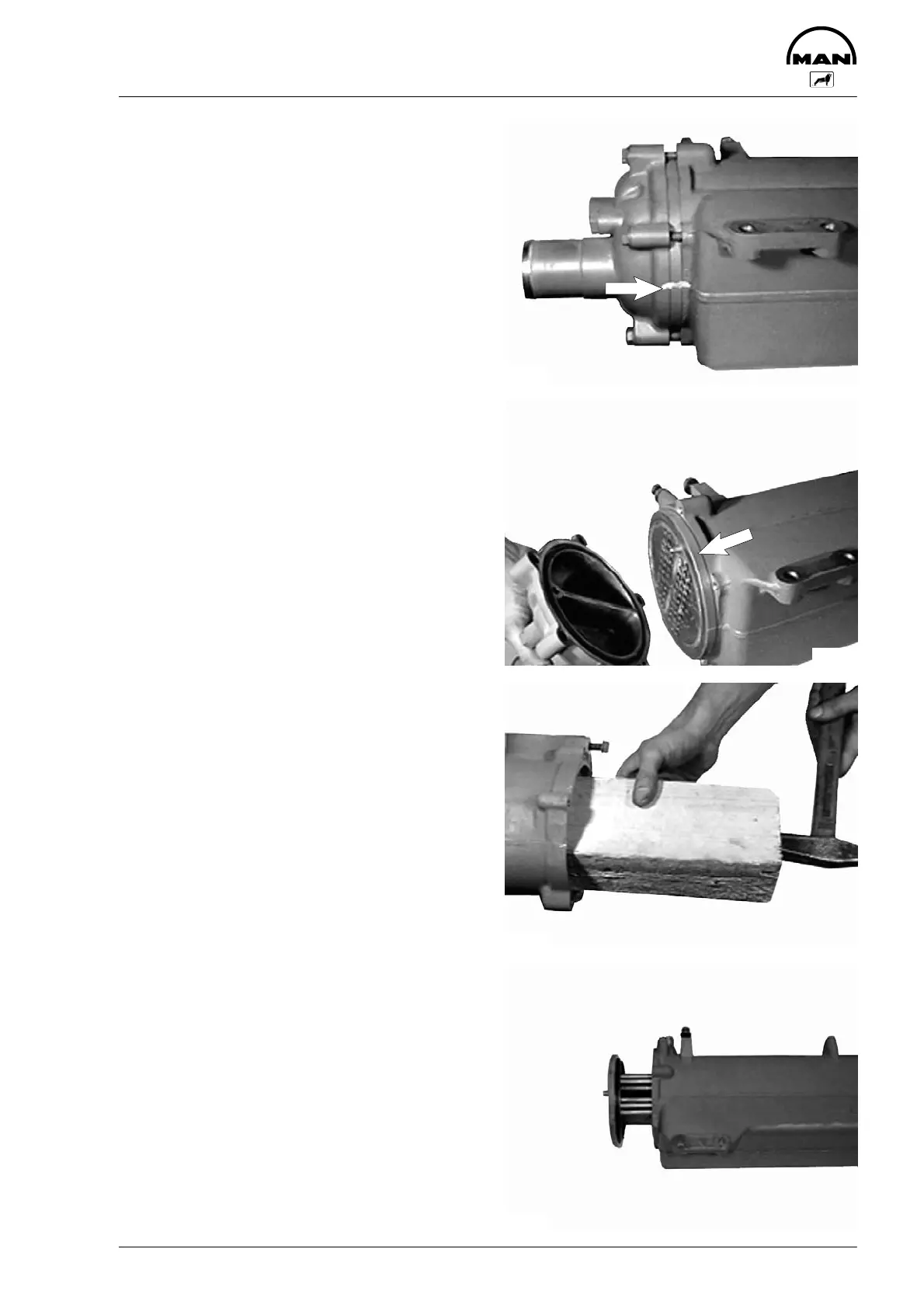
Removing and installing heat-exchanger pipe set
47
D Remove raw-water heat exchanger,
see page 46
Fig. 1
Match-mark the position of the covers relative to
the heat-exchanger housing (arrow) and remove
both covers (13 mm).
Fig. 2
Take off cover.
At the flywheel end of the heat exchanger the col-
lar of the pipe cluster (arrow) is visible.
Fig. 3
Carefully knock out pipe cluster from the opposite
end using a block of wood.
Fig. 4
Pull out pipe cluster.
The pipe cluster is installed in reverse sequence.
When installing the pipe cluster, use new O-rings
and check the heat exchanger for leaks.
3443
3444
3445
3446



 To Next Page
 Loading...