36 CSS-VC-1.6 | 1.01.03 www.mc-techgroup.com
2
= 2 ∗ 1 + + 1
Max.: 99 s 3 ≤ (1 − 1 )
Is only calculated and cannot be < 1
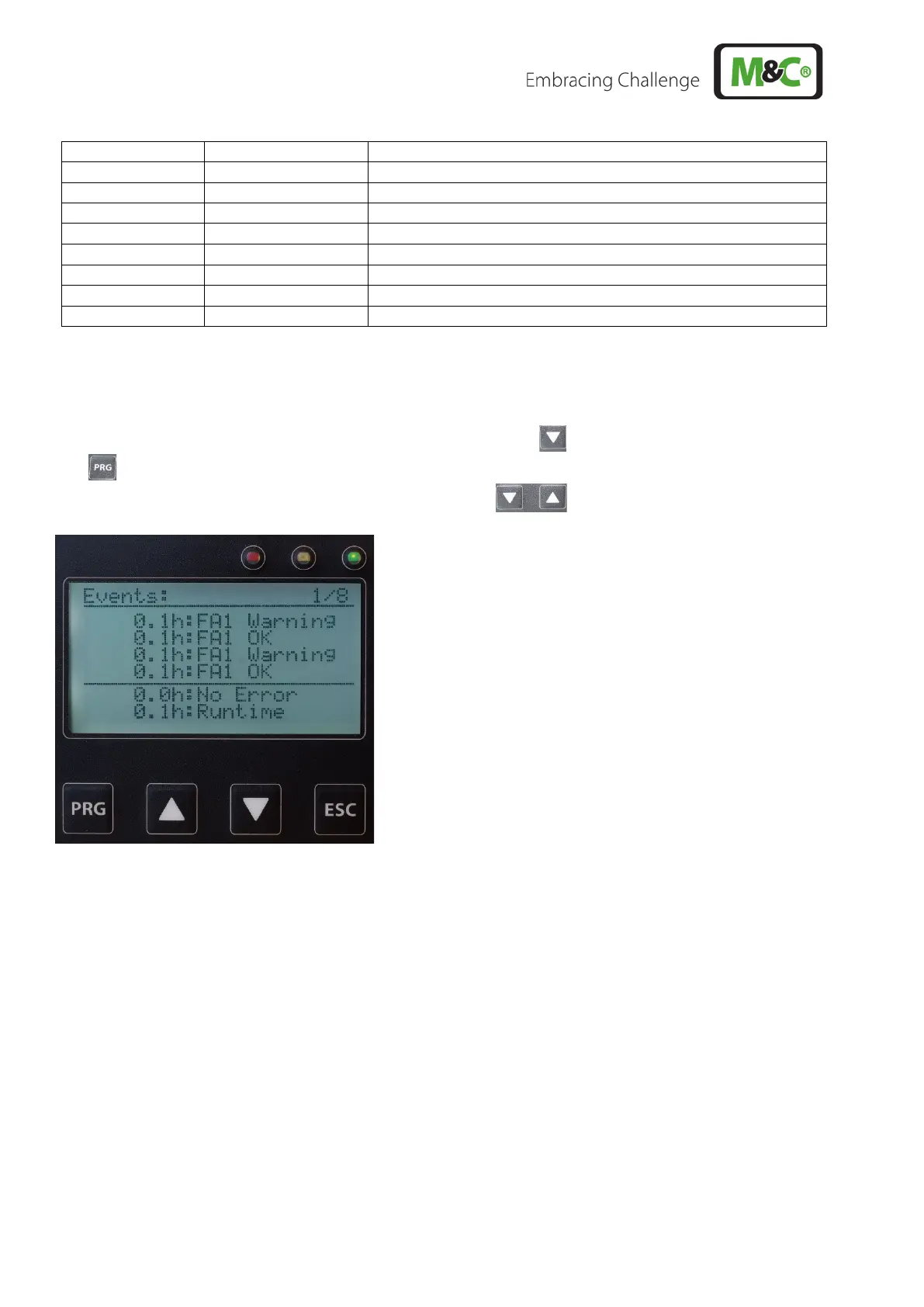
16.4 DISPLAY OF EVENTS
By 4 x pressing (3 x without backflush module) of the arrow key and then 1 x pressing of the PRG
key, the event list appears in which the last 32 error messages and warnings are listed on 8 pages.
The individual pages can be seen by using the arrow keys .
At the bottom of the list of events, furthermore, the error-free time and the total run time (operating time
counter) are displayed. The error-free time indicates how much time has passed since the last error.
The total running time indicates how long the device has been running since the last service.
If service reset is performed, the error messages are erased and the times reset.
During a power failure, the data remains stored.



 To Next Page