www.mc-techgroup.com CSS-VC-1.6 | 1.01.03 37
16.5 OPERATING DATA
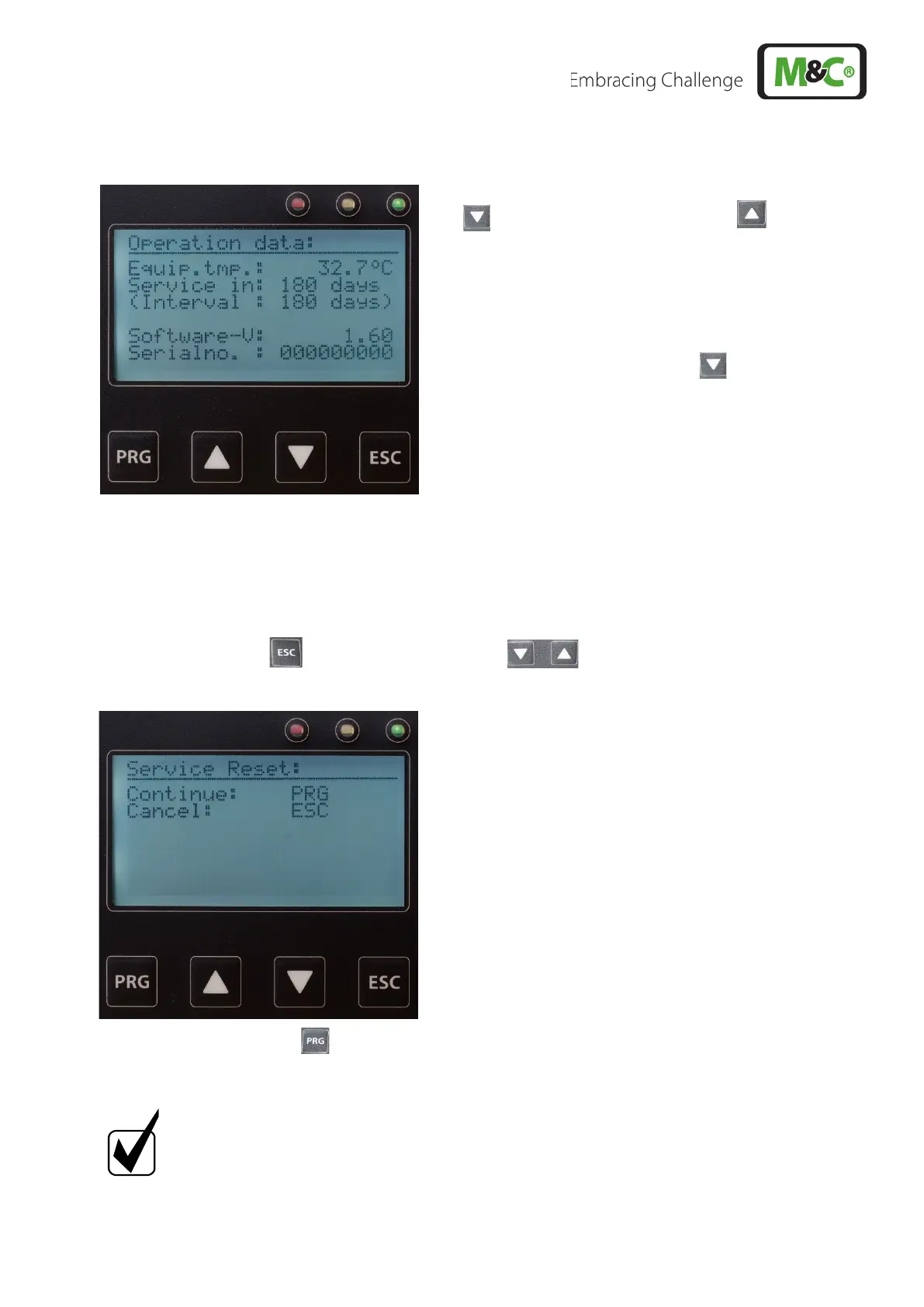
By 5 x pressing (4 x without backflush module) of the arrow
key (or 1 x pressing of the arrow key ) the following
view appears:
Here the actual device temperature, the period until the
next service warning, the service interval, the software
version and serial number are displayed.
By pressing the arrow key again, the display of the
control temperature reappears.
16.6 RESETTING SERVICE AND OPERATING TIME
Service and operating time can be reset as follows:
• Press the ESC key and press both arrow keys at the same time. The following screen
appears:
• Press the PRG key . Service life and operating time are reset and “Service OK” occurs. With
the ESC key resetting can be cancelled.
Notice
A reset can only be carried out when no alarm is present!



 To Next Page