EasyManua.ls Logo

M&C PSS Series - User Manual

M&C PSS Series
48 pages
Print Icon
To Next Page IconTo Next Page
Loading...
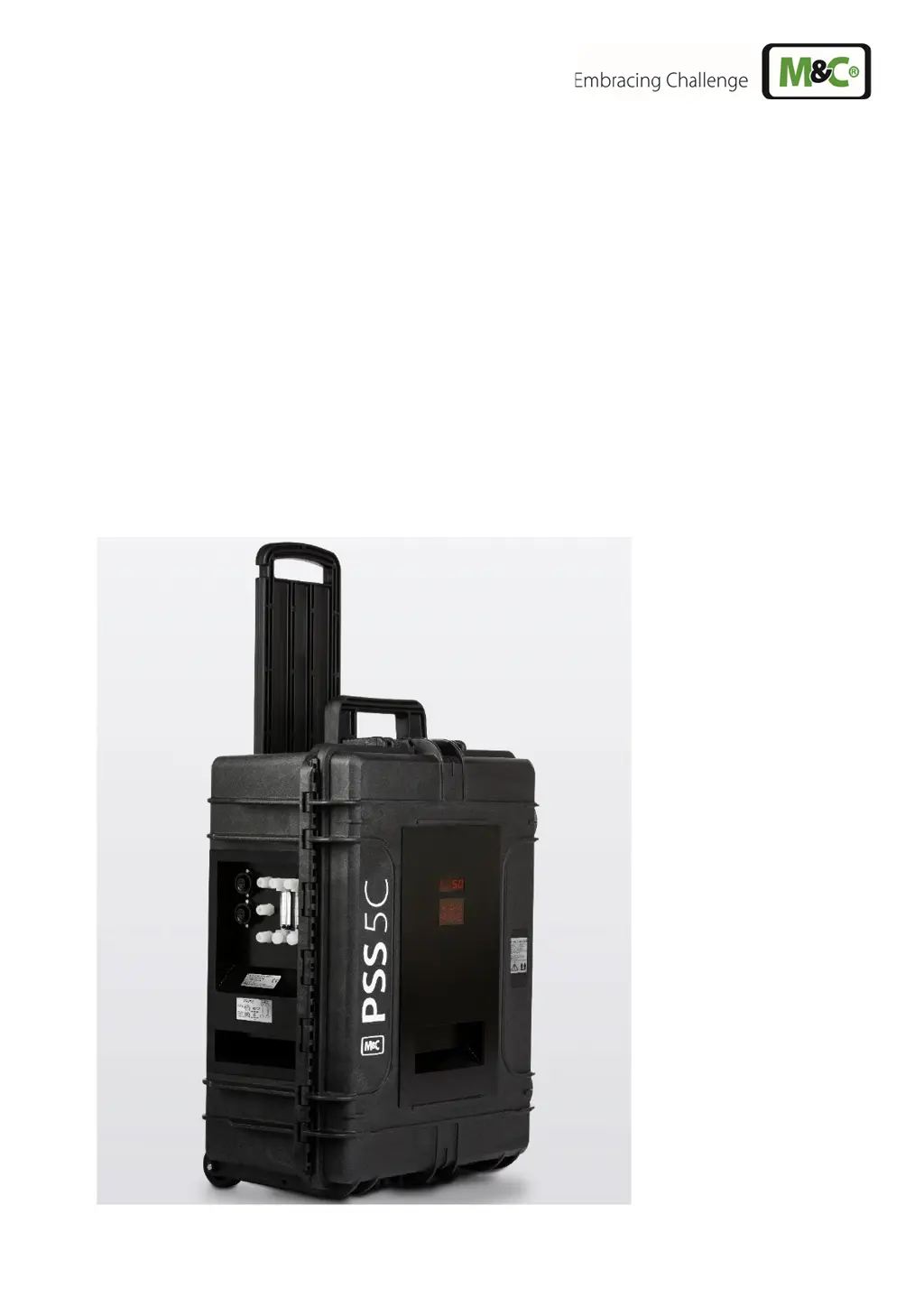
Portable Gas Conditioning Unit Series
PSS
®
PSS-5C, PSS-5/2C, PSS-5/3C
Instruction Manual
Version 1.02.02

Table of Contents

Questions and Answers

  • J
    Jamie BakerAug 20, 2025
    What to do if M&C Analytical Instruments cooler alarm registers ‘excess temperature’?
    • J
      James DixonAug 20, 2025
      If the cooler alarm registers ‘excess temperature’, check if the supply voltage plug is correctly inserted and if the main switch is in the ‘I’ position. The cooler might be turning the gas measuring pump off automatically.
  • M
    Mark HardingAug 22, 2025
    How to check M&C Analytical Instruments for sample gas flow?
    • H
      hartpeterAug 22, 2025
      To check for sample gas flow, remove the sample gas hose on the analyzer side and check via the hose thread. If there's no gas flow, clean any contaminated leads or replace them.
  • J
    Janet NguyenAug 25, 2025
    What to do if M&C Analytical Instruments sample probe/hose is clogged?
    • L
      Lori StevensonAug 25, 2025
      If you suspect the sample probe or hose is clogged, remove the sample hose at the gas inlet to check for gas flow.
  • Z
    zwillisAug 26, 2025
    Why is the M&C Analytical Instruments measuring pump turning off?
    • R
      Ryan MeyerAug 26, 2025
      If you have an optional liquid alarm sensor, it might be turning off the measuring pump automatically. Check the hoses for condensate removal.
  • C
    Christine AllenAug 27, 2025
    What to do if M&C Analytical Instruments cooler is overloaded?
    • Y
      yreidAug 27, 2025
      If the cooler is momentarily overloaded due to excessive condensate, check the pre-filter and replace it if necessary.
  • J
    James PaulAug 31, 2025
    How to fix the power light if it doesn't work on M&C Industrial Equipment?
    • W
      William WhiteAug 31, 2025
      If the power light on your M&C Industrial Equipment doesn't work, you should: * Check the power supply voltage against the model’s name plate. * Ensure the power plug is correctly inserted and the main switch is in position "1". * Inspect the fuse in the power socket. * Replace the spare fuse if necessary.
  • A
    April ReedSep 2, 2025
    Why is there a small outlet flow in my M&C PSS?
    • R
      Ryan BrownSep 2, 2025
      If you are experiencing a small outlet flow in your M&C Industrial Equipment, it could be due to: * Filter clogging: Clean the filter and replace the filter element. * Pump failure: Check the pump.
  • M
    Michelle RichardsonSep 4, 2025
    What to do if M&C PSS shows temperature controller display error?
    • K
      katiepayneSep 4, 2025
      If your M&C Industrial Equipment's temperature controller display shows an error, it might be due to: * Bad contact of the PT100 sensor signal wire: Open the top cover to check the thermostat PT100 sensor wiring. * PT100 sensor signal wiring error: Check if the wiring is correct. * Damaged PT100 sensor: Replace the PT100 sensor.
  • N
    njeffersonSep 6, 2025
    What to do if cooler and sample gas pump are running but there is condensate in the sample gas line of M&C PSS?
    • C
      Chad ChapmanSep 6, 2025
      If you observe condensate in the sample gas line while the cooler and sample gas pump are running, consider these potential causes and solutions: * **Pump tube defect**: Replace the pump tube. * **Sensor issue**: Check the functionality of the LA sensor, as it might not be turning off the pump when it should.
  • T
    travis18Sep 9, 2025
    Why is there a gas flow interruption in my M&C PSS Industrial Equipment?
    • D
      Donna VillanuevaSep 10, 2025
      A gas flow interruption can occur due to several reasons: * **No voltage**: Check the supply voltage against the model type plate. Verify if mains voltage is applied to X1/2 and X1/3. Also, inspect the fine fuse on the terminal mounting rail. * **High ambient temperature**: High ambient temperature can cause gas flow interruption. Ensure free convection in the optional cabinet is not impaired and that the cabinet temperature is not too high.

Summary

Safety Instructions and Warranty

General Safety Procedures

Basic safety procedures for mounting, starting up, and operating the equipment.

Technical Data and Specifications

Product Model Specifications

Lists technical data for PSS-5C, PSS-5/2C, PSS-5/3C including part numbers and operating parameters.

Operating Environment

Defines the operational temperature range, storage temperature, and pressure limits for the device.

Operating Instructions

Main Menu Navigation

Explains how to navigate the main menu of the ECPX000C controller and view system status.

Menu Navigation Diagram

Visually demonstrates the process of navigating through the device's main menu interface.

PIN Entry Procedure

Set Point Entry and Adjustment

Parameter Setting and Code Entry

Parameter Setting and Code Entry

Explains how to enter parameter codes to adjust device settings.

Temperature Alarm Limit Configuration

Alarm Limits and Hysteresis Diagram

Diagram illustrating temperature alarm limits (HIGH dT, LOW dT) and hysteresis settings.

mA Output Configuration and Calibration

mA Output Calibration Procedure

Details the process for calibrating the mA output for temperature measurement, covering factory and retrofitted units.

Liquid Alarm Sensor (LA1 S) Operation

Liquid Alarm Sensor Sensitivity Adjustment

Liquid Alarm Sensor Calibration

Installation Instructions and Site Requirements

Installation Instructions and Site Requirements

Details proper installation procedures, environmental requirements, and operational positioning.

Supply Connections and Tube Fittings

Tube Connection Details

Details the tube connections for sample gas, condensate, and power supply, including fitting types and materials.

Medium Connection Diagram

Diagram showing the medium connections located on the rear of the gas conditioning case.

Connecting Heated Sample Lines

Electrical Connections Overview

Electrical Connection Overview

Details electrical connection warnings and notes for power installations.

Electrical Connection Points and Options

Electrical Connection Diagram

Depicts the electrical connections on the unit, labeling power, heated sample line, and mA output connectors.

Commissioning Procedure and Safety Checks

Initial Commissioning Steps

Guides through connecting power, heated lines, and setting the temperature controller.

Maintenance Procedures and Safety Precautions

General Maintenance Warning

Emphasizes safety precautions, especially regarding dangerous voltage, before performing maintenance.

Troubleshooting Common Issues

Gas Flow Interruption Problems

Addresses issues related to gas flow interruption, including E5 error codes and pump malfunctions.

Cooler Issues with Interrupted Gas Flow

Troubleshoots problems when the cooler works but gas flow is interrupted, checking sample lines and pumps.

Troubleshooting Pump and Condensate Issues

Cooler and Pump Running Problems

Addresses issues where the cooler and sample gas pump are running, but there's no output or condensate presence.

Parameter Code Reference

M&C PSS Series Specifications

General IconGeneral
Power SupplyAC/DC
Operating Temperature-20°C to +70°C
Protection FeaturesOvertemperature, overcurrent
DimensionsVaries depending on model (compact to larger sizes available)
CertificationsCE