Infrared Probe 40.01
TX/RX
4
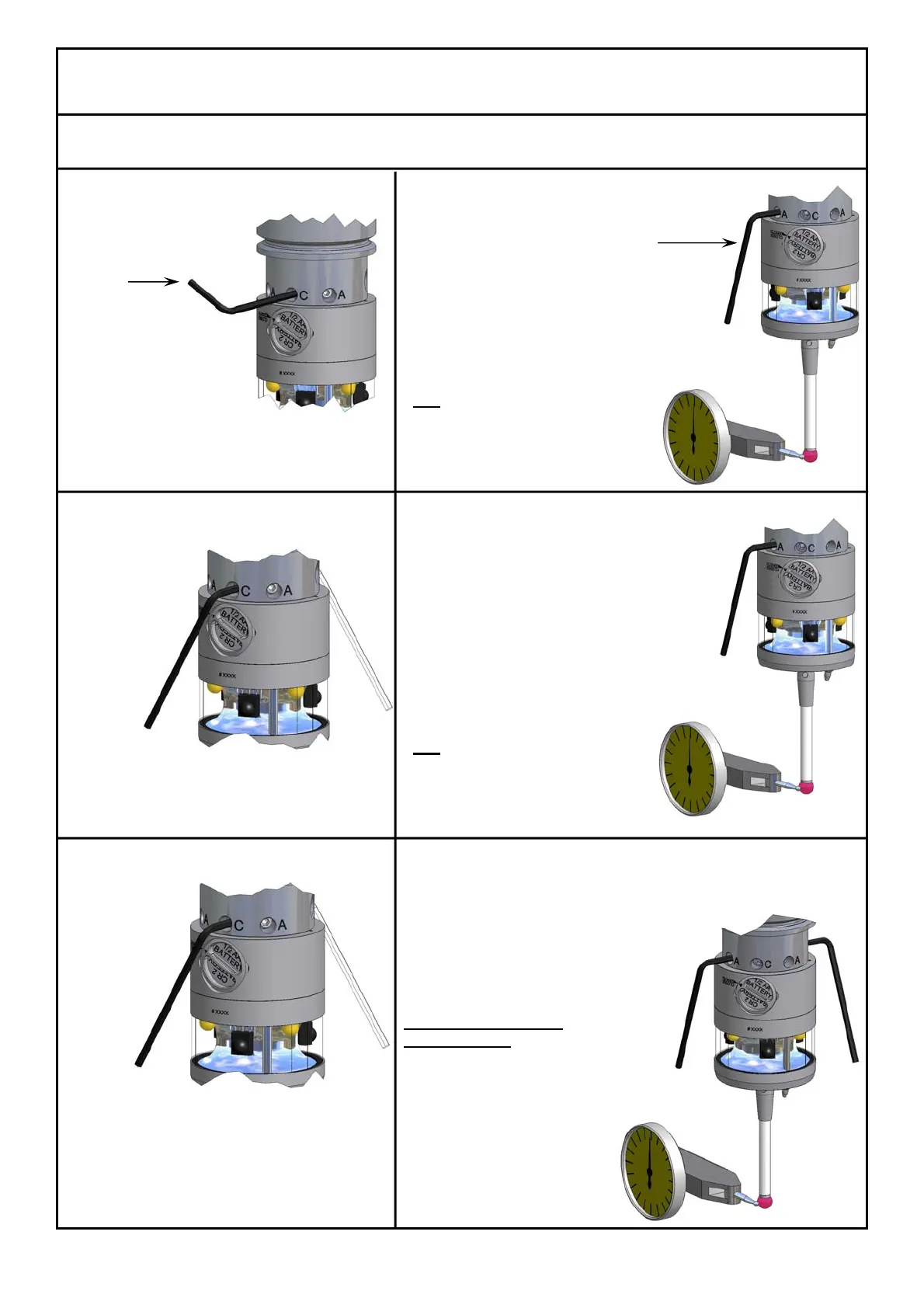
Aligning Stylus to
Spindle Centre
1 Set „C“ Screws
- Loosen all "A" screws 2 turns
- Loosen the "C" screws
- Using the long end of the Hex key
tighten both "C" screws lightly
3 Tighten „C“ Screws
- Tighten both “C” screws using the
short end of the Hex Key
5 Retighten „C“ Screws
- Using the short end of the Hex Key
- Securely retighten both "C" screws
2 Adjustment to <20µ
- Set dial gauge in front of the probe (see pict.)
- Turn the probe until the maximum deviation
is shown on the indicator
- Turn the "A" screws
half
of the indicator reading
- Loosen the "A" screws that were
used 1 turn
- Repeat procedure
until runout is < 20µ
4 Adjustment to <2µ
- Turn the probe until the maximum deviation
is shown on the indicator
- Turn the "A" screws
half
of the indicator reading
- Loosen the "A" screws that were
used 1 turn
- Repeat procedure
until runout is < 2µ
6 Set „A“ Screws against each other
- Set opposing „A“ screws (0° - 180°)
against each other
- Repeat with the other two opposing
„A“ screws (90 - 270°)
If the runout goes out
of adjustment:
- Turn the probe until the maximum deviation
is shown on the indicator
- Carefully loosen the „A“ screws
on the opposite side until the
runout is < 2µ
- Set the opposing „A” screws
against the newly adjusted
one
Hexagon key
AF2.5mm
#1346
Hexagon key AF2mm
#1097



 To Next Page