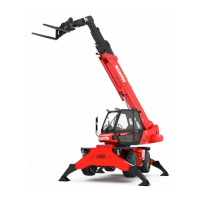
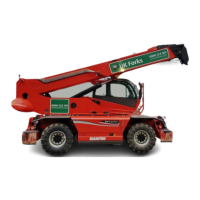
The Manitou ST3 Rotational Telehandler, available in 21.50 and 24.50 models (non-AdBlue), is a versatile materials handling machine designed for various tasks, including telescopic lifting, crane operations, and platform work. It is particularly suited for working at great heights in cramped sites, offering a 3-in-1 functionality that combines lift, offset, and rotation capabilities.
Technical Specifications:
The telehandler comes in several models: MRT 1850+, MRT 2150+, MRT 2540+, MRT-X 2150+, and MRT-X 2540+. Key dimensions and weights vary by model:
- Unladen weight: Ranges from 15,350 kg (MRT 1850+) to 17,165 kg (MRT 2540+).
- Nominal laden weight: Ranges from 20,349 kg (MRT 1850+) to 21,409 kg (MRT 2150+).
- Maximum load on each stabiliser: 10,600 kg (MRT 1850+, MRT 2540+) to 11,500 kg (MRT 2150+).
- Maximum load per tyre: Ranges from 8,600 kg (MRT 2540+) to 9,050 kg (MRT 2150+).
- Traction force: 8,200 kg across all models.
- Overall width: 2.43 m for all models.
- Overall length: Ranges from 6.06 m (MRT 1850+) to 7.82 m (MRT 2540+).
- Overall height: 3.05 m for all models.
- Ground clearance: 0.37 m for all models.
Specific dimensions (in mm) are also provided: A (1200), A1 (150), A2 (1320), A3 (50), B (290), C (5770-7530), D (5050), E (1155), F (2750), G (1155), H (380), I (2485), J (3110), K (2485-2985), K1 (485), L (1930), M (2425), N (4700), O (5100), P (150), Q (4500), R (3800), S (4550), T (4040), U (5640-6700), V (950), Y (12°), Z (105°).
Usage Features:
The telehandler is operated from a cabin equipped with a dashboard display and joysticks.
- Dashboard Display (F1 screen): Shows axle alignment and steering mode indications. A turret alignment icon indicates when the turret can be locked using a lever to the right of the seat. When aligned, the icon illuminates.
- Dashboard Display (F2 screen): Displays load level (red for maximum, green for actual lifted load), stabiliser mode (e.g., fully extended and down), and allows setting the load position in space. Users can select total load of attachment, reset partial hour counter, escape, and confirm attachment.
- Dashboard Display (F3 screen): Shows working zone limits with yellow icons indicating when a limit has been reached. Configuration is done by setting the machine to the maximum position and pressing F6-F10 keys. It also displays retrieval of speeds from memory as a percentage of boom hydraulic speed and attachment recognition by the machine.
- Dashboard Display (F4 screen): Configuration screen for maximum speeds of boom hydraulic movements. F6-F9 select lines, joystick modifies values, and the red button on the right joystick validates percentages. F10 resets movements to 100%.
- Dashboard Display (F5 screen): Error diagnostics screen.
- Joysticks: Feature a control wheel for attachment hydraulic line movements and a speed control validation button (F4 screen). A warning switch cuts off attachment line movements. The right joystick has a dead man's button to validate movement commands.
- Gear Selection: A switch allows selecting FORWARD GEAR, REVERSE GEAR, or NEUTRAL. The machine must be in neutral before starting the engine.
- Control Panel: Includes switches for site speed (low gear) / travel speed (high gear), reset (synchronises gear change), manual-mode parking brake (automatic parking brake is standard), electric accelerator, automatic machine levelling (optional), frame levelling control, radio-control, economy consumption mode, and boom suspension.
- Steering Mode Selector: Offers three modes:
- 4 STEERING WHEELS: For short radius in narrow places.
- 2 FRONT STEERING WHEELS: For safety on the road.
- CRAB-STEERING: For sideways approaches.
- Stabiliser Movement: Indicators show stabiliser movement control. A switch allows moving the machine with the turret out of alignment on flat surfaces.
- Speed Modes: The machine has two speeds: site speed (low gear) and travel speed (high gear). To select a gear, the operator must select neutral, press fully on the brake, and then select the desired gear using the switch. The RESET indicator light is normally on; if a gear is not selected, the blue light turns off. If a gear doesn't shift, press RESET with the gear engaged and accelerate gently until the machine moves, then release RESET.
- Stabilisers: Can be selected individually or in groups. Switch S selects S1 or S2 mode (raise/lower or extend/retract). Switch Q drives stabilisers: Q1 for lower/raise, Q2 for extend/retract. Pads should be fully on the ground when deployed.
- Frame Levelling: Controlled by a lever to the right of the display monitor. Pushing left tilts the machine left, pushing right tilts it right. This function is enabled only if the telescopic boom is retracted, boom height is less than 3 meters, and the turret is aligned with the chassis.
- Attachments: The manual details various attachments, including frame-mounted hooks, cranes, tipping forks, extensible platforms, and hydraulic winches. If it's a hydraulic attachment, hoses and return to the tank must be connected. Attachments are equipped with RFID chips for automatic recognition, providing the correct load chart for better operating comfort.
- Radio-Control Mode: To switch to radio-control, start and stabilise the machine, then press the radio-control button (engine stops). Ensure the door is closed and the gear lever is in neutral. Switch on the radio-control, press the "start" green button (horn indicates communication), and start the engine using the radio-control button. The radio-control unit includes a machine display screen, joysticks with selector buttons, and an emergency stop button.
- Platform Mode: To enter platform mode, hang the platform to the machine coupler and insert the locking bolt. Stabilise the machine without switching off the ignition. Connect the platform's electrical lead to the boom head (machine engine stops). Connect hydraulic hoses (if applicable). Place the control box in the platform and secure it. Connect the platform's electrical lead to the right side of the control box. Switch on the control box. Press the "start" green button (horn indicates communication). Start the engine using the radio-control button. Important: In platform mode, if the platform exceeds the load limit, only boom retraction is allowed. Also, the joystick gear selector must be in neutral. An emergency pump electric switch is available, including in the platform provision. The platform has an emergency key (located in a box on the cabin's right pillar, requiring breaking glass with a hammer) that allows an operator to start the engine and operate functions from the cabin by turning the key and pressing the red button simultaneously. There's also an LMI shunt key to deactivate safety by turning/pressing and holding it.
Maintenance Features:
Daily maintenance is crucial for the machine's good working order. Refer to the Daily Maintenance chapter in the Instruction Manual for full details. Key checks include:
- Fluid Levels: Check engine oil, coolant, and hydraulic oil levels on a flat surface with the engine stopped.
- Safety Systems: Check the machine's safety system and lights.
- Lubrication: Check the lubrication of the telescopic boom slides.
It is essential to ensure the correct application of all recommendations and instructions described in the Instruction Manual, as this quick reference guide does not substitute the full manual.

 Need help?


 To Next Page
 General