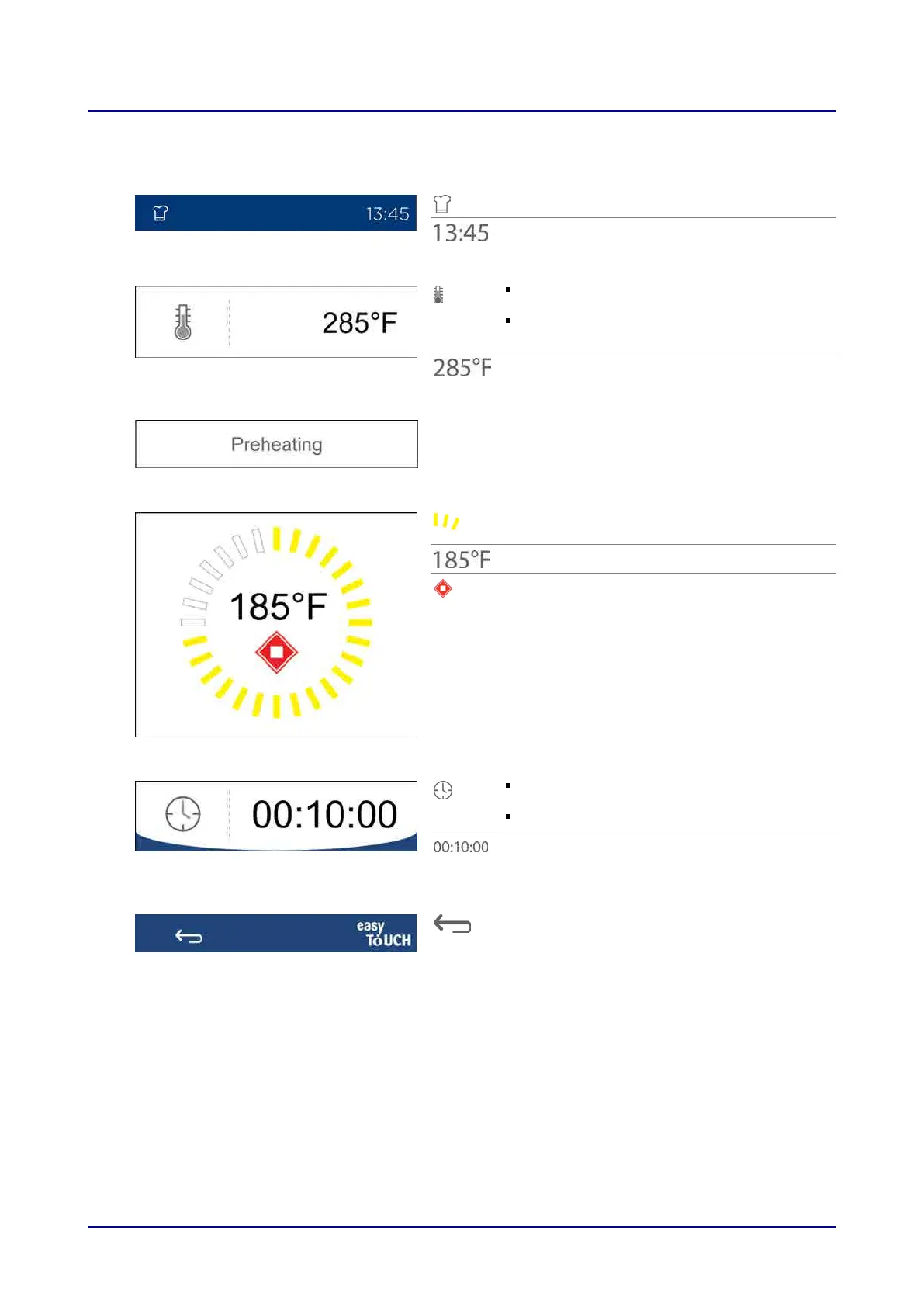
4.12 Pre-Heating Screen
Shows which screen you are on
Current time of day
Indicates that the pre-heating temperature
is being shown (optional)
Press to change the pre-heating
temperature
Pre-heating temperature
Tells the operator that the following step is
currently in progress: Pre-heating
Total progress during pre-heating, yellow,
clockwise
Current cooking compartment temperature
Stop
Press to stop pre-heating
Indicates that the hold time is being shown
(optional)
Press to change the hold time
Cooking compartment temperature hold time
after pre-heating
Press to go back to the “Cooking” screen
4 easyTouch User Interface Layout
Operating instructions 33


 To Next Page